Replacing a battery, Button – Samsung SmartTag2 Wireless Tracker (White) User Manual
Page 4
Advertising
Getting started
4
Button
Button
Function
Button
•
Press to turn off the product alerts notification sound
when it rings.
•
Press twice to find the mobile device connected to the
product.
•
Press or press and hold to launch the automation feature
you set.
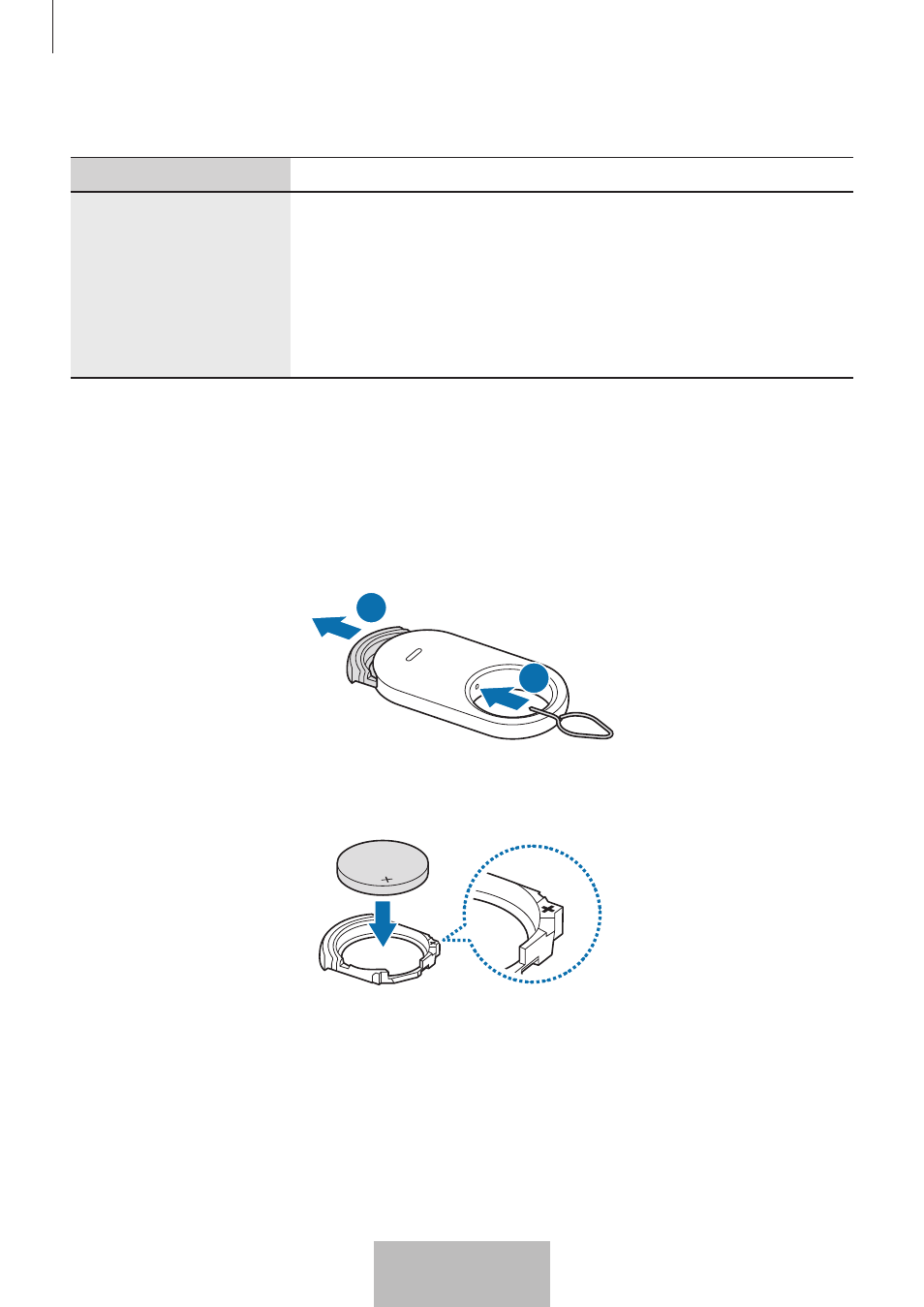
Replacing a battery
1
Insert the ejection pin supplied with the product or a clip into the battery tray hole,
and pull out the battery tray gently from the battery tray slot.
1
2
2
Insert the battery with the positive terminal properly aligned with the + symbol
inside the product.
4
English
2
Advertising