Before using the product – Samsung SmartTag2 Wireless Tracker (White) User Manual
Page 5
Getting started
5
3
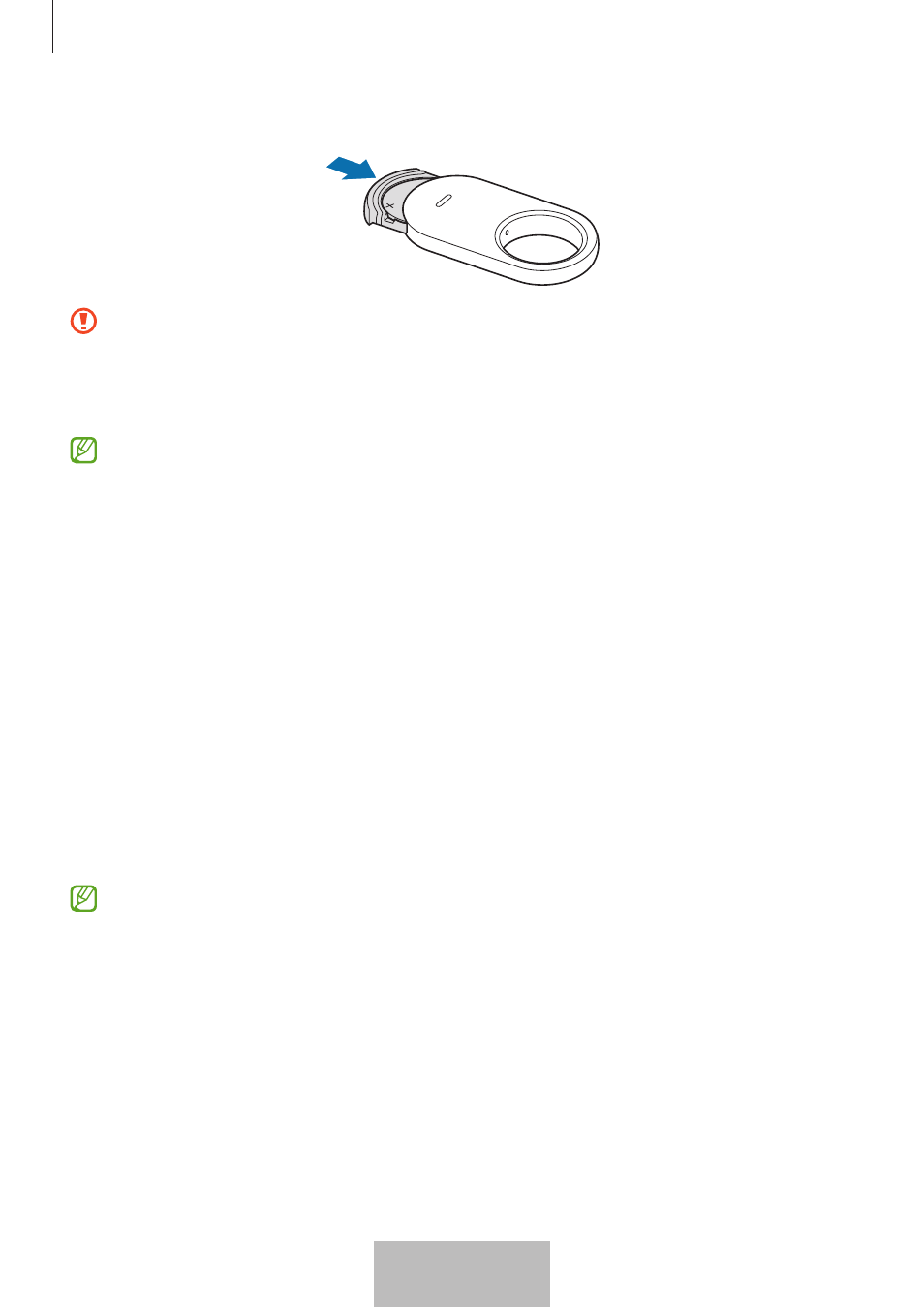
Insert the battery tray back into the battery tray slot.
•
Be careful not to hurt your finger or fingernail when pulling out the battery tray
from the battery tray slot to replace the battery.
•
Be careful not to insert the battery tray upside down as it may damage the
product.
•
Check the direction of the battery’s positive (+) terminal. If the battery is
incorrectly inserted, the product will not work.
•
When the battery is discharged, replace the battery.
•
Do not recharge the provided battery.
Before using the product
Installing the SmartThings app on your mobile device
Before using a product, you should install the SmartThings app on your mobile device.
Depending on your mobile device, you can download the SmartThings app from the
following places:
•
Samsung Android mobile devices:
Galaxy Store
,
Play Store
•
You cannot install the SmartThings app on mobile devices that do not support
products syncing. Ensure that your mobile device is compatible with the
products.
•
You must register and sign in to your Samsung account to use the SmartThings
app.
5
English
3