Saving images – Epson DC-30 Wireless Document Camera User Manual
Page 36
Advertising
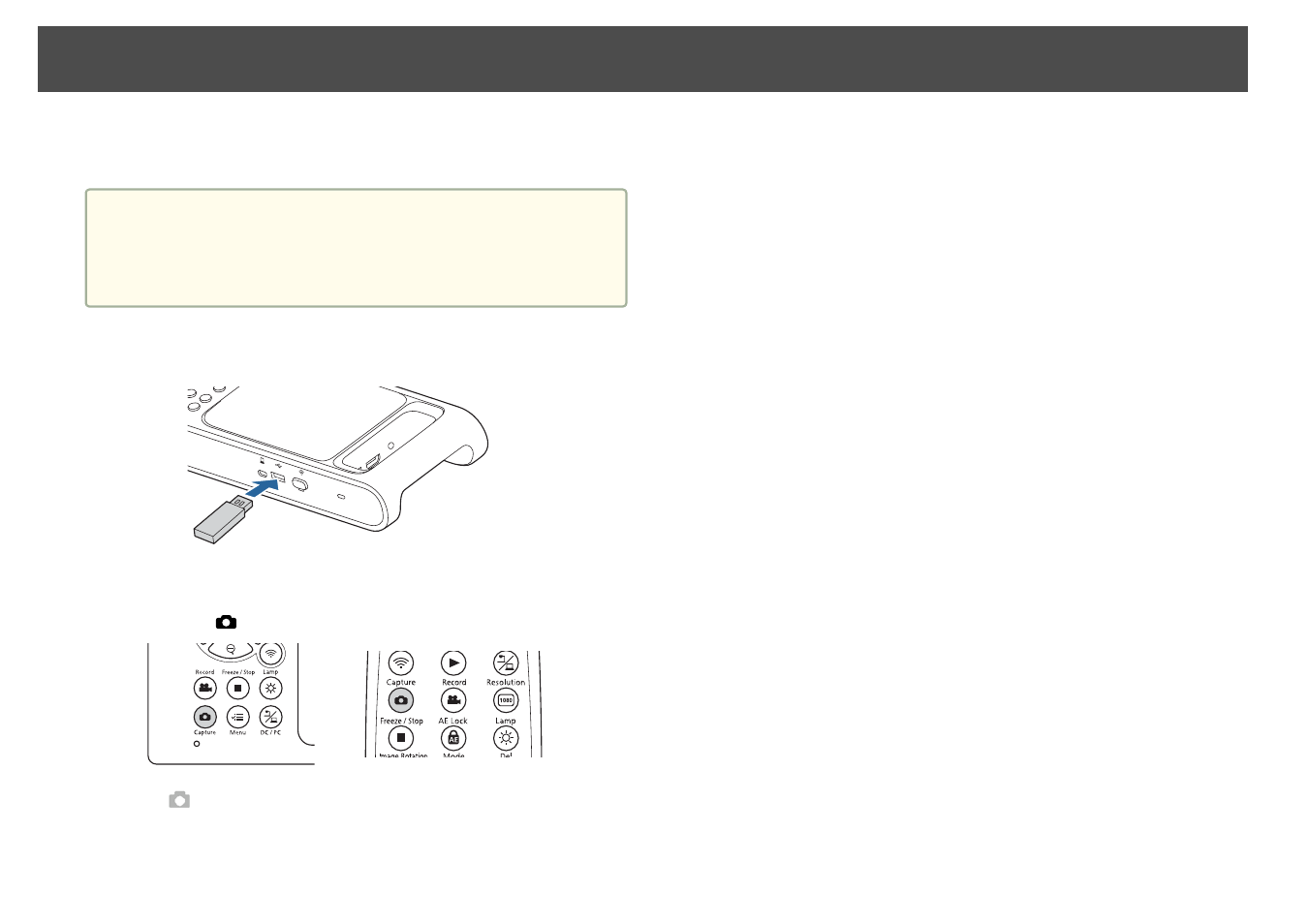
You can save images captured by the document camera to a USB flash
drive as still images.
a
•
Images are saved in JPEG format at the resolution set in the
Output Resolution
setting of the document camera. The
maximum resolution that can be saved is 4K.
•
If the USB flash drive is low on space, the message “Storage Full”
is displayed, and the image is not saved.
a
Connect a commercially available USB flash drive to the
document camera.
b
Project the image you want to save.
c
Press the [
] button to capture the image.
The
icon appears in the center of the screen and the captured
image is saved to the USB flash drive.
d
Repeat steps 2 and 3 for any additional images you want to
save.
Saving Images
36
Advertising