Saving videos – Epson DC-30 Wireless Document Camera User Manual
Page 37
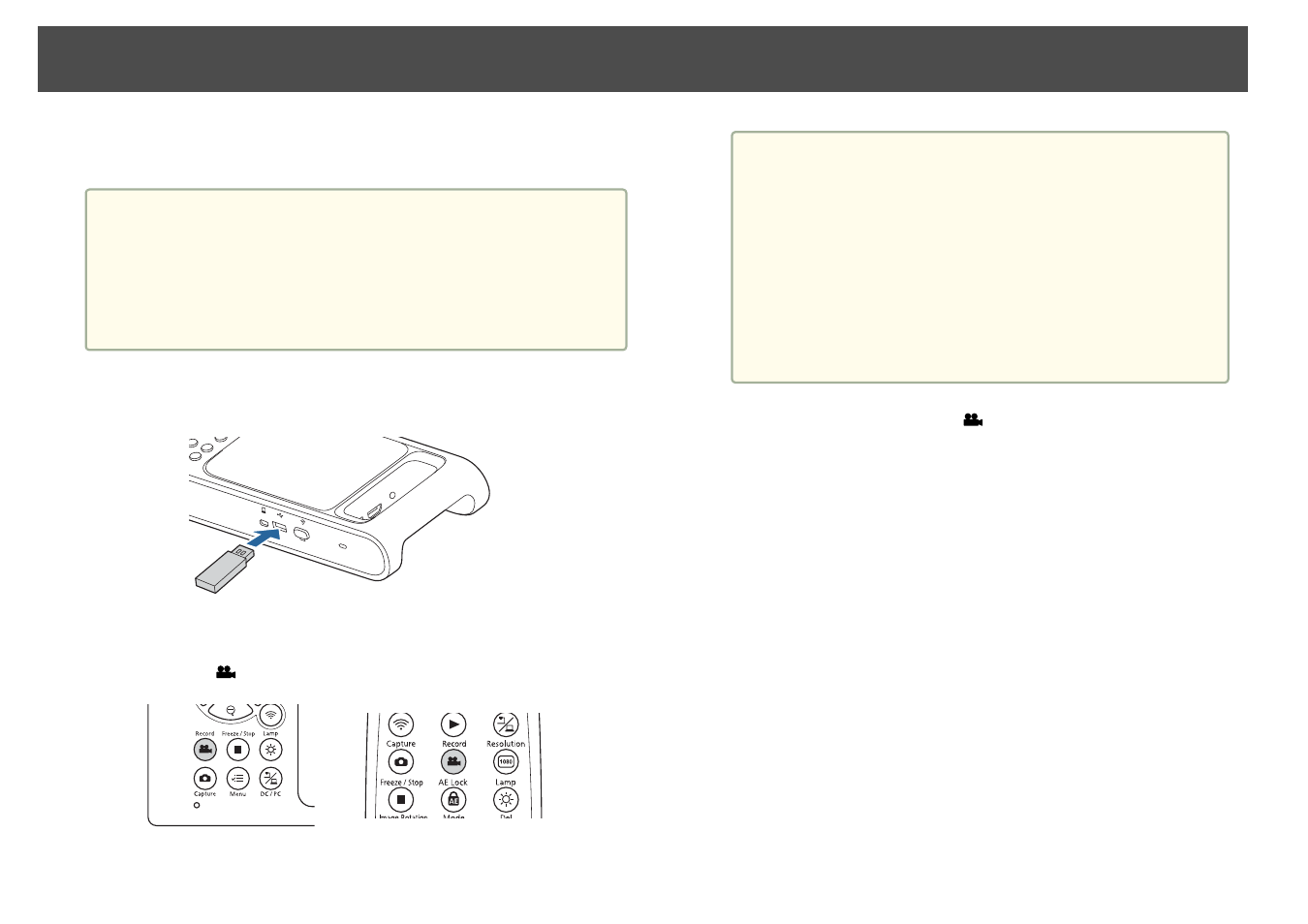
You can save images and audio from the document camera to a USB
flash drive as video.
a
•
Videos are saved in mp4 format at the resolution set in the
Output Resolution
setting of the document camera.
•
The maximum size that can be recorded in one file is 2 GB.
•
If the USB flash drive is low on space, the message “Storage Full”
is displayed, and the video is not saved.
•
Set
Sleep Mode
to
Off
to prevent the power turning off while
recording.
s
System
-
Sleep Mode
a
Connect a commercially available USB flash drive to the
document camera.
b
Project the image you want to save.
c
Press the [
] button to start recording.
a
•
While recording, the elapsed time is displayed at the top
right of the screen. This is not displayed on the saved
image.
•
Do not disconnect the USB flash drive while recording.
•
The following buttons can be operated while recording.
[Zoom], [Zoom 1x], [Auto Focus], [Brightness], [Image
Rotation], [Lamp]
Note that operation sounds are also recorded.
•
Even if you connect the document camera to another
device with a USB cable, it will not connect while
recording.
d
To stop recording, press the [
] button again.
Saving Videos
37