Datavideo 4-Channel Streaming Encoder and Recorder (1 RU) User Manual
Page 87
Advertising
87
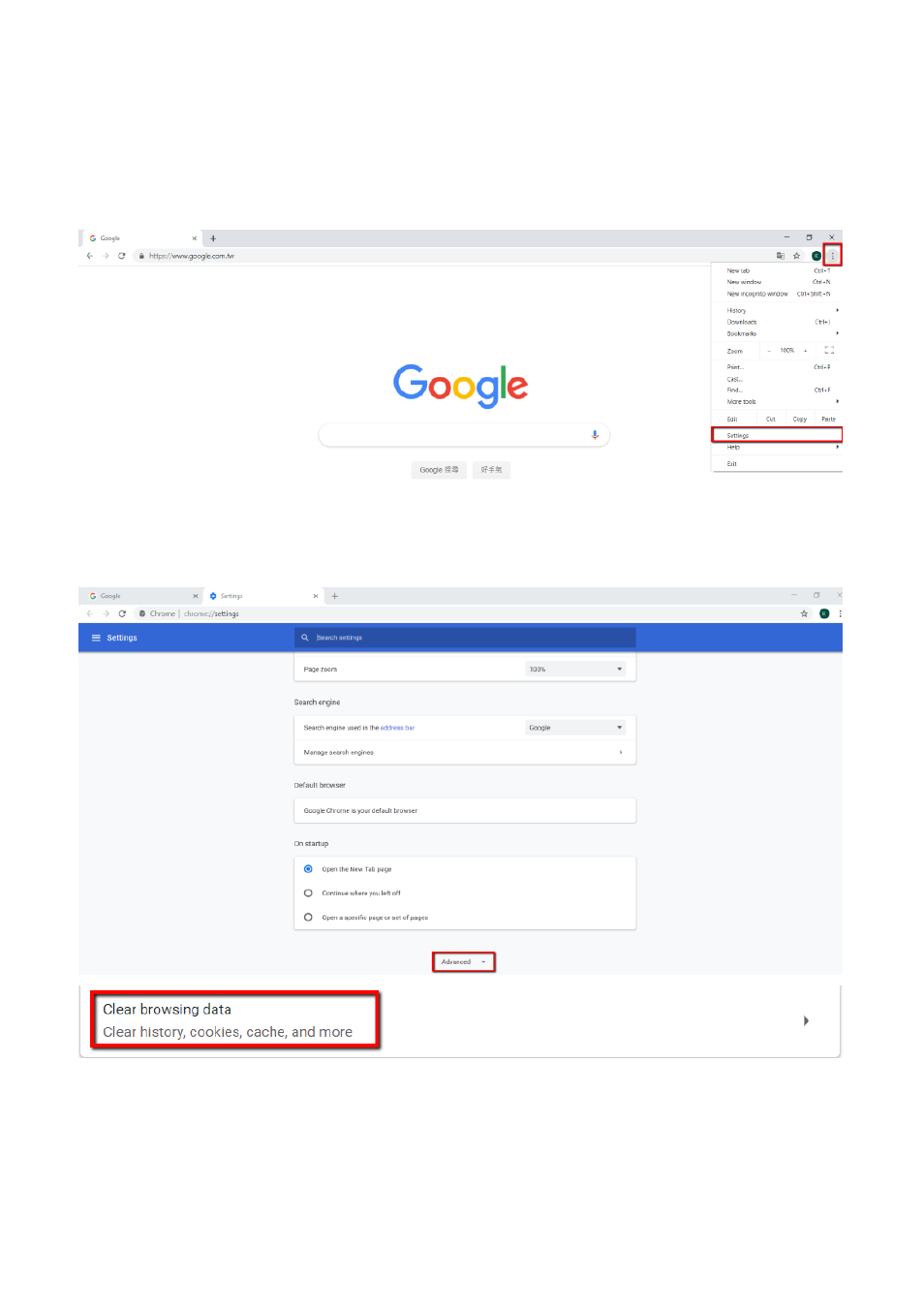
How to Clear the Cache for the Chrome Web Browser
Step 1: Please open the Chrome web browser, press the “Customize and Control
Google Chrome” on the top-right side and then please press “Settings” from the
drop-down menu.
Step 2. Please press “Advanced” and then please press “Clear browsing data”.
Advertising