Receipt – DNP DS-Tmini Kiosk Order Terminal User Manual
Page 122
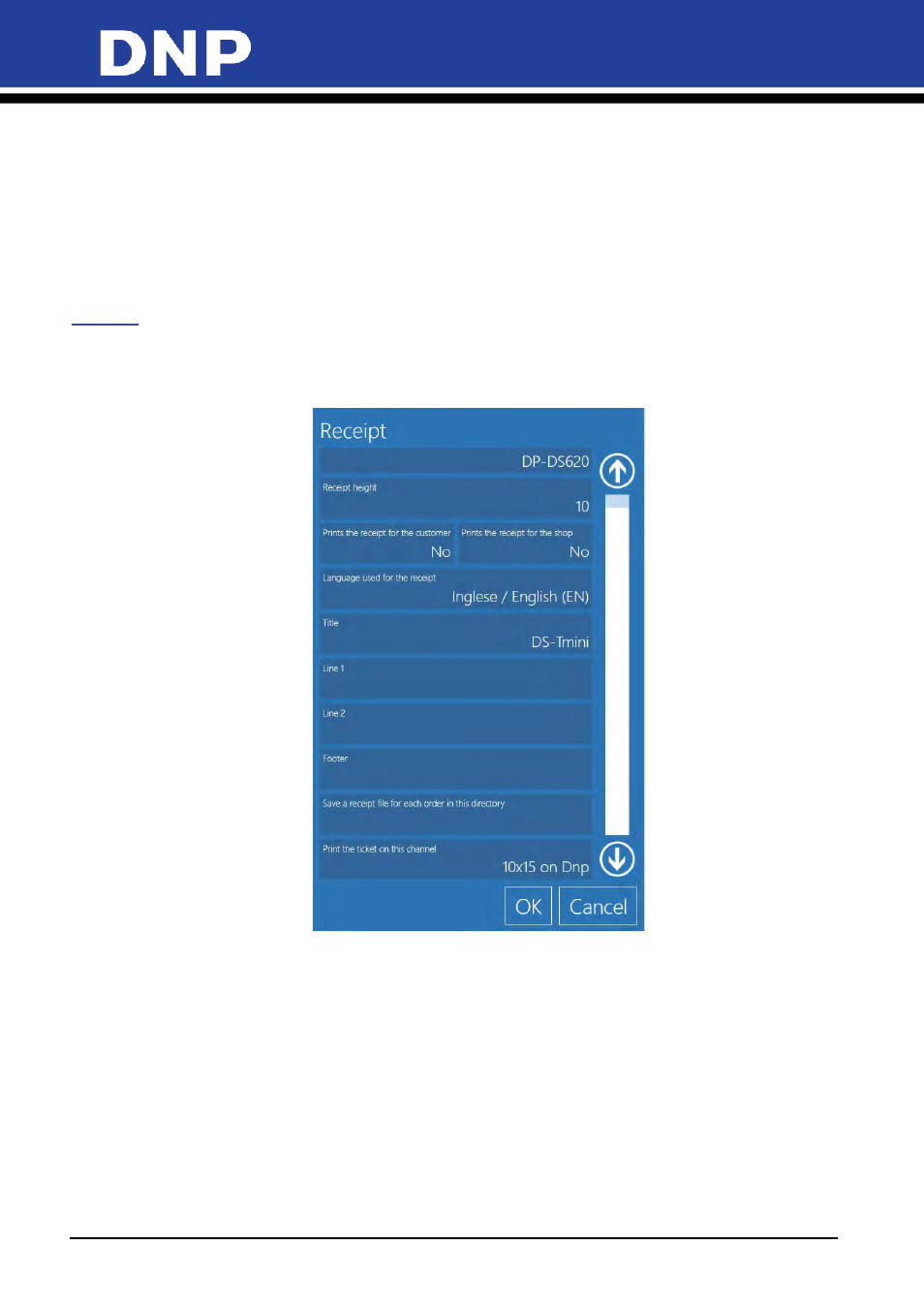
Photo Editing Software User Manual
122
A few notes about the imported data:
•
Only availaible with the Snap Lab system.
•
The import process applies all configuration data to the system.
•
The process can take up to 10 minutes.
•
If the save location is a portable drive (USB or SD), then the process can take longer.
•
If frames and templates are included in your system configuration, the process can take longer.
•
Biometric data settings and licensing cannot be applied to other systems.
Receipt
With this setting it is possible to setup an optional receipt printer to release a printed receipt after submitting
an order. Before configuring the receipt printer settings, receipt printer driver must be installed on the
operating system.
•
Receipt
: Select your receipt printer from list of installed printers.
•
Receipt Height
: Fixed value for DS620 printer receipt.
•
Print the Receipt for the Customer:
If enabled a receipt is printed at the end of each order.
•
Print the Receipt for the Shop
: If enabled, a second receipt is printed for the shop assistant.
•
Language
: Selects the language used on the receipt print from a list of available languages.
•
Title
: Title field for the receipt. Can be customized for different events or stores.
•
Line 1 and 2
: Optional text fields that appear under the title field on the receipt.
•
Footer
: Text printed at the end of every receipt.
•
Save a Receipt File
: Select a directory to save copies of each receipt file.