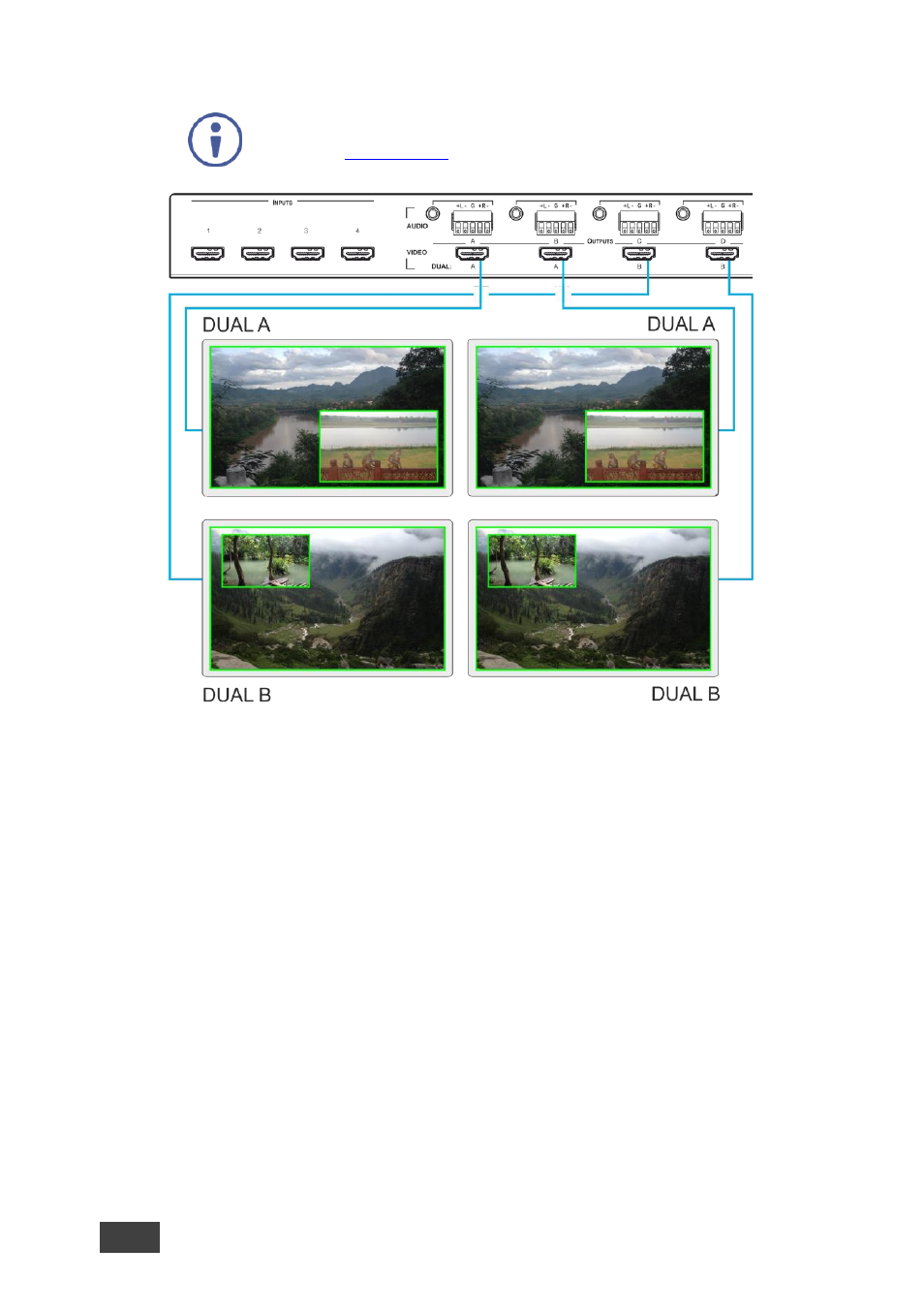
2 operating the vsm-4x4a in dual mode, Figure 8 – Kramer 4 x 4 Seamless AV Matrix Switcher/Multi-Scaler User Manual
Page 23
16
VSM-4x4A
–
Connecting and Operating the VSM-4x4A
In the following example, “Show” is selected in the BORDER menu
item (see
Section 6.2.1
) to display all the borders.
Figure 8: Connecting the VSM-4x4A in Dual Operation Mode
5.3.2
Operating the VSM-4x4A in Dual Mode
To select the inputs via the front panel buttons/IR remote control transmitter:
1. Press
DUAL
on the front panel to select the Dual operation mode.
2. Press one of the dual output buttons:
▪
For the A outputs, press
A
or
B
▪
For the B outputs, press
C
or
D
3. Press any two input buttons in sequence:
▪
In the POP mode, the first The first press is assigned to the LEFT image
and the second press is assigned to the RIGHT image
▪
in the PIP mode, the first press is assigned to the MAIN image and the
second press is assigned to the PIP image