Page | 62, Basic oper ation menu system, Basic oper ation b asic oper ation – Gefen EXT-MFP Audio/Video Multi-Format Processor User Manual
Page 72: Analog out, Multi-format processor
page | 62
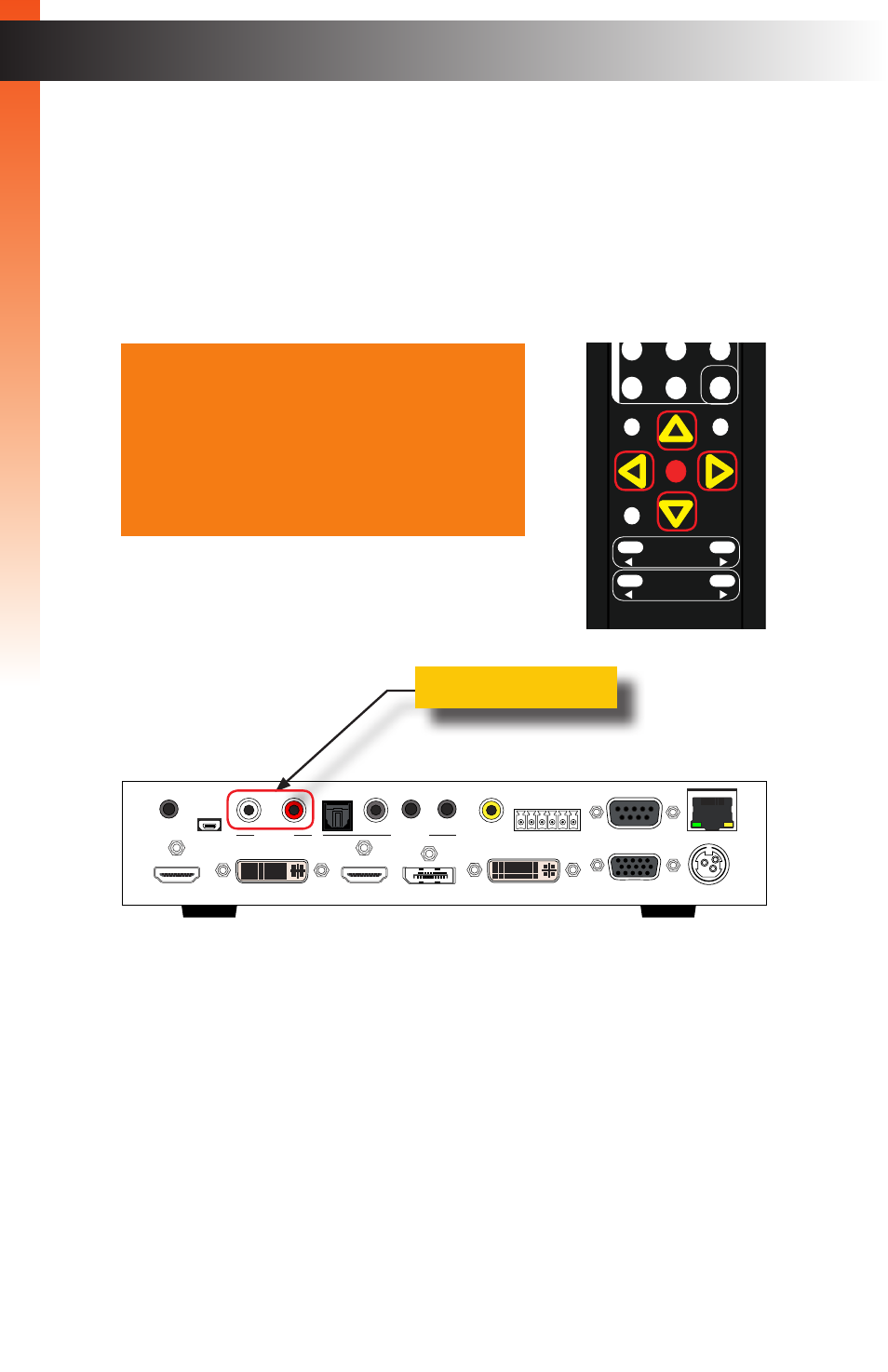
3. Press the
OK
button, again, to select the
Analog Out
option.
4. Press the
▲
,
▼,
◄, or ► buttons to switch between
On
or
Off
.
►
On
Enables audio on the Analog Out ports.
►
Off
Disables audio on the Analog Out ports.
5. Press the
OK
button to accept the desired setting.
6. To return to the previous menu, press the
▲
or
▼
buttons to highlight the
Back
option, then press the
OK
button. You can also press the
Menu
button to return
to the top-level menu.
B
asic Oper
ation
Menu System
A n a l o g O u t
O n
A n a l o g M o d e
F i x e d
H D M I L i n k
I n t e r n a l
D P L i n k
I n t e r n a l
D V I L i n k
O p t i c a l
V G A L i n k
L / R 1
C o m p L i n k
L / R 2
B a c k
Multi-Format Processor
IR
Audio
Int
Opt
Coax
L/R 1
L/R 2
HDMI
DisplayPort
DVI
VGA
Composite
Video
Input Select
Power
®
USB
Optical
IR Ext
EXT-MFP
HDMI Out
DVI Out
HDMI In (1)
DisplayPort In (2)
Coax
IP Control
12V DC
VGA In (4)
DVI In (3)
Composite
In (5)
RS-232
Input Control
Audio In
Audio Out
C 1 2 3 4 5
L/R 1
L/R 2
L
R
Analog Out
®
RMT-MFP
OK
Resolution
Menu
Exit
L/R 1
Int
VGA
HDMI
Off
On
DP
DVI
Comp
Mask
Optical
Coaxial
L/R 2
Mute
Info
Vol -
Vol +
Aspect Ratio
Audio
Video
*Preferred
B
asic Oper
ation
B
asic Oper
ation