1 output tab – NewTek TriCaster 2 Elite (3 RU) User Manual
Page 105
P a g e | 87
The
Output tab
in this panel
contains (Figure 93) controls governing
the system’s primary
outputs.
8.2.1
OUTPUT TAB
We discussed
Primary
and
Secondary
outputs back in Section 3.10. The first eight entries in this panel are
primary outputs; typically, these are also ‘mixed’ outputs, hence their default labels –
MIX 1, 2, etc. These
video sources are sent to the corresponding SDI output connectors (when provided), and also as NDI
®
(Network Device Interface) outputs.
V
IDEO
The
primary
outputs
support the largest number of optional video sources and, uniquely, can follow a
delegated
M/E
, or a
Switcher
color group.
All other outputs can be assigned to follow a primary output or
show another designated
Switcher
source (excluding M/Es).
A
UDIO
In similar fashion, you can choose which audio source accompanies any of the primary outputs. Choose any
individual audio mixer input, or any of the mixed audio outputs, Master or Aux (audio mix options vary by
model).
F
ORMAT
The Format
menu allows you to choose the video format for each output
.
Select the video format for
downstream devices you intend to connect to the corresponding output here. The formats available are
drawn from the list below (modes available vary according to session mode):
•
2160p
•
1080i and/or 1080p
•
720p
•
480p
–
progressive standard definition NTSC sessions only
•
480i (4:3)
–
interlaced standard definition NTSC sessions only
•
480i (16:9)
–
interlaced standard definition interlaced NTSC sessions
only
•
576p
–
progressive standard definition PAL sessions
•
576i (4:3)
–
interlaced standard definition PAL sessions
•
576i (16:9)
–
interlaced standard definition PAL sessions
•
Alpha
Generally, source formats that are inconsistent with the current output
format setting are automatically conformed when possible. In some cases,
such as non-standard format sources, the output format may be modified to
provide a suitable display. That said, it’s best to avoid non
-standard sources
if possible.
A
LPHA
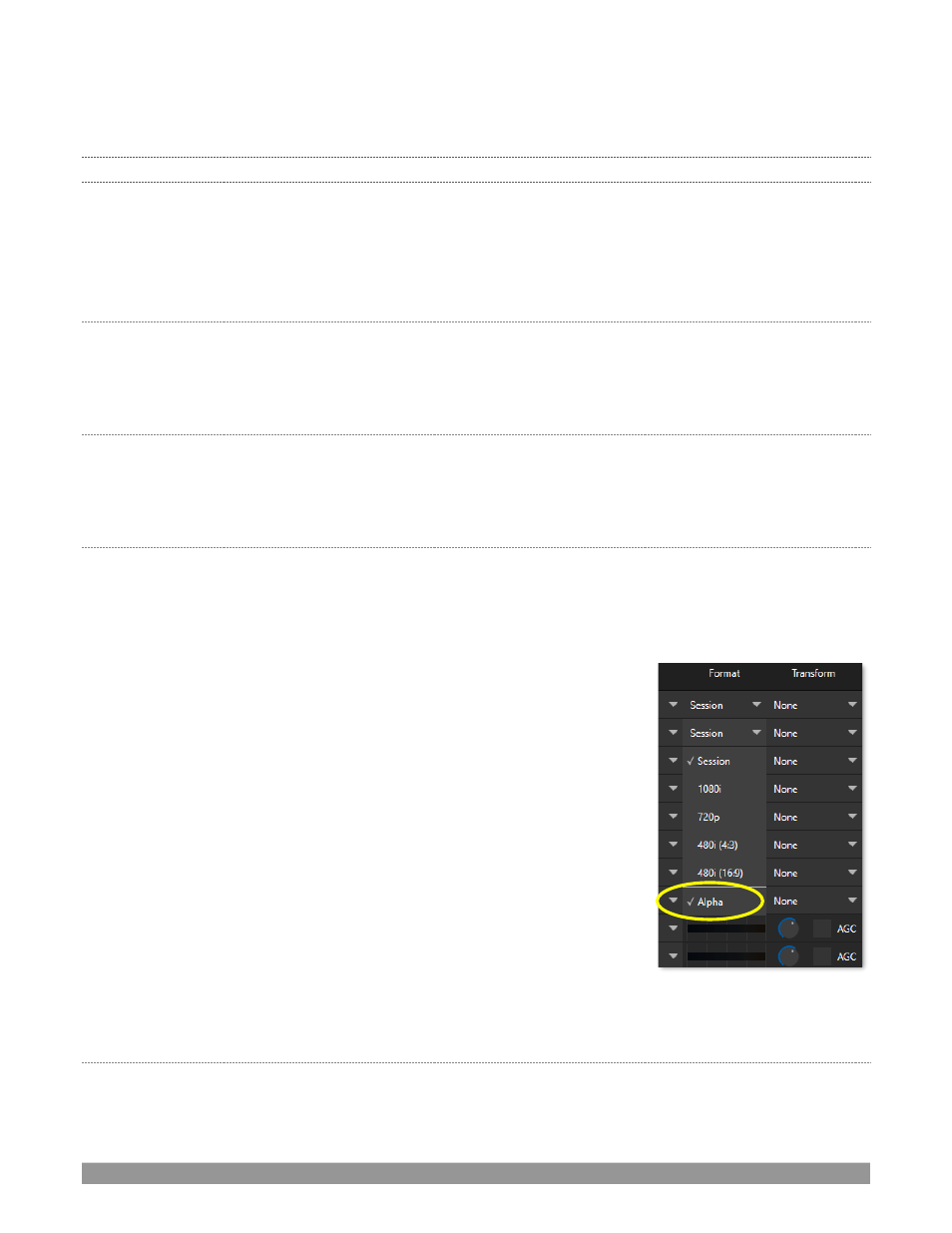
Last on the source format list is the
Alpha Channel
toggle option (Figure 94). Any switcher output can be
specified to support the rendering of alpha channel, including NDI inputs from that channel. Recordings of
FIGURE 94