Chapter 8, I/o configuration, Section 8.1 input configuration – NewTek TriCaster 2 Elite (3 RU) User Manual
Page 89: 1 input tab, Section 8.1.1 for, Chapter 8 i/o configuration
P a g e | 71
Chapter 8
I/O CONFIGURATION
Your NewTek system provides extensive control over video sources, along with
endless
creative features. Each source has Proc Amp, keyer (LiveMatte™) and Crop
(a.k.a.,
‘garbage matte’) features. Input Configuration panels are also home to real
-
time Hotspot and Tracker features. The number and flexibility of outputs supplied is
astonishing, too,
and we’ll discuss these fully in this chapter.
The addition of NDI
®
(Network Device Interface) support provides you with virtually unlimited input and
output possibilities. Generally, an NDI source needs little if any configuration; other source types may
require you to choose between optional connection methods and settings.
SECTION 8.1
INPUT CONFIGURATION
8.1.1
INPUT TAB
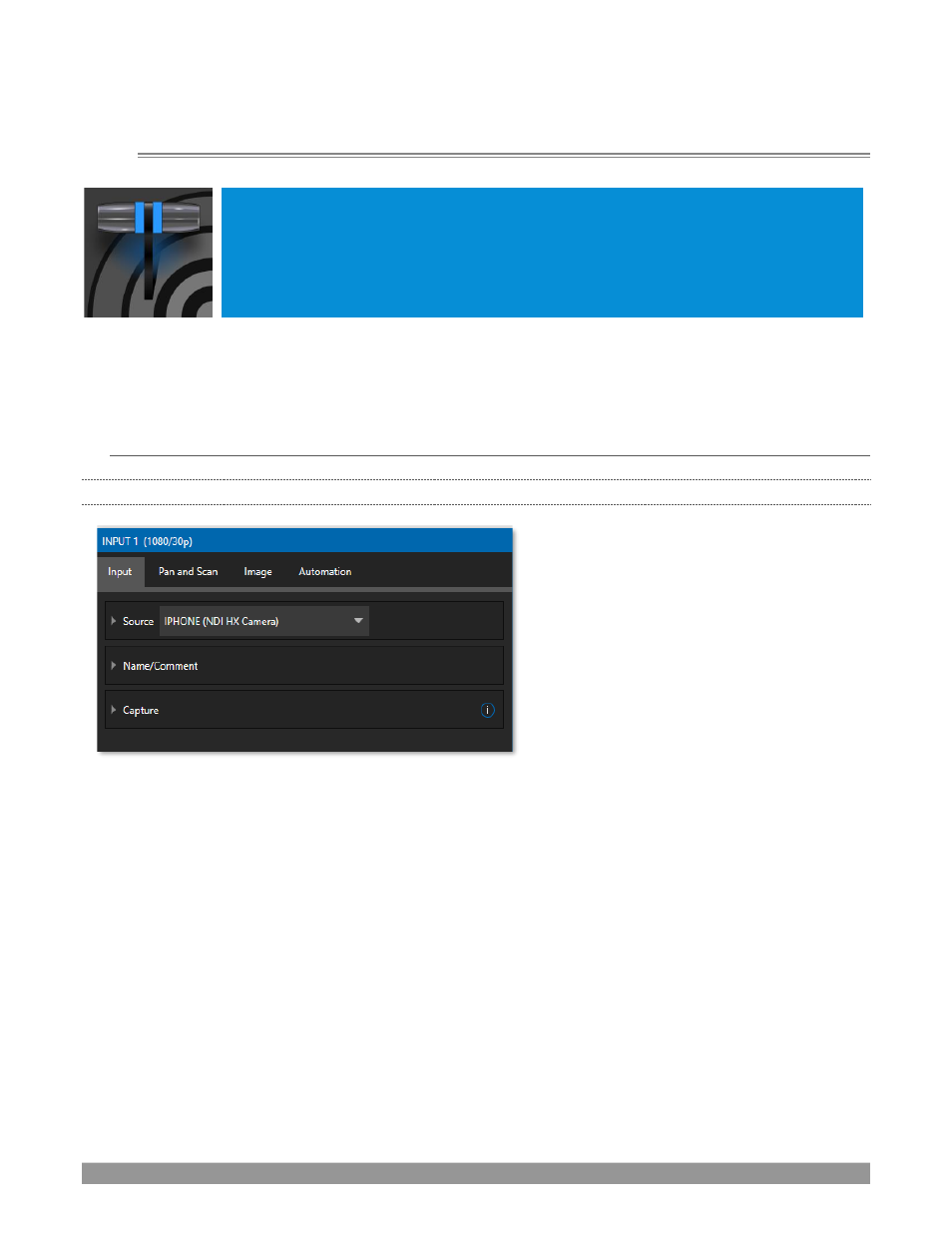
FIGURE 66
•
Any external NDI source, Skype TX
Caller, output from a video conferencing
app on the App Desktop, or a local
hardware source connected to one of
the
system’s
hardware
input
connectors, can be flexibly assigned to
any
Switcher
input.
•
This also means that sources can be
easily re-ordered on the
Switcher
.
(Likewise, default audio sources for
Switcher
inputs can be flexibly re-
assigned in the
Audio Mixer
module. For
example, audio Input 1 and video Input
1 are not inextricably linked.)
The assignment of one of the various types of source to a
Switcher
button (e.g., “Input 1” on the
Switcher
) is
made in the
Input Configuration
panel (Figure 66), introduced to us back in Section 3.10.2.
Open
Input Configuration
by any of the following methods:
•
Double-click the monitor viewport for a
Switcher
input.
•
Click the
Configuration
(gear) icon shown at lower right when the mouse pointer is rolled over above
the viewport.
•
If you have a touch-screen, you can two-finger tap the viewport.
•
Or right-click a
Switcher
input button and select the
Configure
menu item.