Getting started, Connecting the power cord, Preparing the remote control – Samsung DVD-VR375A-XAA User Manual
Page 14
14_
getting started
getting started
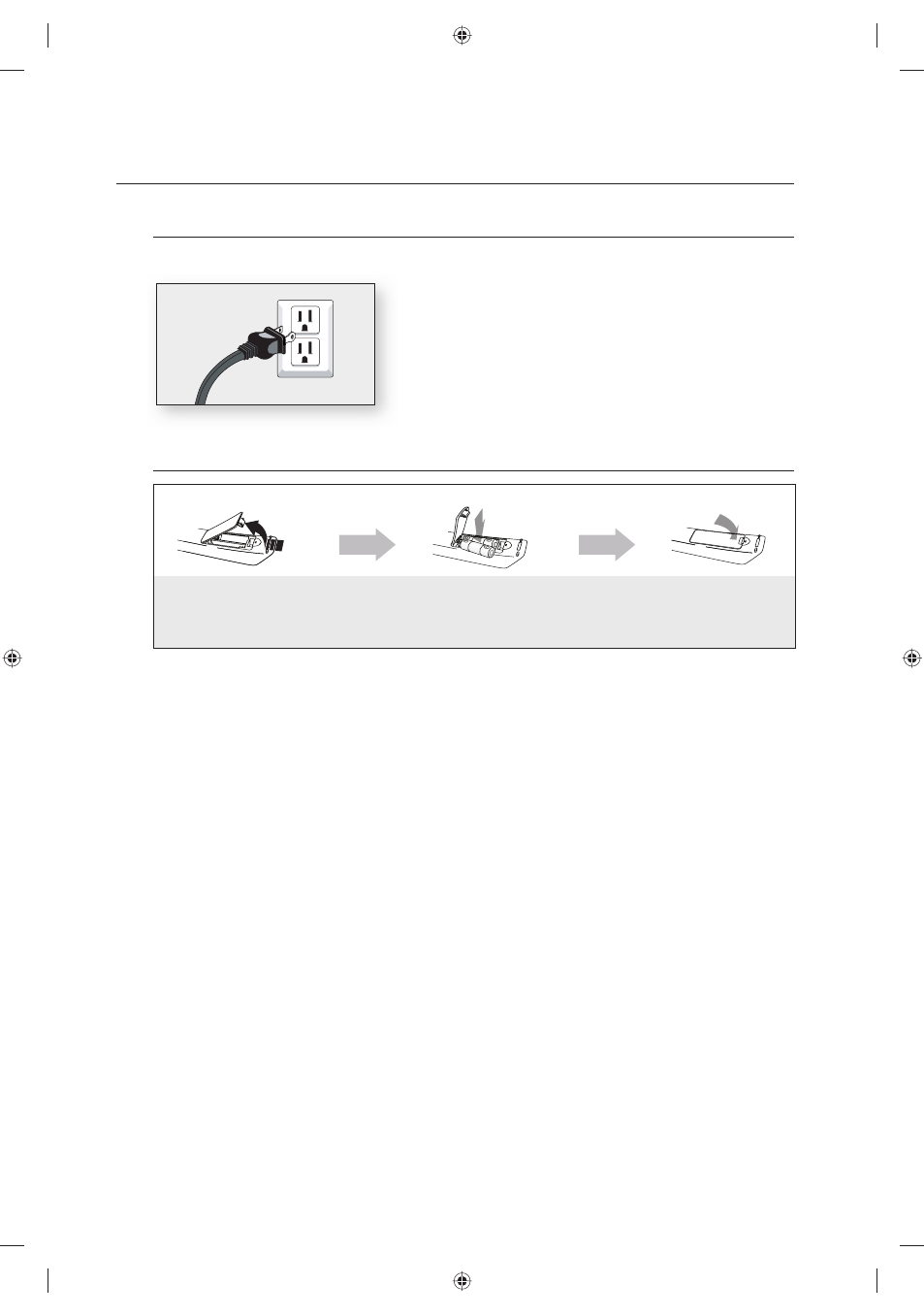
Connecting the Power Cord
After all connections are complete, plug the power cord into a wall outlet.
Preparing the Remote Control
If the remote control does not operate properly:
Check the polarity +/- of the batteries.
Check if the batteries are drained.
Check if the remote sensor is blocked by obstacles.
Check if there is any fl uorescent lighting nearby.
Dispose of batteries according to local environmental regulations.
Do not put them in the household trash.
•
•
•
•
Installing batteries in the Remote Control
1. Lift the cover at the back of the
remote control upward as shown.
2. Install two AAA size batteries.
Make sure to match the “+” and “–”
ends of the batteries with the diagram
inside the compartment.
3. Replace
the
cover.
Assuming typical TV usage,
the batteries last for about one
year.
01613A-03-VR375-XAA-ENG.indb 14
01613A-03-VR375-XAA-ENG.indb 14
2008-06-11 오후 2:17:08
2008-06-11 오후 2:17:08