Tv p, Djust, Icture – Philips COLOR TV 25 INCH TABLE User Manual
Page 13
Attention! The text in this document has been recognized automatically. To view the original document, you can use the "Original mode".
How
TO A
djust
the
TV P
icture
o
J
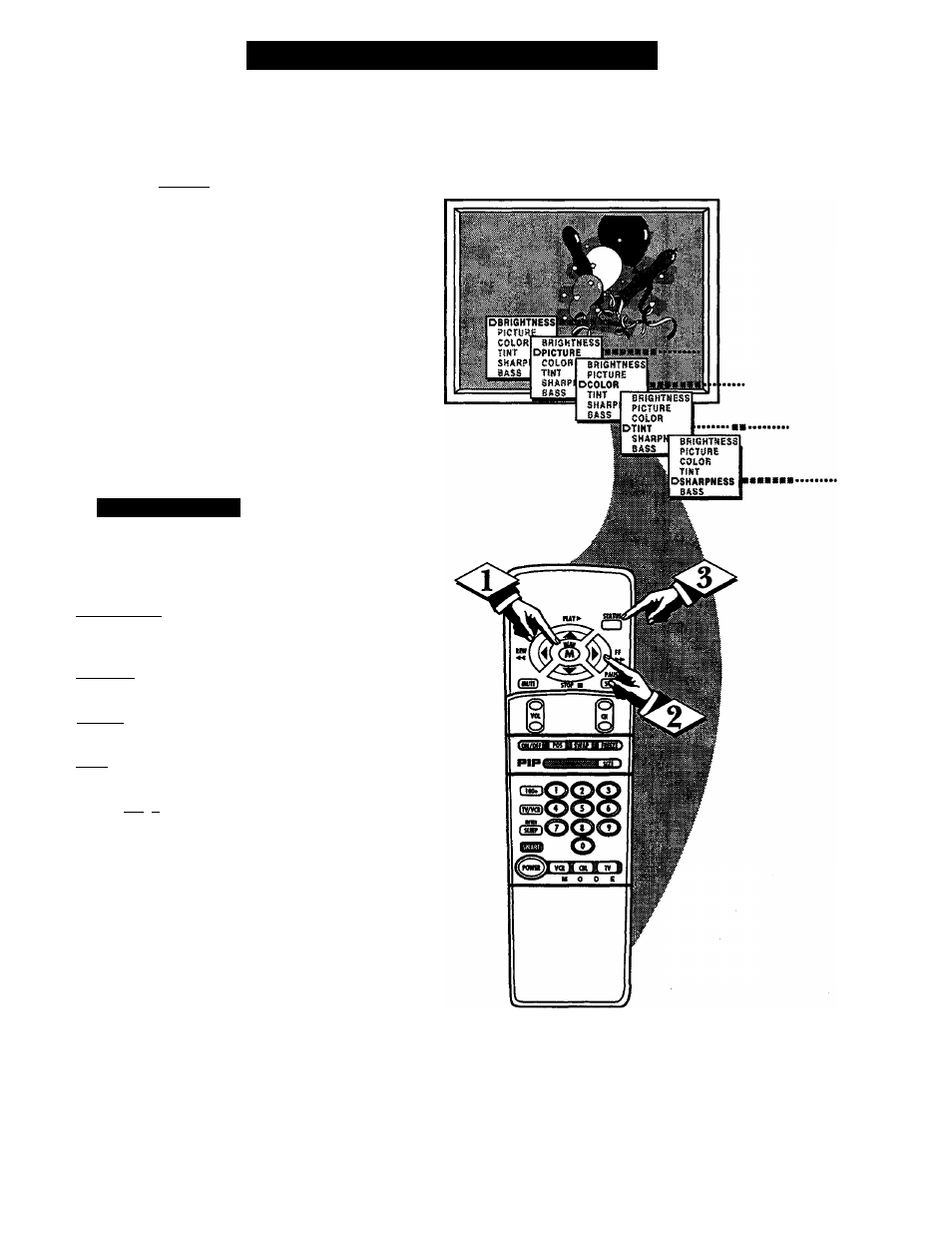
^o adjust your TV picture con
trols, select a channel and follow
the steps shown below:
tBEGINJ
Press the MENU (M) button on
the remote, then press the MENU
A
or
T buttons until the desired con
trol shows on-screen.
Press the (+) and (-) buttons to
adjust the selected color control.
Press the STATUS button to
clear the screen when picture adjust
ments are completed.
<t>
I / S
m a r t
U
k u
*
Remember, when the bar
scale is centered, the control set
tings are at normal mid-range levels.
BRIGHTNESS Press (-) or (+) until
darkest parts of the picture are as bright
as you prefer.
PICTURE Press (-) or (+) until lightest
parts of the picture show good detail.
COLOR Press (-) or (+) to add or elim
inate color.
TINT Press (-) or (+) to obtain natural
skin tones.
SHARPNESS Press (-) or (+) to
improve detail in the picture.
1 3