Lenco SCR-94 User Manual
Page 5
GB 3
FOR BETTER RECEPTION
FM
TO STOP PLAYBACK
Press the STOP button and the display shows the total
tracks of the disk
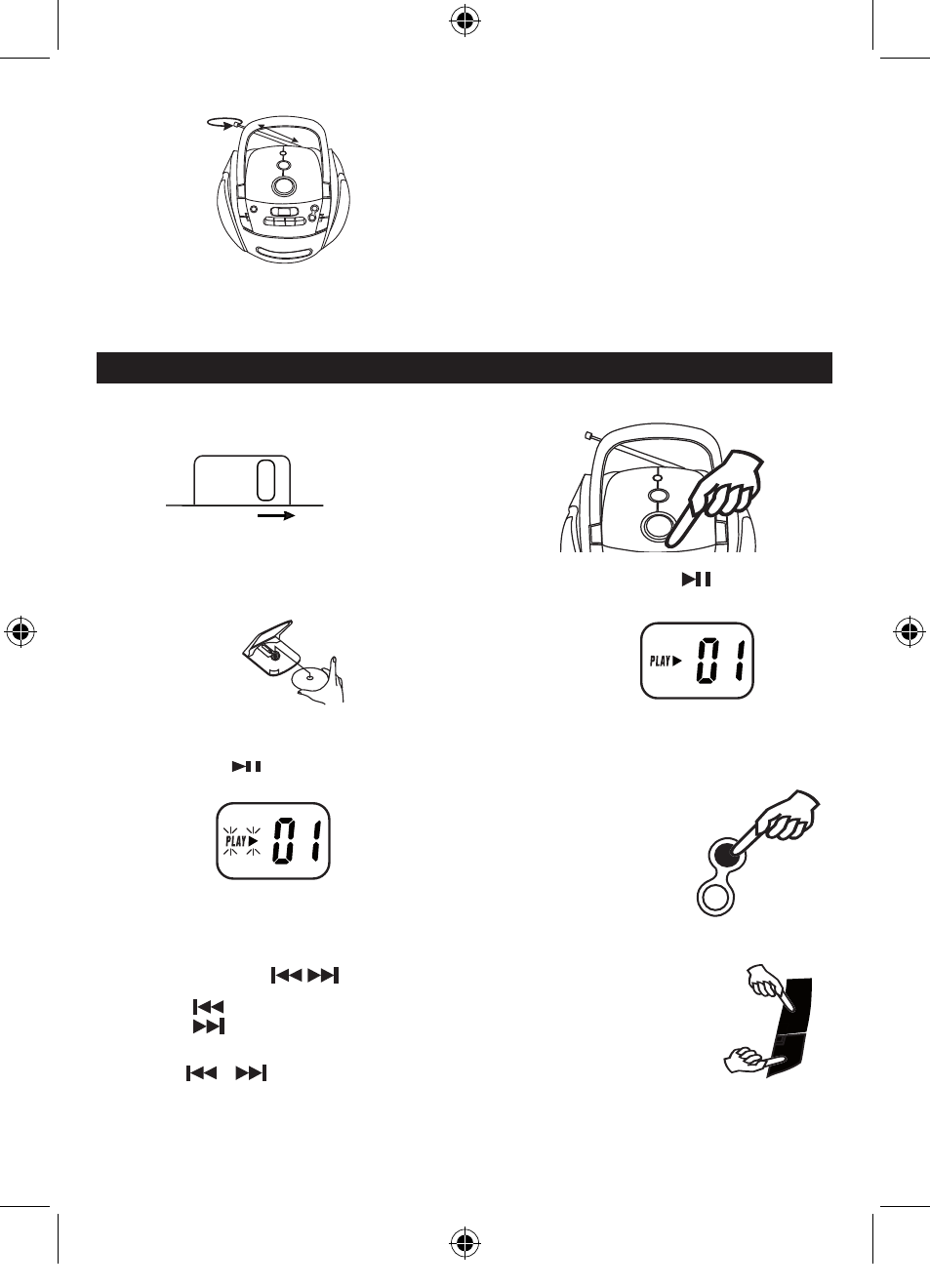
COMPACT DISC PLAYBACK
1 .
Set to CD.
2 . Open the CD door by pushing Open / Close CD
area.
LCD display
3. Insert a disc with the label side facing up.
4 . Close the CD door.
The disc will rotate and the total tracks of the disc
will show on the display.
TO SKIP TO THE BEGINNING OF A TRACK
•
Press either one of the skip buttons according to the desired skip direction.
•
Play/back resumes from the selected track.
•
When the button is pressed once during play, the previous track starts again.
•
When the button is pressed once during play, the next track plays.
SEARCHING FOR A PASSAGE WITHIN A TRACK
•
Keep the or button pressed during playback, and release the button as soon as you
recognise the desired passage. Then normal CD playback will resume from this point.
NOTE :
FM stereo LED indicator lights when receiving FM stereo broadcast and the MODE switch set on "FM ST. ".
AFTER LISTENING
Set the FUNCTION switch to OFF / TAPE.
FUNCTION
CD
LCD display
5.
Press the Play / Pause button.
Track number " 01 " will be shown.
TO INTERRUPT PLAYBACK
Press the Play/Pause button.
Press the button again to resume playback.
SCR94-LENCO-ENG-FM-TCD05SF.indd 5
3/17/2010 10:31:41 AM