3 pvlan configuration – KBC Networks ESML6-P3 User Manual
Page 21
Ethernet Switch User Manual
Manual_cmd_line_config-ESML6-P3-Rev1106
Copyright © KBC Networks Ltd.
Page 20 of 49
www.kbcnetworks.com
5.3 PVLAN configuration
A private VLAN (PVLAN) contains switch ports that cannot communicate with each other
on a switch but can access a shared domain. These ports are called private ports. Each
private VLAN contains one or more private ports, and a single uplink port or uplink
aggregation group.
The PVLAN function should be configured as follows:
•
In the shared domain VLAN, add the ports so that the private ports are set as
tagged and the ports within the shared domain are set as untagged.
•
In the isolated domain VLANs group, the private ports as untagged members with
only the shared ports tagged (do not include the ports from the other private
VLAN).
•
Add all the VLANs to the PVLAN.
5.3.1 Adding a VLAN to a PVLAN
#SWITCH(config)#pvlan add <0,4093>
5.3.2 Deleting a VLAN from a PVLAN
#SWITCH(config)#pvlan delete <0,4093>
Example:
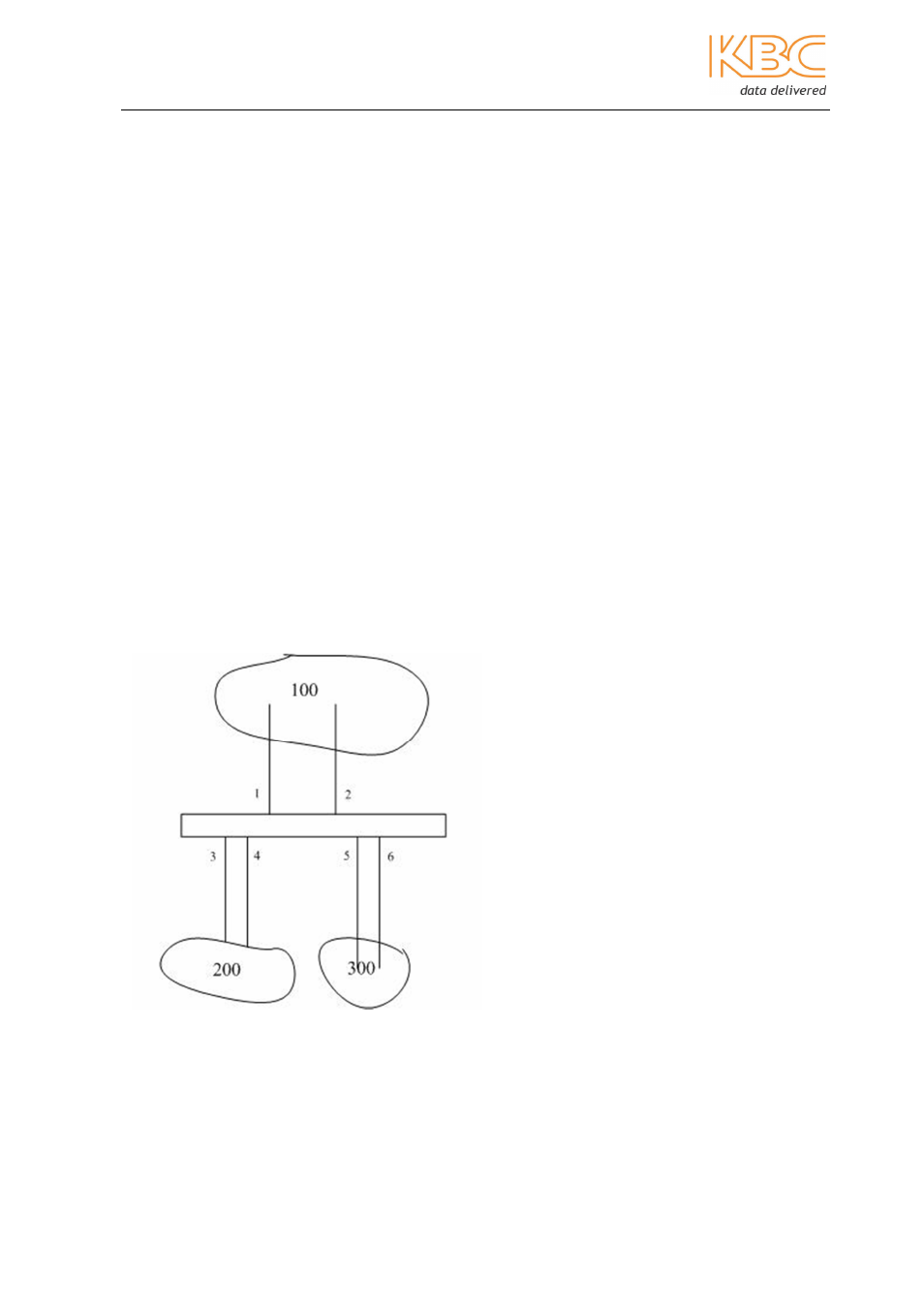
Fig. 5-1 PVLAN Configuration
In the example in Fig 5-1 ports 3, 4, 5 & 6 are private ports grouped as VLAN200 and
VLAN300 and VLAN100 is the shared domain. VLAN100 must to be able to communicate
with VLAN200 and VLAN300 however; VLAN 200 & VLAN 300 must not be able to
communicate with each other.