B: u, Gps f, Ppendix – NEXCOM NViS 3620 User Manual
Page 71: Sing, Eature, Setup and using gps information
Copyright © 2013 NEXCOM International Co., Ltd. All Rights Reserved.
57
Appendix B: Using the GPS Feature
NViS3620/3720 series User Manual
a
PPendIx
B: u
sIng
the
gPs f
eature
The NViS has a built-in u-blox UBX-G6010 GPS receiver module by default.
Global Positioning System (GPS) uses a constellation of 50 medium earth
orbit satellites to transmit and receive microwave signals to determine its
current location.
You need to install the third-party GPS navigation software to take advantage
of the GPS feature.
Setup and Using GPS Information
Users can use the GPSinfo.exe program to verify that the GPS is correctly
configured and working properly. Also, users can use the GPSinfo.exe pro-
gram to enable WAAS/EGNOS and power saving mode.
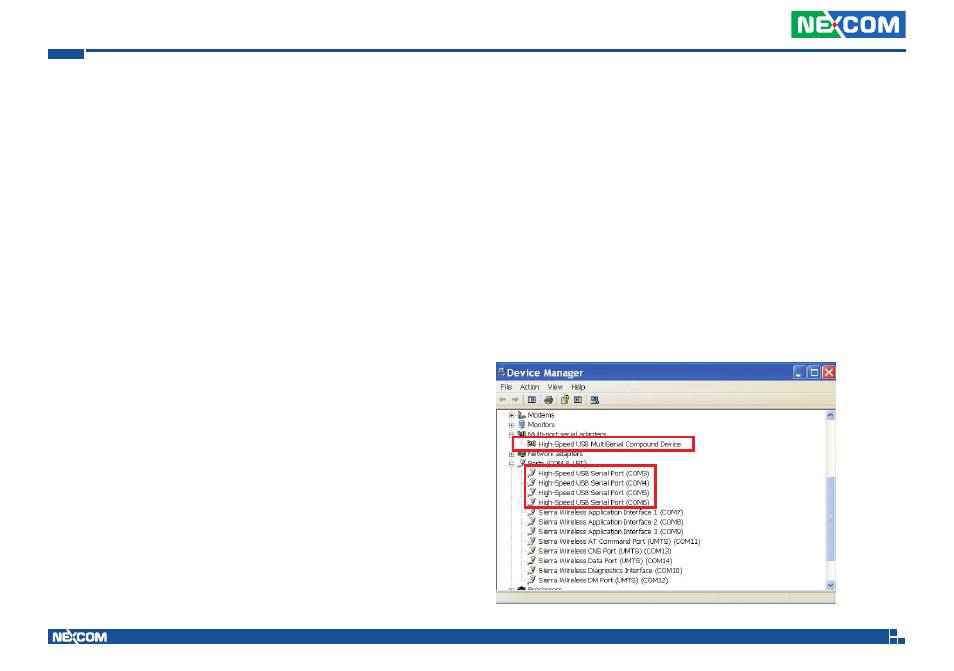
1. Go to Device Manager to ensure the device is installed correctly.
Module: DGM-U2525T
Chip:
•
Receiver Type:
•
50-channel u-blox UBX-G6010 chip
•
GALILEO
•
GPS L1 C/A code
•
SBAS: WAAS, EGNOS, MSAS, GAGAN
•
Navigation Update Rate:
•
Up to 5 Hz
•
Accuracy Position:
•
< 2.5 m autonomous
•
< 2.0 m SBAS
•
Acquisition:
•
Cold starts: 26s
•
Aided starts: 1s
•
Hot starts: 1s
•
Sensitivity:
•
Tracking: –162 dBm
•
Cold starts: –160 dBm
•
Hot starts: –148 dBm
AGPS
Supports Assist Now
®
Online and Offline, OMA SUPL compliant.