Adobe Acrobat 8 3D User Manual
Page 190
A
B
C
183
ADOBE ACROBAT 3D VERSION 8
User Guide
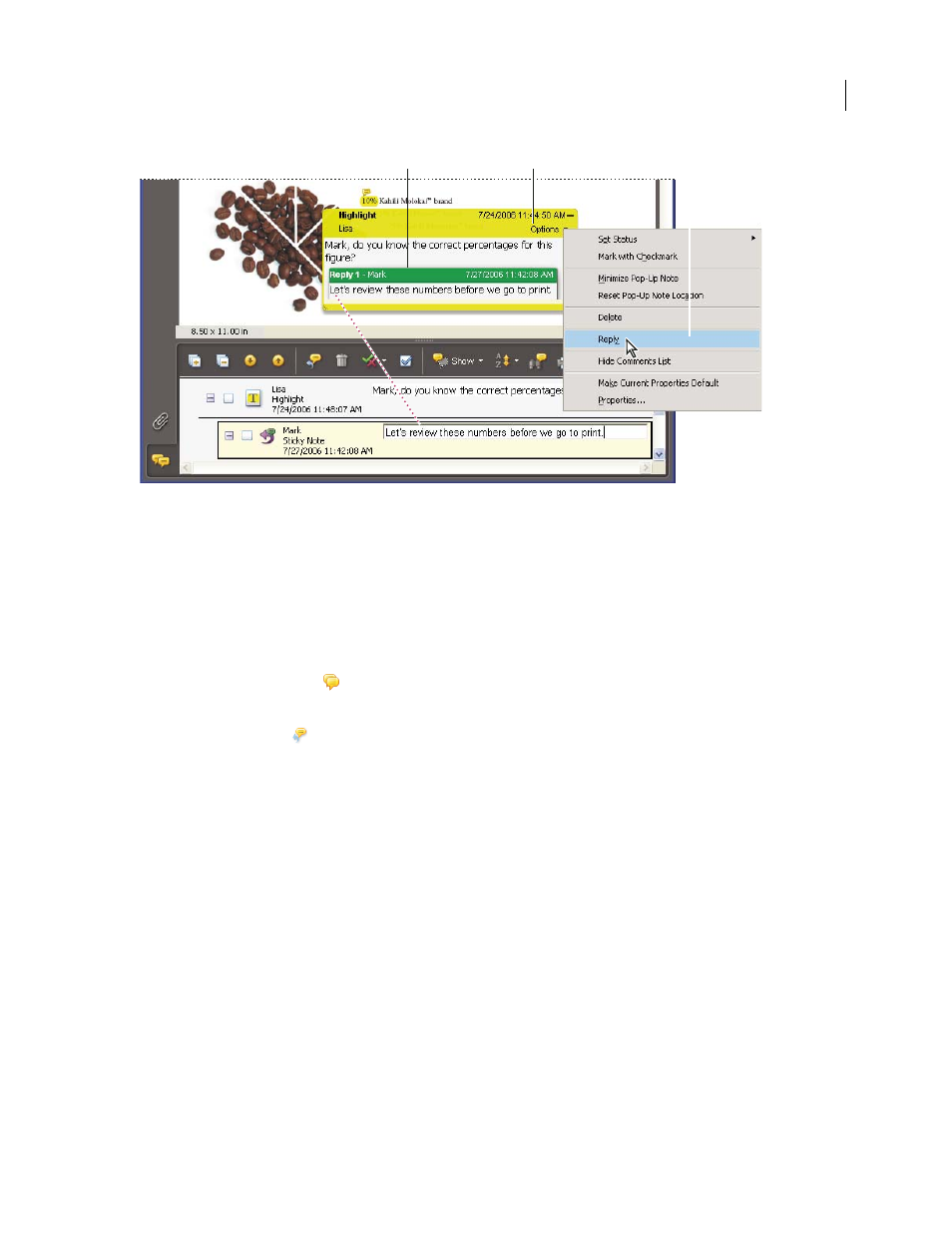
Replies appear directly below the comment, in the pop-up note and in the Comments list.
A. Reply heading B. Options menu C. Reply option in Options menu
Reply in the pop-up note
1
Open the pop-up note for the comment.
2
Choose Reply from the Options menu.
3
Type your reply in the box that appears.
Reply in the Comments list
1
Click the Comments button
in the navigation pane.
2
Select a comment in the Comments list.
3
Click the Reply button .
4
Type your reply in the box that appears.
Delete a reply
If you delete a comment that’s been replied to, only the comment is deleted. Any replies remain in the PDF, but they
are no longer part of a thread. These replies may be difficult to view in the PDF because they are stacked. You may
want to view them in the Comments list.
❖
Do one of the following:
•
In the pop-up note, right-click/Control-click the reply and choose Delete This Reply.
•
Select the reply in the Comments list and then click the trash icon in the Comments List toolbar.