Paxar Monarch 9855 RFID Printer User Manual
Page 14
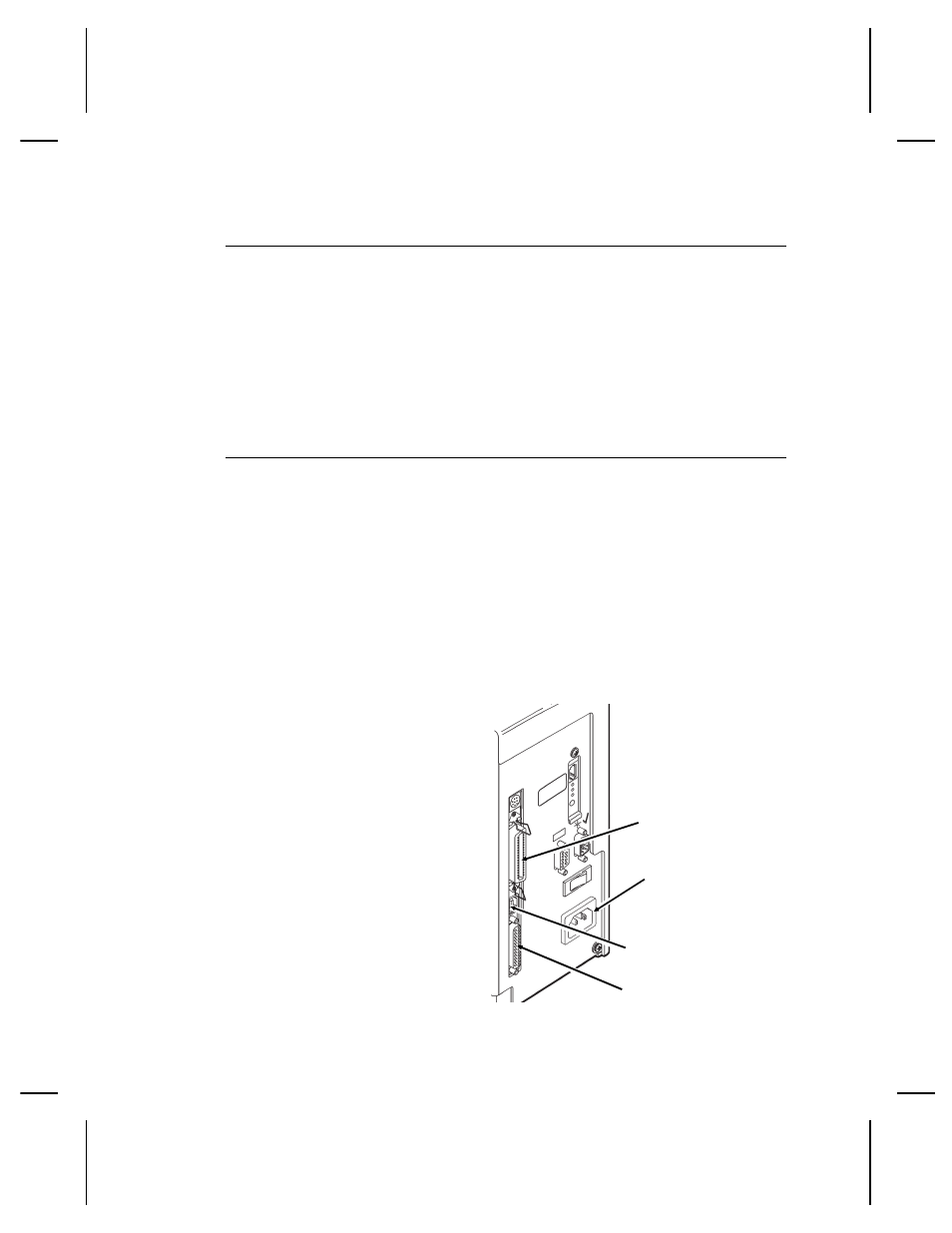
C o n n e c t i n g t h e P o w e r C a b l e
The power supply automatically switches between 115V or 230V.
No operator settings are required.
1. Plug the power cable into the socket. Plug the other end of
the cable into a grounded electrical outlet.
2. Turn on the printer. Press ( I ) to turn on and ( O ) to turn off
the printer.
E s t a b l i s h i n g C o m m u n i c a t i o n s
Before the printer can accept print jobs from the host, you must:
◆
Connect the communication cable to the printer and to the
host.
◆
Set the communication values on the printer to match those at
the host. (Only required if you are using the serial port.)
◆
Make sure the printer is off before connecting the cable to the
communication port.
Ask your System Administrator which method you will use to
communicate with the host:
Serial Communication
9 to 25 pin cable
(Part #118364)
25 to 25 pin cable
(Part #118366)
Parallel Communication
IEEE-1284 or
Centronics® mode cable
(Part #118363)
Power Cable
goes here
Parallel Port
Serial Port
USB Port
1-4 Getting Started