Designing repeated patterns, Sewing repeated patterns – Baby Lock Destiny (BLDY) Instruction & Reference Guide-Part2 User Manual
Page 36
EDITING PATTERNS
229
Bas
ic Em
b
ro
ide
ry
5
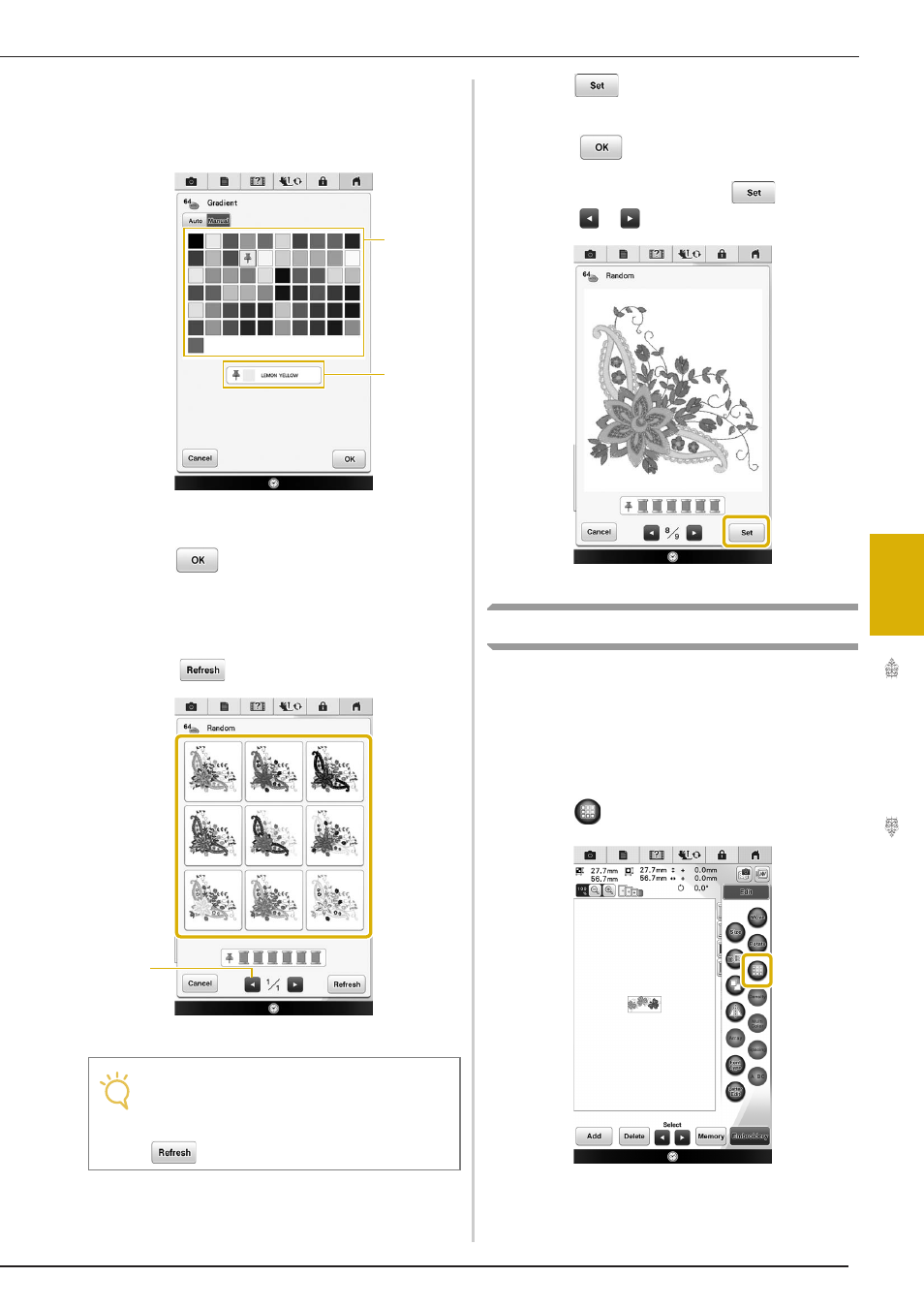
“Manual” setting for “Gradient”
You can select one color to be used in the
“Gradient” effect.
The effect will be created with a color you select.
a Select a color from the pallet.
b Selected color is displayed.
f
Press .
g
Press the desired color scheme from
samples.
*
Press
to display the new schemes.
a Press to review the previous schemes.
h
Press
and then, select the displayed
color scheme.
*
Press
to return to the previous screen.
*
You can continue selecting color schemes from the
selected page prior to pressing
.
*
Press
or
to display the other color schemes.
→ The thread color palette screen will appear.
Designing Repeated Patterns
■ Sewing Repeated Patterns
Using the border function, you can create stitches
using repeated patterns. You can also adjust the
spacing of the patterns within a repeated pattern
stitch.
a
Press .
Note
• Maximum 10 pages of schemes can be
reviewed. After 10 pages of schemes, the
oldest page is deleted every time you press
.
a
b
a