Comtech EF Data ODM-840 User Manual
Page 130
ODM/R-840 Outdoor Remote Router
Revision 0
Ethernet-based Remote Product Management
MN-ODM840
5–42
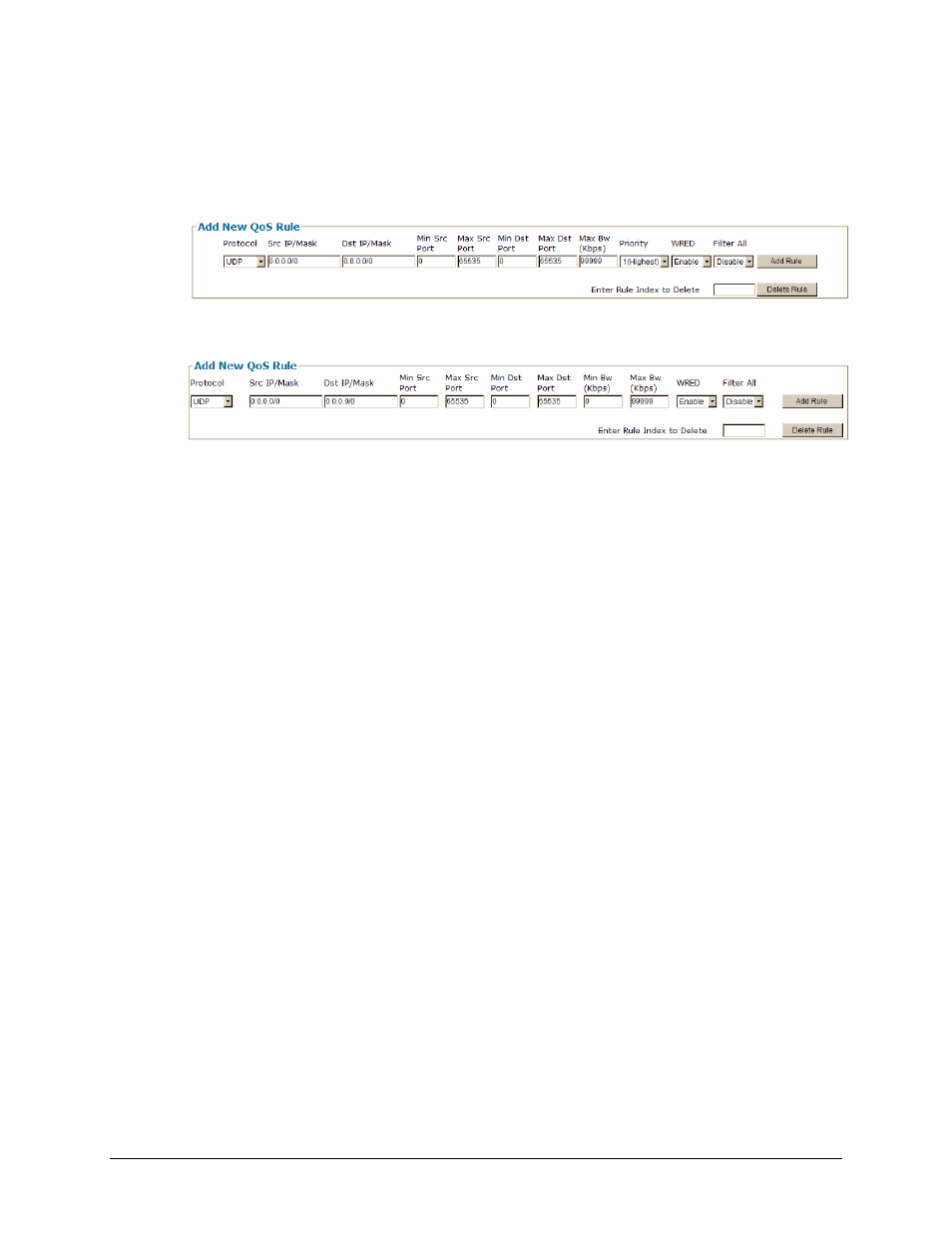
Add New QoS Rule / Delete Rule
This page section appears when QoS Control Mode = Max/Pri(ority) or Min/Max.
For the ‘Max/Pri(ority)’ page:
For the ‘Min/Max’ page:
Typical for either page version, enter or select the desired information. Click [Add Rule] when
done. The index automatically increments to the next available number when adding a new rule.
From left to right:
• Protocol – Use the drop‐down menu to select the protocol for the specific rule as UDP, TCP,
ICMP, RTP, VOICE, VIDEO, RTPS, FTP, HTTP, TELNET, SMTP, SNMP, or All‐IP.
• Src IP/Mask – Enter the Source IP Address/Mask here in the form XXX.XXX.XXX.XXX/YY.
• Dest IP/Mask – Enter the Destination IP Address/Mask here in the form
XXX.XXX.XXX.XXX/YY.
• Min Src Port / Max Src Port / Min Dst Port / Max Dst Port – Enter the Source/Destination
Ports in these columns.
• Min BW (Kbps) (“Min/Max” page only) / Max BW (Kbps) – Enter the bandwidth values in
these columns.
• Priority (“Max/Pri(ority)” page only) – Use the drop‐down menu to establish the priority for
the specific rule, from 1 (Highest) to 8 (Lowest).
• WRED – Use the drop‐down menu to Disable or Enable WRED (Weighted Random Early
Detection).
• Filter All – Use the drop‐down menu to Disable or Enable the flow filter for the specific rule.
Enter Rule Index to Delete – Enter a specific rule index, and click [Delete Rule] when done. This
deletes the specified entry from the Qos Rules Table.