2 status | monitor – Comtech EF Data ODM-840 User Manual
Page 151
ODM/R-840 Outdoor Remote Router
Revision 0
Ethernet-based Remote Product Management
MN-ODM840
5–63
5.4.4.4.2
Status | Monitor
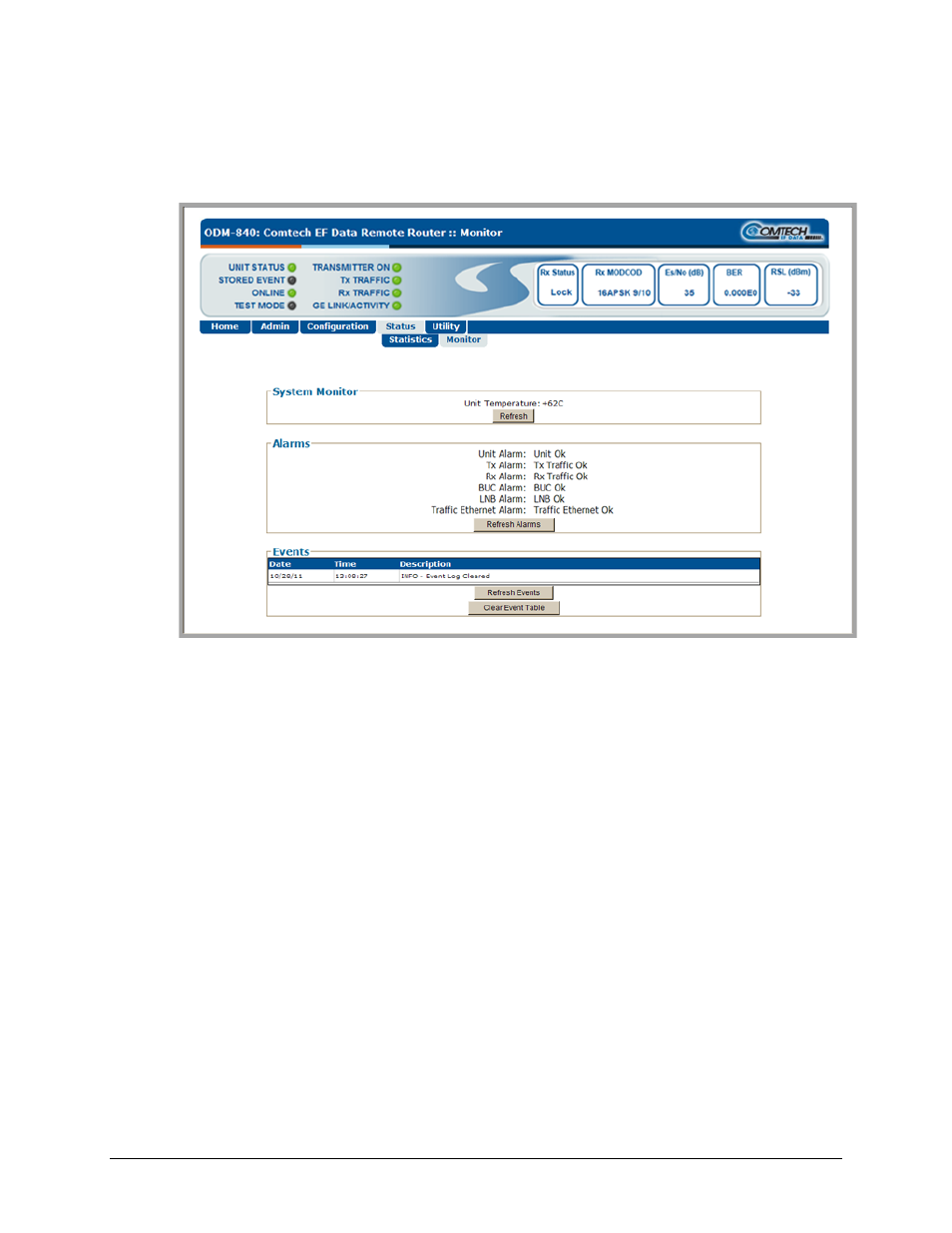
Use this read‐only page to view the unit temperature, alarms summary, plus a scrollable window
that displays any events and alarms as logged by the unit during normal operation.
Figure 6‐34. Status | Monitor page
System Monitor
This section provides the operating temperature of the unit (°C). Click [Refresh] as needed to
update this display.
Alarms
This section provides an overall tally of the Unit, Tx, Rx, BUC, LNB, and Traffic Ethernet alarms
compiled since the logging buffer was last cleared.
Click [Refresh Alarms] to update this section with the latest available information.
Events
Each event or alarm is logged with a Date‐ and Time‐stamp, and a Description is provided.
Click [Refresh Events] to update the Events table with the most recently recorded events.
Click [Clear Event Table] to delete all existing log entries from the Events log. The log is then
reset to one (1) entry: “INFO – Event Log Cleared”.