Storing and recalling 5 configurations, Dmd10 i & q ports – Comtech EF Data RCS10 User Manual
Page 20
Advertising
Addendum
RCS10 Modem and Redundancy Control System
TM058 - Rev. 2.3
xx
1.
Go to the ‘Demod Confg’ Screen
2.
Press the ‘Next’ Key 8 times.
3.
‘Pairing’ will appear. Press ‘Swapped’ or ‘Normal’ as applicable.
Storing and Recalling 5 Configurations
1.
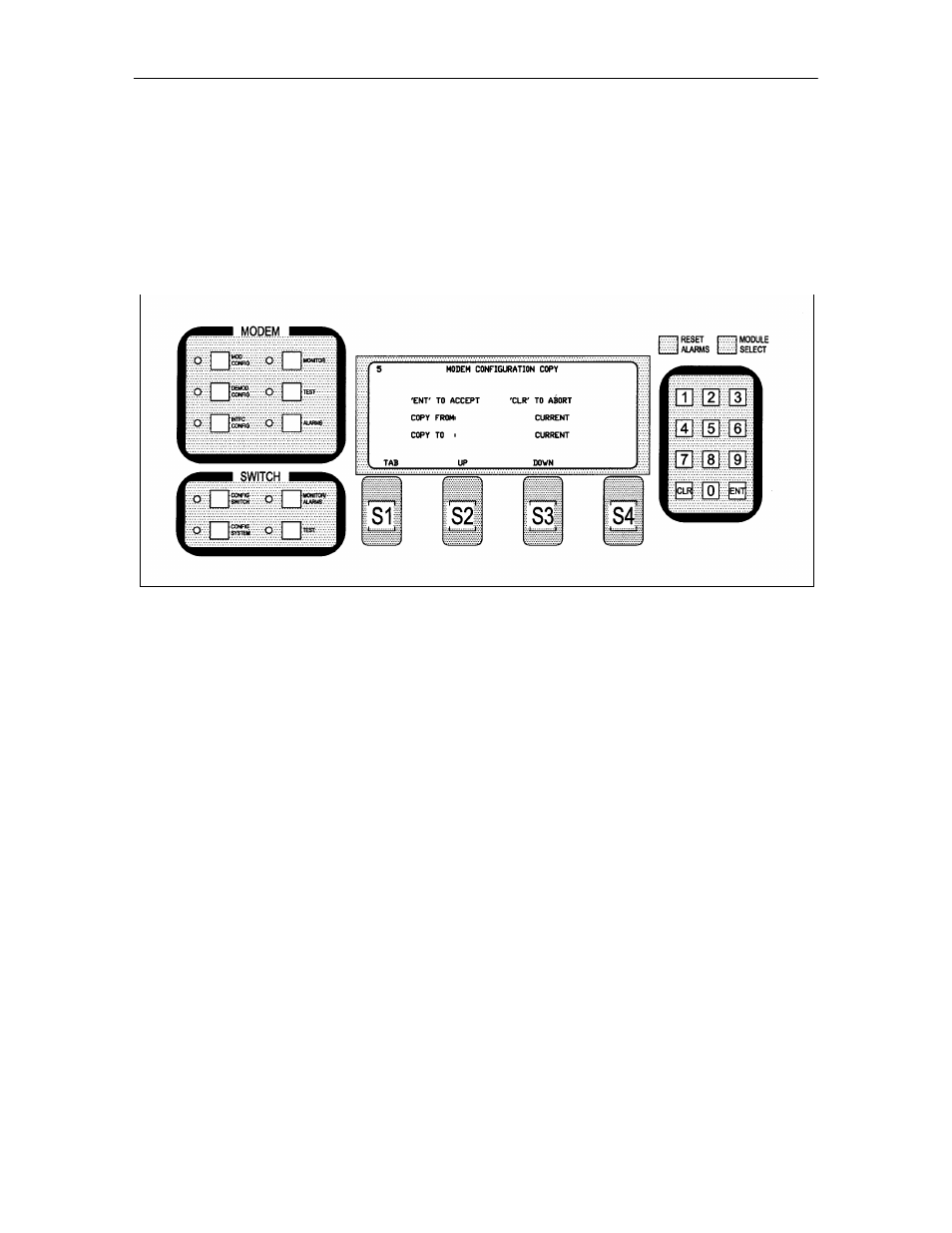
From “Interface”, go to the ‘Confg’. The ‘Modem Configuration Copy’ Screen (Refer to Figure 1) will
appear.
Figure 1.
2.
Press the ‘Tab’ Button to select between ‘Copy from:’ and ‘Copy to:’.
3.
Press the ‘Up’ or ’Down’ Buttons to select ‘Confg1‘ - ‘Confg5’ (the five configurations).
DMD10 I & Q Ports
(Refer to Figures 2 and 3)
Advertising