Nvidia, Technology, Appendix – Foxconn Destroyer User Manual
Page 110
NVIDIA
®
slI
TM
Technology
1. Introduction
NVIDIA
®
SLI
TM
(Scalable Link Interface) technology takes advantage of the increased bandwidth
of the PCI Express
TM
bus architecture, and features intelligent hardware and software solutions
to deliver earth-shattering PC performance in a multi NVIDIA
®
GPU solution. It allows up to three
identical PCI Express
TM
x16 graphics cards.
2. Graphics card configuration
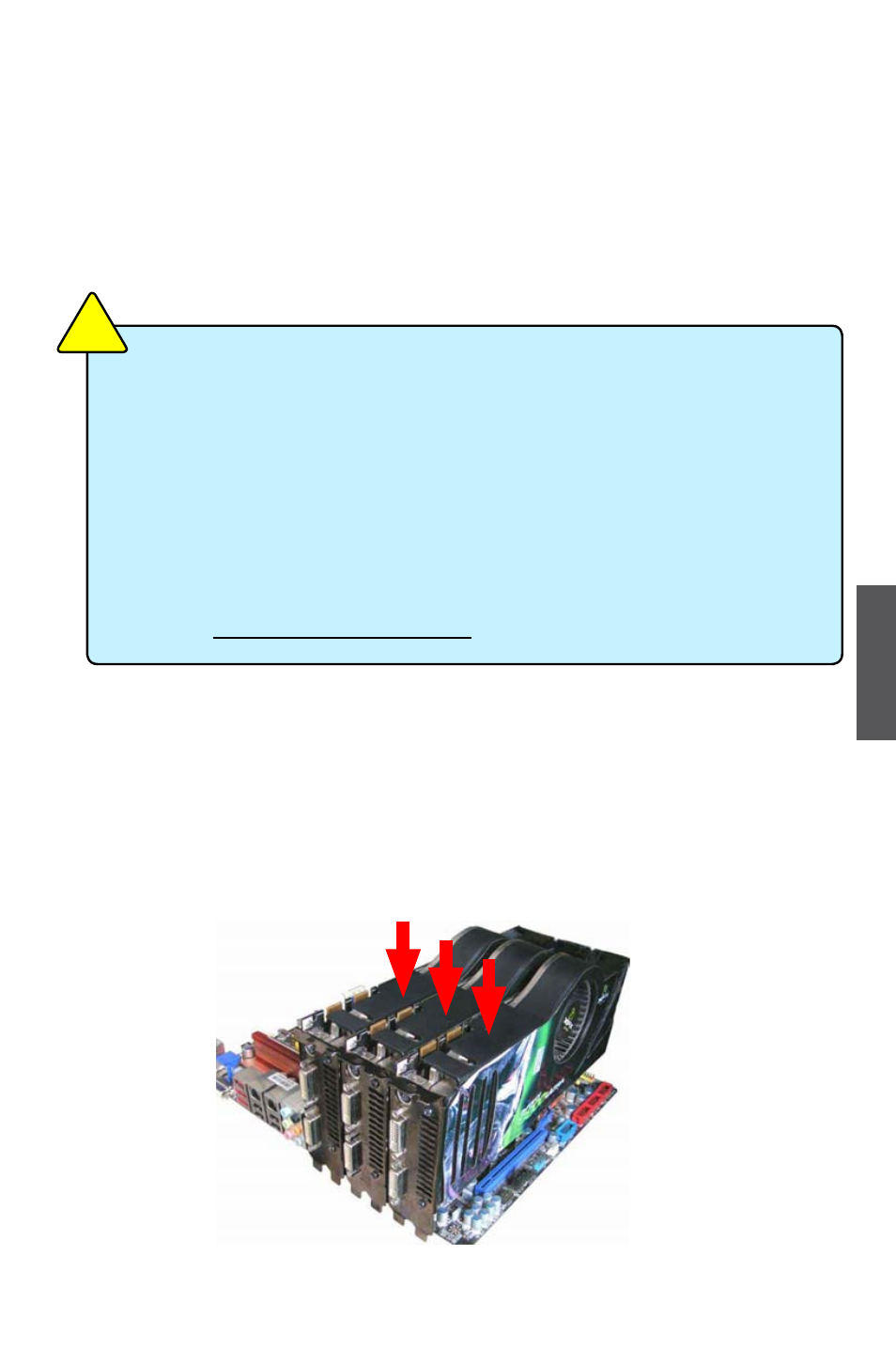
2-1 Installing three SLI-ready graphics cards
1.
Install the first graphics card into the PCI-E1_16X slot, the second into the PCI-E2_
16X slot, and the third into the PCI-E3_16X slot (or the first into the PCI-E1_16X slot,
the second into the PCI-E3_16X slot, and the third into the PCI-E4_16X slot).
2
3
1
■
In Dual SLI mode, it needs two identical SLI-ready graphics cards.
■
In 3-way SLI mode, it needs three identical SLI-ready graphics cards.
■
Make sure that all the graphics cards are certified by NVIDIA, different type of
graphics cards will not work together properly.
■
Make sure that your power supply unit can provide at least the minimum power
required by your system. If you want to use 3-way SLI
TM
configuration, please visit the
NVIDIA website (www.nvidia.com) for the qualified Power Supply Unit vendor list.
■
The NVIDIA 3-way SLI technology supports Windows
®
Vista operating system only.
■
For the detailed Graphics Card support list on this motherboard, please visit the
website: http://www.foxconnchannel.com
C
A
U
T
IO
N
!
103
Appendix