Dam-800 数字自动混音器 英文 说明书5.pdf, Dam-800 rear panel – Relacart Electronics DAM-800 User Manual
Page 5
- 5 -
⑤
POWER switch (with indicator)
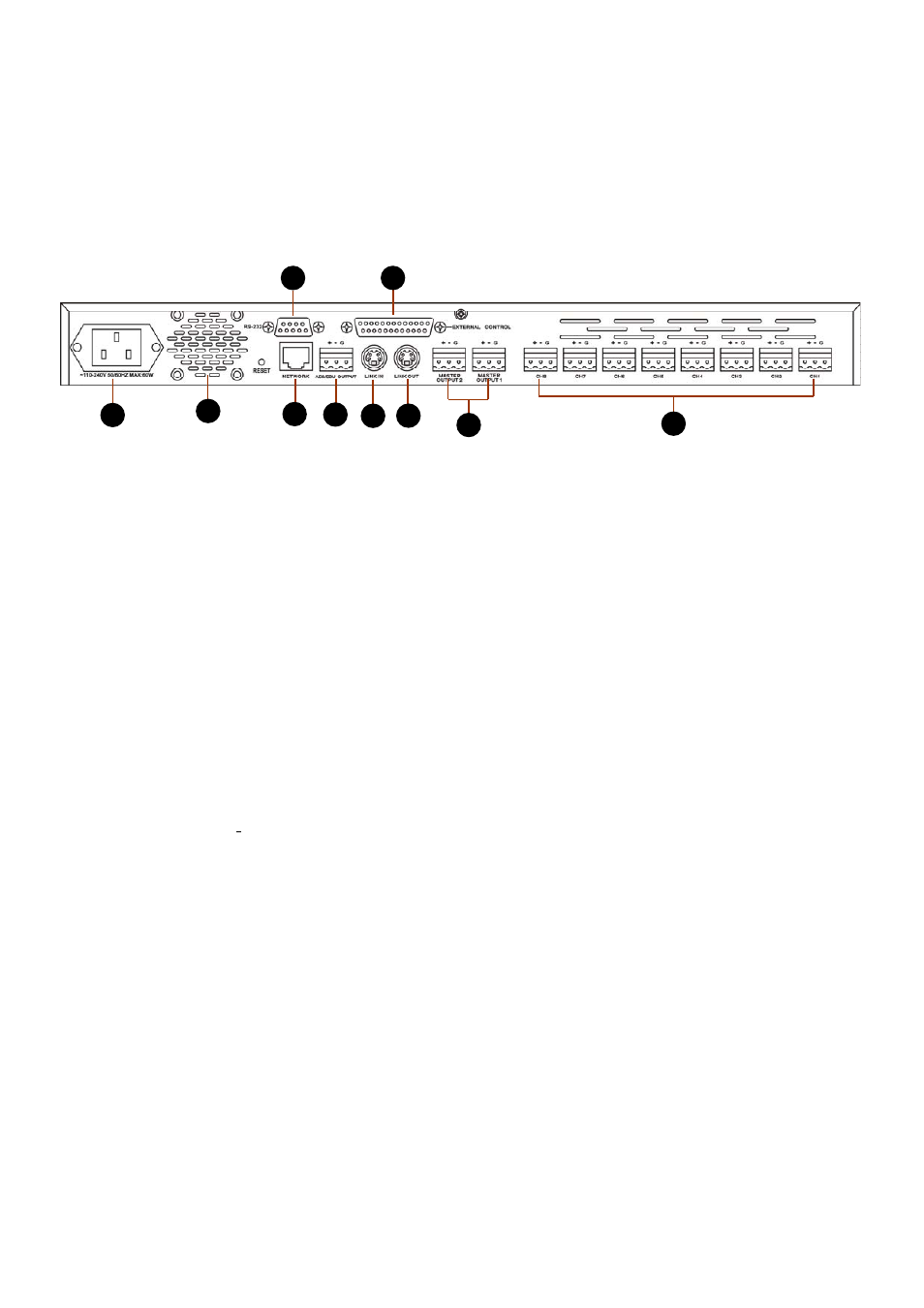
DAM-800 Rear Panel
① Power input socket: standard IEC socket can accommodate 100V-240V 50/60Hz AC power.
② Cooling fan: cooling for internal components, make the mixer work more stably.
③ Channel 1 to channel 8 AF input port: 3P fast contactor balanced input with 48V phantom power.
Can be set to Mic/Line-level input.
④ Main analog audio output port: 3P Fast Connector balanced output, can be set Mic/Line-level
output, dual channel output, can choose the channel MASTER OUTPUT 1 or MASTER OUTPUT 2.
⑤Multiple mixers interconnect output port: Interconnection output port can connect to another input
of the mixer, increasing the number of channels used.
⑥ Multiple mixers interconnect input port: Interconnection output port can connect to another output
of the mixer, increasing the number of channels used.
⑦ External control inputs and outputs (RS-232): External control can connect external equipment as
needed, enhancing use of the input signal for each channel forced switch, the output of the current state
for each channel.
⑧AES digital audio output interface: AES digital audio output interface, can connect to digital
recording equipment.
⑨ RS-232 port: Computer control the connection port, the port can be used with the computer COM
port connection.
⑩Network interface: Control the whole system with specific software by wired or wireless network.
Wireless network allows the control of cell phone.
9
7
8
5
6
4
1
2
10
3