Skutch Electronics BA-5-4 User Manual
Introduction, Installation • operation, Trouble shooting
•
Introduction
Thank you for purchasing the Skutch BA-5-4 Promotion-On-Hold
Adapter. This unit allows all phones on your phone lines to provide
Promotion-On-Hold to your customers. The BA-5-4 can be installed on any
telephone you wish. Once installed, all phones can access the BA-5-4 unit.
The unit is activated by pressing the FLASH button or by performing a
HOOK FLASH, on your telephone, and then pressing the HOLD button on
the telephone. The on-hold call can be answered at any phone. Pick up the
line, and press the FLASH button to disable the music. The BA5-4 is simple
to use and is compatible with almost every make and model of telephone.
•
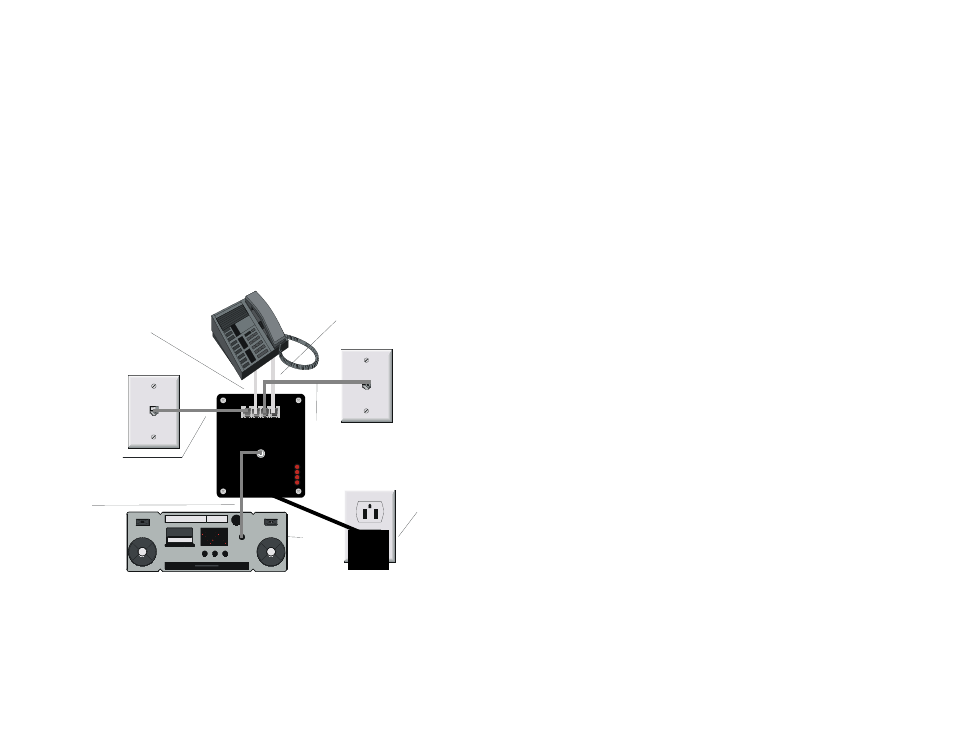
Installation
•
Operation
•
To place a call on hold
Simply press the FLASH button on your telephone, wait for the audio
to start, then press HOLD.
If you do not have a FLASH button on your telephone, perform a
HOOK FLASH by momentarily depressing the HANG UP SWITCH
on your phone, for ½ second, wait for the audio to start, then press
HOLD.
•
To release the hold condition
Pick up any phone that is connected to that line, the press the
FLASH button to stop the audio.
•
Trouble shooting
•
Hanging up on Callers?
Make sure that you wait until you hear the confirmation tone in
your ear before you hang up after pressing the FLASH button!
•
Lights
•
Steady On
Indicates that line is currently in use by a phone. They also stay on
when a line in not connected to the BA-5-4.
•
Slow Flash
Indicates that a call is ON HOLD.
•
Power Up
On initial power up, the 3 and 4 lights will alternately flash for 3
seconds.
•
Tech Support - 916-786-6186
If you have any problems getting the BA-5-4 to work properly feel free
to give us a call. Technical Support is available between the hours of 7:30
AM and 4:30 PM Pacific Time, Monday through Friday.
Lines
1-2-3
IN
Lines
1-2-3
IN
Lines
1-2-3
OUT
Lines
1-2-3
OUT
BA5-4
Audio
Source
Head
Phones
Phone Jack
1. Connect the L1-L2 jack
from Telephone, to
1-2-3 OUT on BA5-4.
3. Connect
1-2-3 IN
on BA5-4
to Phone
Jack 1 & 2
5. Plug
BA5-4
into
115VAC
wall
outlet.
6. Connect
audio
cable
from
BA5-4 to
Audio
Source.
2. Connect the L3-L4 jack
from Telephone to 3-4
OUT on BA5-4.
Phone Jack
Lines 1 & 2
Lines 3 & 4
4 line telephone
4. Connect
3-4 IN on
BA5-4
to Phone
Jack 3 & 4