6 – using the recording and playback functions – Teac PT-7 User Manual
Page 37
Advertising
TASCAM PT-7
37
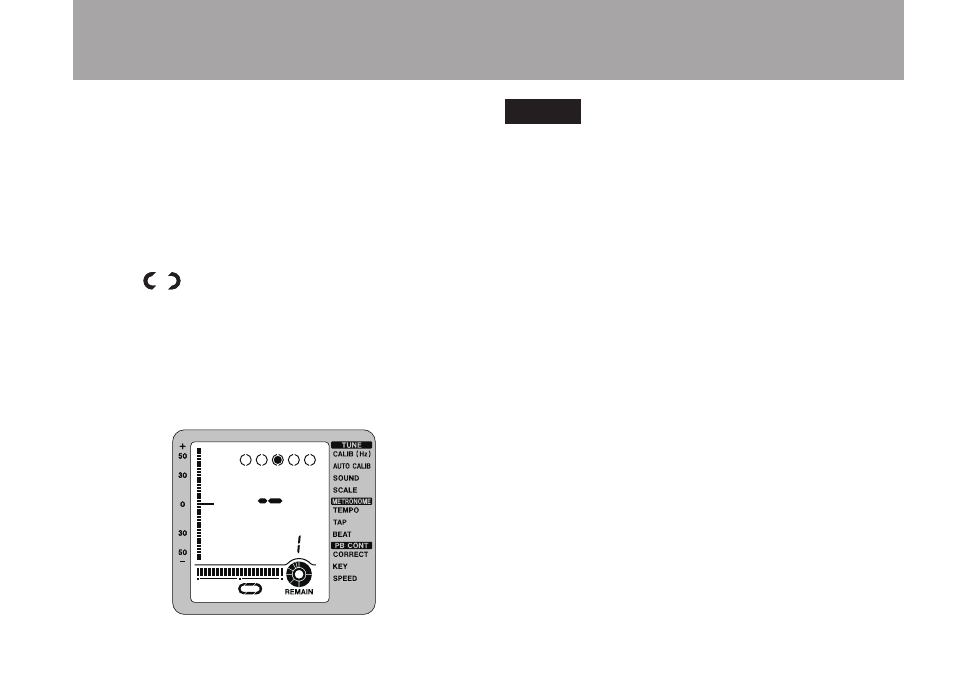
loop playback starts and the loop indicator
appears to turn.
To stop loop playback, press either the
LOOP
or
IN/OUT
key.
If you press the
LOOP
key, loop playback
stops, but the loop IN and OUT points are
retained.
The “
” loop indicator appears on the
screen.
Press the
LOOP
key again to restart loop
playback.
If you press the
IN/OUT
key, the loop IN and
OUT points are discarded.
NOTE
Set the loop interval to two seconds or longer.
•
Set the loop IN and OUT points in the same track.
•
Set the loop OUT point after the IN point in the
•
track.
6 – Using the recording and playback functions
Advertising
See also other documents in the category Teac Audio:
- LX (2 pages)
- WR-DA7 (63 pages)
- SL-D930 Appendum (2 pages)
- DS-H01 (32 pages)
- HA-P50 (4 pages)
- UD-301 (48 pages)
- SL-D930 (140 pages)
- UD-501 Setup instructions for Mac (1 page)
- UD-501 high-res (7 pages)
- UD-501 (60 pages)
- T-R680RS (16 pages)
- CD-01U PRO Quick Start (4 pages)
- MC-DX32I (76 pages)
- BP-6AA (2 pages)
- CD-BT2 (44 pages)
- CD-D11U (32 pages)
- CD-D13 (40 pages)
- TN-300 (116 pages)
- CD-RW901SL (44 pages)
- CD-VT2 (40 pages)
- DM-24 Quick Start (16 pages)
- DM-24 Effects Manual (32 pages)
- DM-24 Basics Manual (12 pages)
- DM-24 Logic Environment Instructions for PC (3 pages)
- DM-24 New features (3 pages)
- DM-4800 Software Guide (8 pages)
- DM-24 Addendum (28 pages)
- DM-4800 Effect List (32 pages)
- DP-24 Appendum (2 pages)
- DM-24 (146 pages)
- DR-05 Reference Manual (124 pages)
- DR-1 (43 pages)
- DP-24SD (108 pages)
- DR-100MKII (60 pages)
- DR-40 Appendum (2 pages)
- DR-2DW (88 pages)
- DR-40 (120 pages)
- DR-680 Appendum V.1.30 (2 pages)
- DR-680 Appendum V.1.20 (2 pages)
- DR-680 (56 pages)
- DR-40 (140 pages)
- DS-M7.1 Applications Guide (4 pages)
- DS-M7.1 Setup Guide (4 pages)
- FE-8 (12 pages)
- FW-1082 Setup Guide (16 pages)