2 – names and functions of parts, Top panel – Teac DR-680MKII User Manual
Page 10
10
TASCAM DR-680MKII
2 – Names and Functions of Parts
Top panel
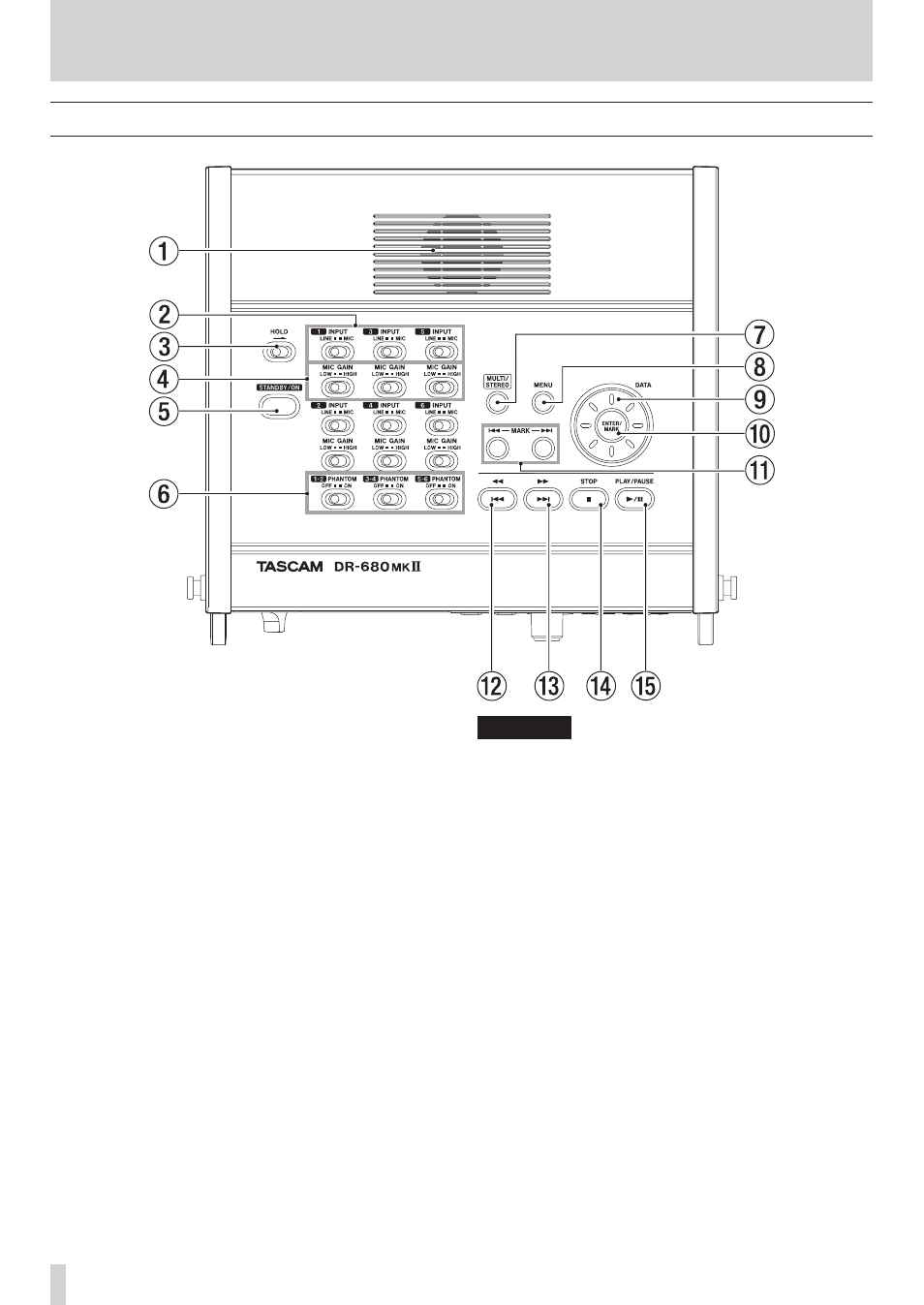
1
Built-in monaural speaker
Use this built-in speaker for monitoring. Use the
PHONES knob to adjust the volume.
Sound will not be output from the speaker in the
following conditions.
o
When headphones are connected
o
When SPEAKER output is set to OFF on the
GENERAL
page
2
INPUT switches
Use these to set the inputs to LINE or MIC.
3
HOLD switch
Slide this in the direction of the arrow to disable the
STANDBY/ON button to prevent the power from
accidentally being cut.
4
MIC GAIN switches
Use these to adjust the gain of the mic inputs.
5
STANDBY/ON button
Press this to switch the unit power between ON and
STANDBY.
6
PHANTOM switches
Use these to turn phantom power ON or OFF for input
pairs 1/2, 3/4 and 5/6.
CAUTION
• Do not connect or disconnect mics when a PHANTOM
switch is set to ON. Doing so could cause a loud
noise and might damage this unit and connected
equipment.
• Set the PHANTOM switch to ON only when using a
condenser microphone that requires phantom power.
Turning phantom power on when a dynamic mic or
other mic that does not require it is connected could
damage this unit and connected equipment.
• When using condenser mics that require phantom
power and dynamic mics together, be sure to use
balanced dynamic mics. Unbalanced dynamic mics
cannot be used when phantom power is enabled.
• Supplying phantom power to some ribbon mics will
break them. If you are unsure, do not supply phantom
power to a ribbon mic.
7
MULTI/STEREO button
Press to select whether the stereo track or the multi-
track (6-track) is played back.