Configuring static route frr, Configuration prerequisites, Configuration procedure – H3C Technologies H3C SR8800 User Manual
Page 28
12
Step Command
Remarks
3.
Enable BFD echo
packet mode for
static routes.
•
Approach 1:
ip route-static dest-address { mask | mask-length }
interface-type
interface-number next-hop-address bfd
echo-packet [ preference preference-value ] [ tag tag-value ]
[ description description-text ]
•
Approach 2:
ip route-static vpn-instance s-vpn-instance-name&<1-6>
dest-address { mask | mask-length } interface-type
interface-number next-hop-address bfd echo-packet
[ preference preference-value ] [ tag tag-value ] [ description
description-text
]
Use either
approach.
NOTE:
•
If route flaps occur, enabling BFD could worsen them.
•
For the echo mode, only one end needs to establish the BFD session, and the source address of echo
packets must be configured.
•
BFD cannot be used for a static route with the outbound interface having the spoofing attribute.
•
BFD can be used for static routes with direct next hops rather than indirect next hops.
•
A BFD session is established at only one end when the echo mode is used.
•
The BFD echo packet mode is not supported on tunnel interfaces at present.
•
For how to configure static routing, see the chapter “Configuring static routing.”
Configuring static route FRR
When a link or a router fails, the packets on the path may be discarded, or a routing loop occurs. To
avoid such problems, you can enable static route fast reroute (FRR).
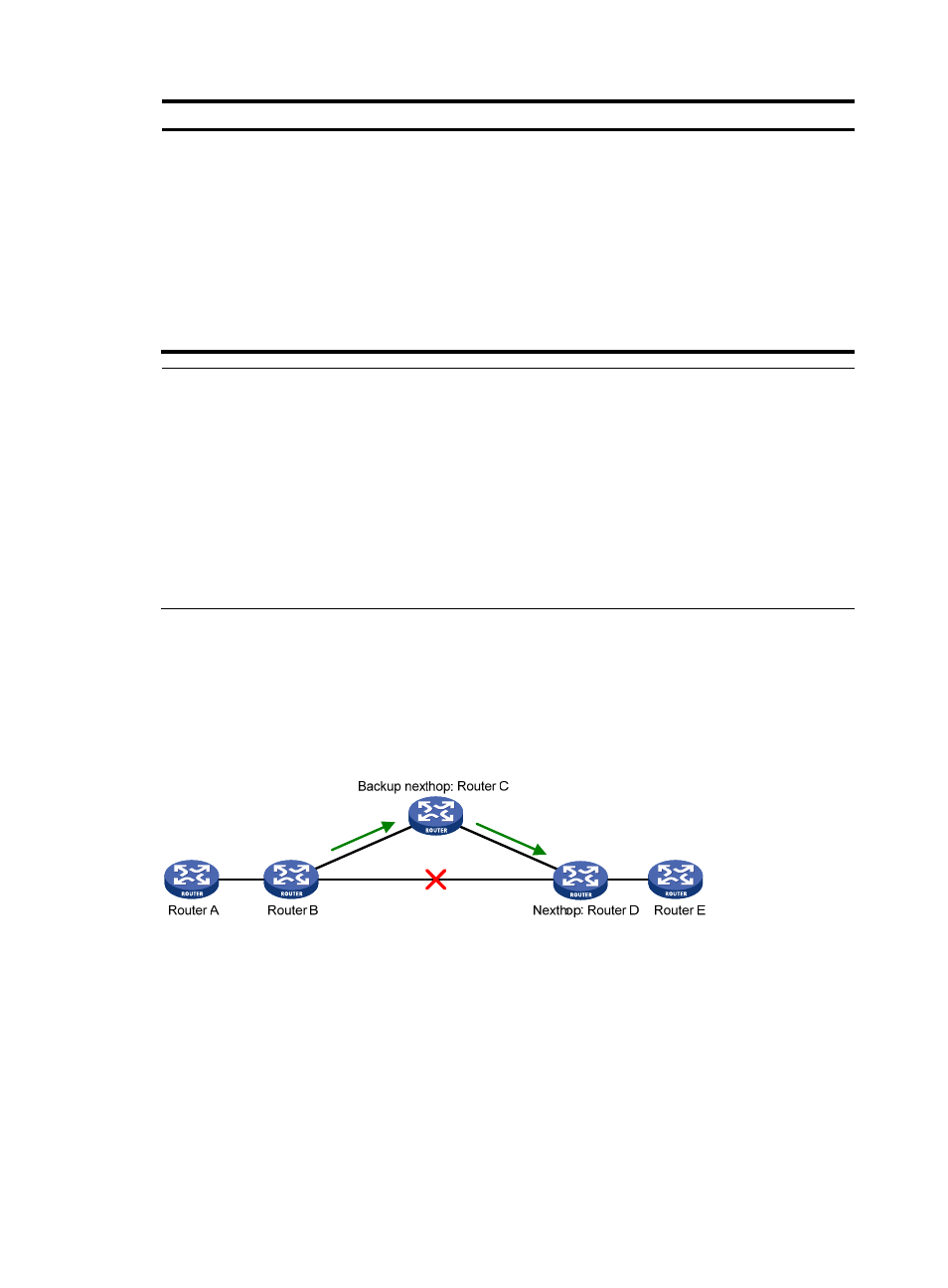
Figure 1 Network diagram
As shown in
, upon a link failure, FRR designates a backup next hop by using a routing policy for
routes matching the specified criteria. Packets are directed to the backup next hop to avoid traffic
interruption.
Configuration prerequisites
Create a routing policy to be referenced by FRR and use the apply fast-reroute backup-interface
command to specify a backup next hop in the routing policy. For more information about the command
and routing policy configurations, see the chapter “Configuring routing policies.”
Configuration procedure
To configure static route FRR:
- H3C SR6600-X H3C SR6600 H3C WX6000 Series Access Controllers H3C WX5000 Series Access Controllers H3C WX3000 Series Unified Switches H3C LSWM1WCM10 Access Controller Module H3C LSWM1WCM20 Access Controller Module H3C LSQM1WCMB0 Access Controller Module H3C LSRM1WCM2A1 Access Controller Module H3C LSBM1WCM2A0 Access Controller Module