Connecting interface cables, Connecting a copper ethernet port, Connecting a fiber port – H3C Technologies H3C SecPath L1000-A Load Balancer User Manual
Page 23
15
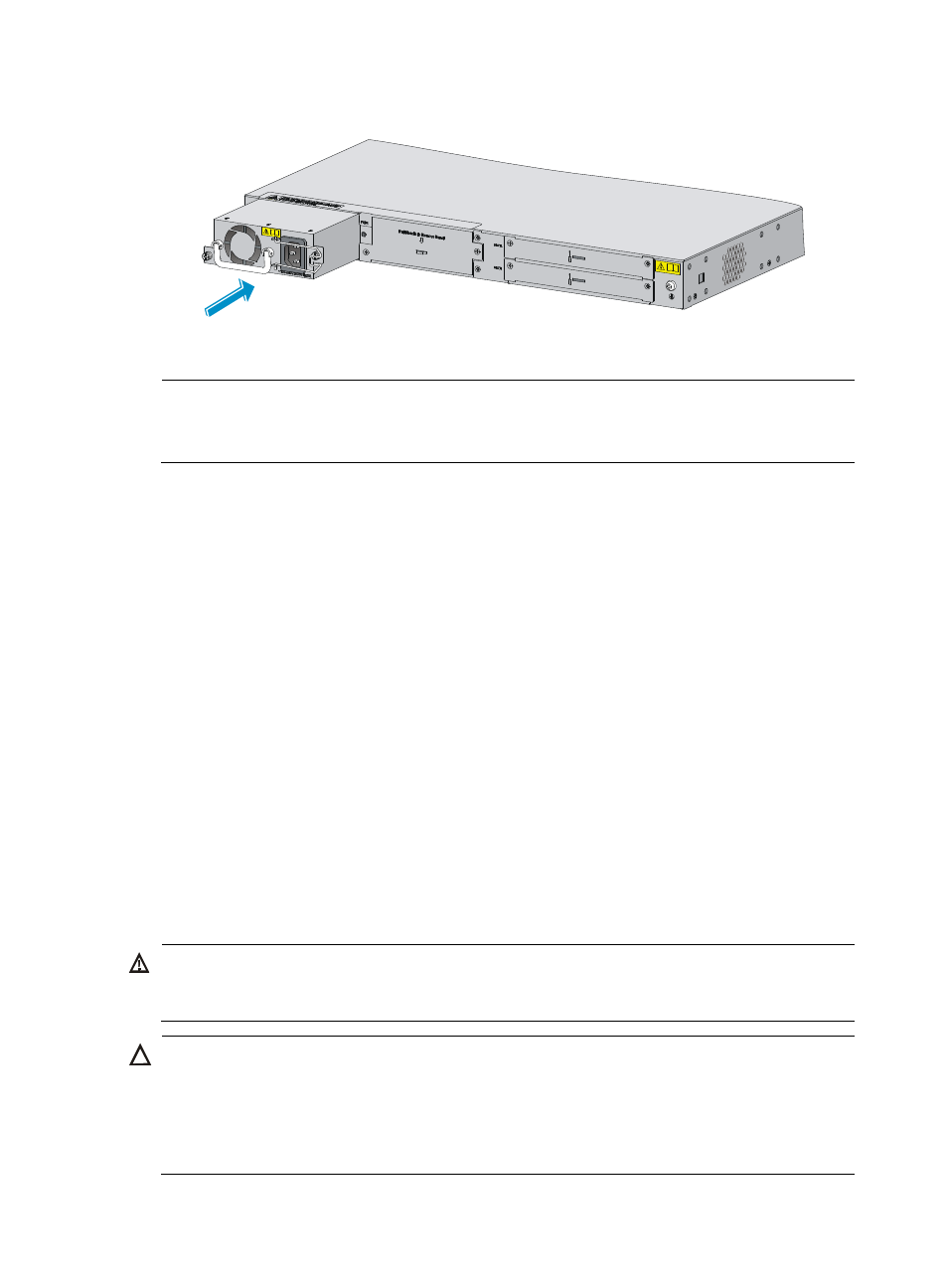
Figure 12 Installing the power module
5.
Fasten the captive screws on the power module with a Phillips screwdriver.
NOTE:
•
For more information about power module LEDs, see "
."
•
An AC power module and a DC power module cannot be installed on the same L1000-A.
Connecting interface cables
Connecting a copper Ethernet port
You can use category-5 or above twisted pair cables to connect the 10Base-T/100Base-TX/1000Base-T
ports on the L1000-A to the network. These ports use RJ-45 connectors and support MDI/MDI-X
auto-sensing. For more information about twisted pair cables, see "
To connect a 10Base-T/100Base-TX/1000Base-T port to a peer device:
1.
Plug one end of a twisted pair cable into the port.
2.
Plug the other end of the twisted pair cable into the RJ-45 Ethernet port of the peer device.
3.
Examine the port LED status.
For more information about the LED status, see "
."
After you connect the L1000-A to the network, execute the ping or tracert command to test network
connectivity. For more information about the commands, see the command reference of the L1000-A.
Connecting a fiber port
WARNING!
Do not stare into any fiber port when you connect an optical fiber. The laser light emitted from the optical
fiber may hurt your eyes.
CAUTION:
•
Be sure to install the dust cover if the fiber port is not connected to a fiber connector.
•
Never bend or curve a fiber when connecting it. The bend radius must be at least 10 cm (3.94 in).
•
Keep the end of the fiber clean.
•
Make sure the Tx and Rx ends of the SFP transceiver module are correctly connected.