Ft server installation information, Installation overview, Unpacking – Grass Valley FT Server User Manual
Page 11: Installation overview unpacking
FT Server Installation Information
Installation overview
The FT server must be rack-mounted. It is a precision device and should be installed only by qualified
maintenance personnel.
Observe the following warning and cautions to unpack, install, and use the FT server safely:
•
Read and follow the safety section at the beginning of this manual. Failure to do so can pose a
risk of a serious injury, such as a burn, personal injury or damage to physical assets.
•
A fully loaded FT server chassis is heavy; have at least two people available for installation.
•
This unit may be installed in a standard 19 inch tapped or untapped video rack or a standard 19
inch EIA IT rack.
•
Install the product in places designated by the specifications only.
•
Do not attempt to assemble or disassemble parts of this device alone.
•
Use caution to avoid injury to hands and fingers when installing.
Unpacking
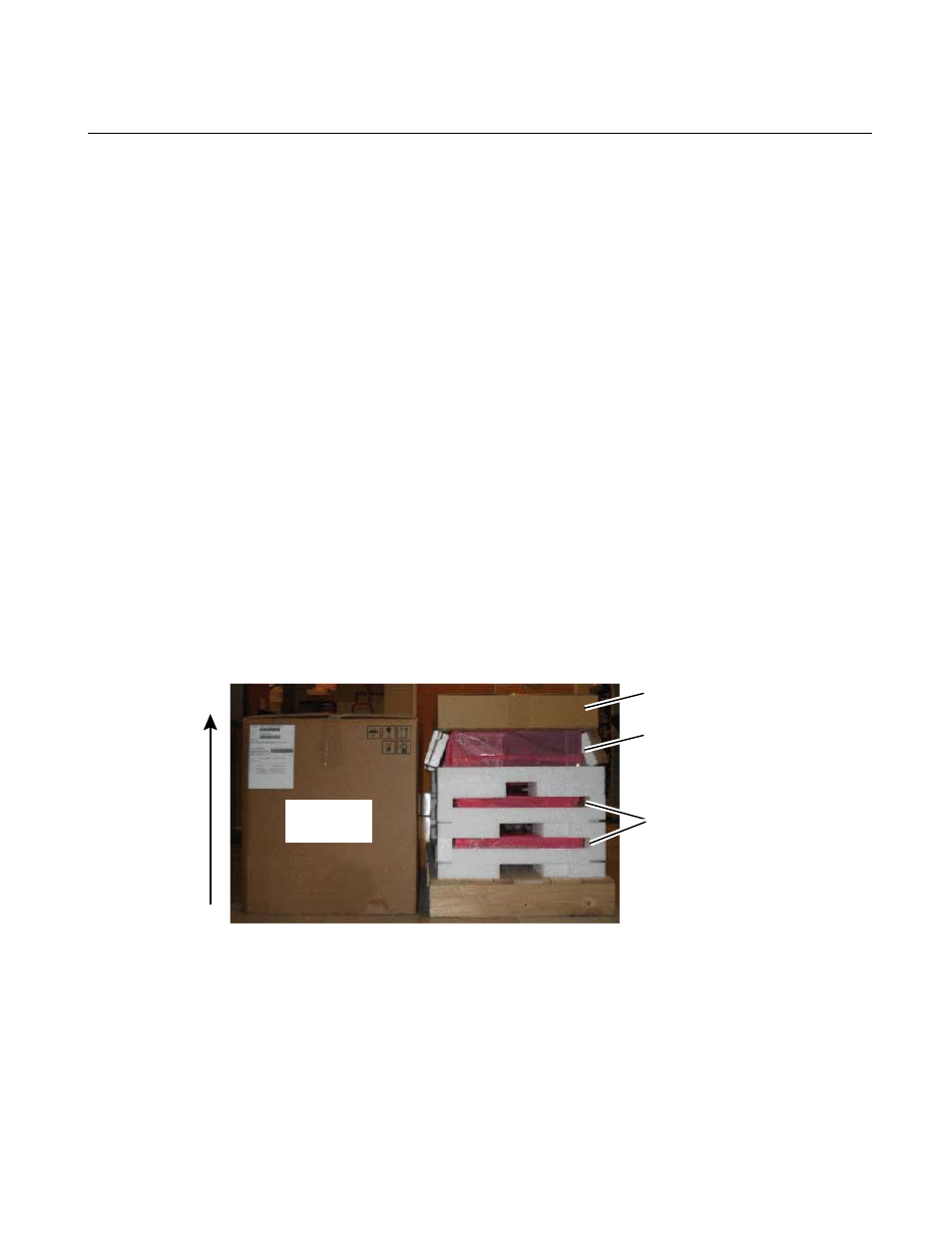
The FT server ships packaged as shown below.
Accessory box
4RU enclosure
2 CPU/IO modules
Lift outer box
off vertically
You will need two or three people to unpack and rack the FT server safely.
To unpack the shipping box:
1. Cut the plastic bindings holding the outer box to the pallet and lift the outer box vertically to
access the contents.
20131220
FT Server Instruction Manual
11