Changing a source within a group, Menus – Grass Valley iMC-Panel-100 v.7.0.9.0 User Manual
Page 101
Advertising
Master Control • iMC-Panel-100 Operator’s Guide
89
5. Menus
Sources Menu
Changing a Source within a Group
Follow these steps:
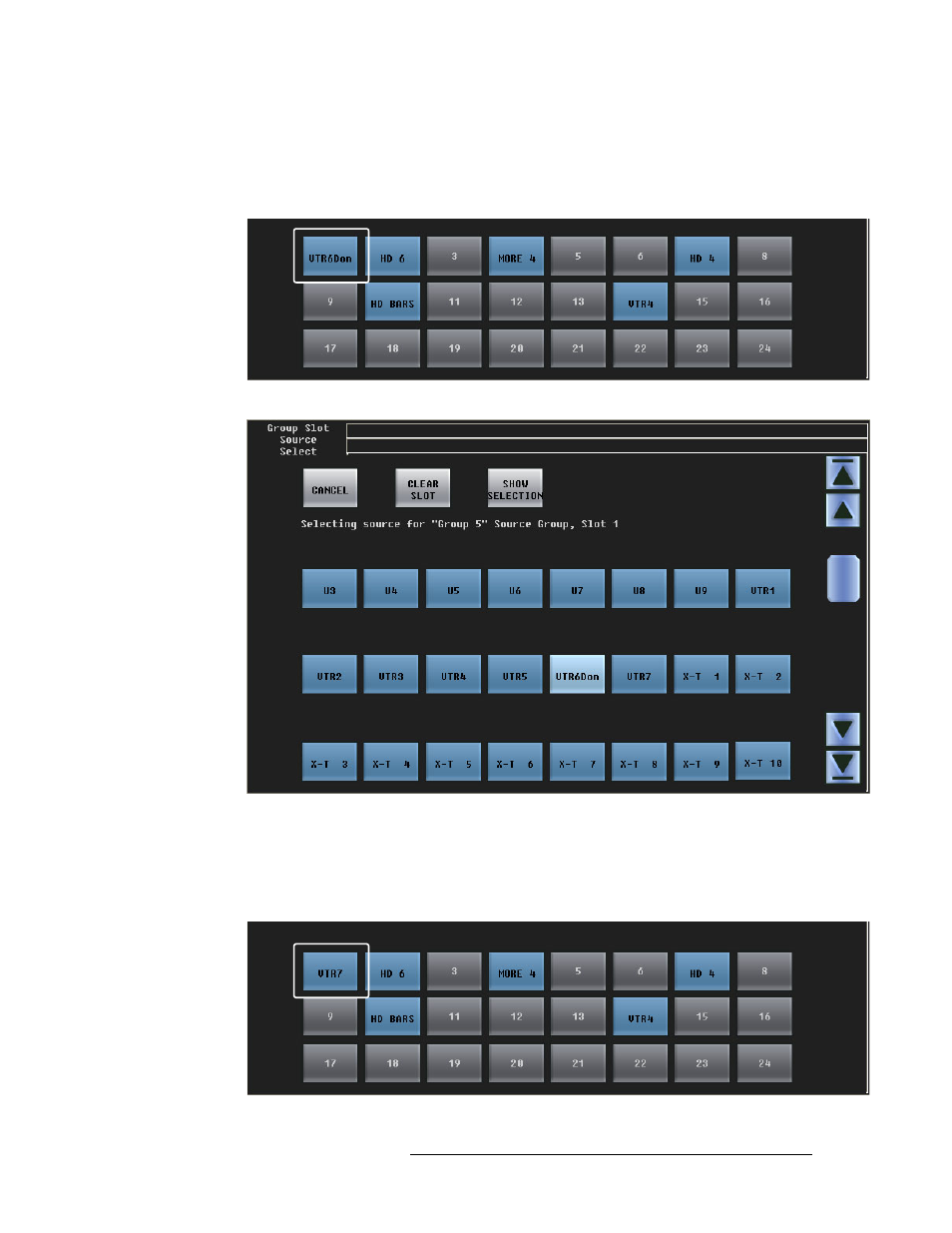
1 Press any blue source button. In this example, the first source (IS 69) was pressed:
A dialog appears in which you can choose any router source available:
Press a source button to choose a source. Scroll, if necessary, to find the source.
Press ‘Cancel’ to return to the Sources menu. Press ‘Show Selection’ if the current selection is
not visible in the window.
2 After you choose a source, the panel immediately returns to the Sources menu. The new source
selection (here, XTR206) is available:
Advertising