Aux delegation, Figure 176, Shows t – Grass Valley Kayenne v.3.0 User Manual
Page 265
KAYENNE — User Manual
265
eDPM Operations
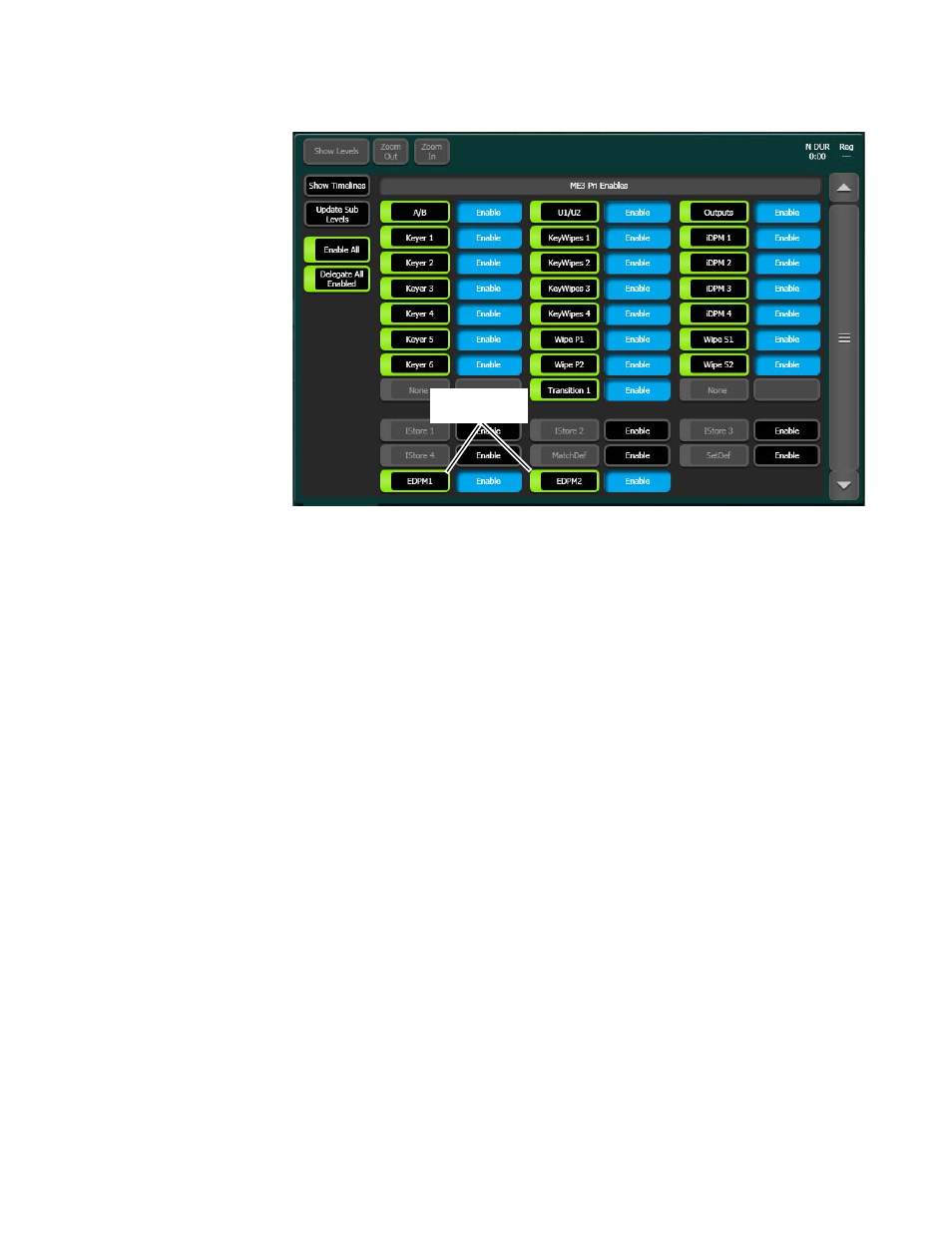
Figure 176. eDPM Sub-levels in the E-MEM Master Timeline
Using definable sub-Levels allows for the recall of eDPM effects from Local
E-MEM. For example, effects created for ME 1 can have the eDPM definable
sub-levels and will then run eDPM effects.
Aux Delegation
eDPM input source selection is provided in three locations:
•
Switcher Mode, Source Ops menu, eDPM Inputs,
•
eDPM Mode, Source Ops, or
•
The Local Aux Module (or any ME using the
Aux
delegation button on
the Source Select Module).
To assign the delegation for the eDPM V/K inputs to the Local Aux
Module:
1.
Go to the Aux Delegate Mapping menu by touching
User Setups
,
Panel
Prefs
,
Aux Delegate Mapping
(
2.
Select a Local Aux Module button in the Button/Delegation scrolling
list (
).
3.
Select an eDPM channel (
eDPM 1
-
4
) in the
eDPM V/K Inputs
button
delegation column (
, right side of menu).
4.
Repeat Steps 2 and 3 for up to four eDPM inputs.
eDPM Definable
Sub-levels