Network status, Data restoration – Grass Valley LUMO Series User Manual
Page 36
28
LUMO-CPU-ETH Controller Card
Control Interfaces
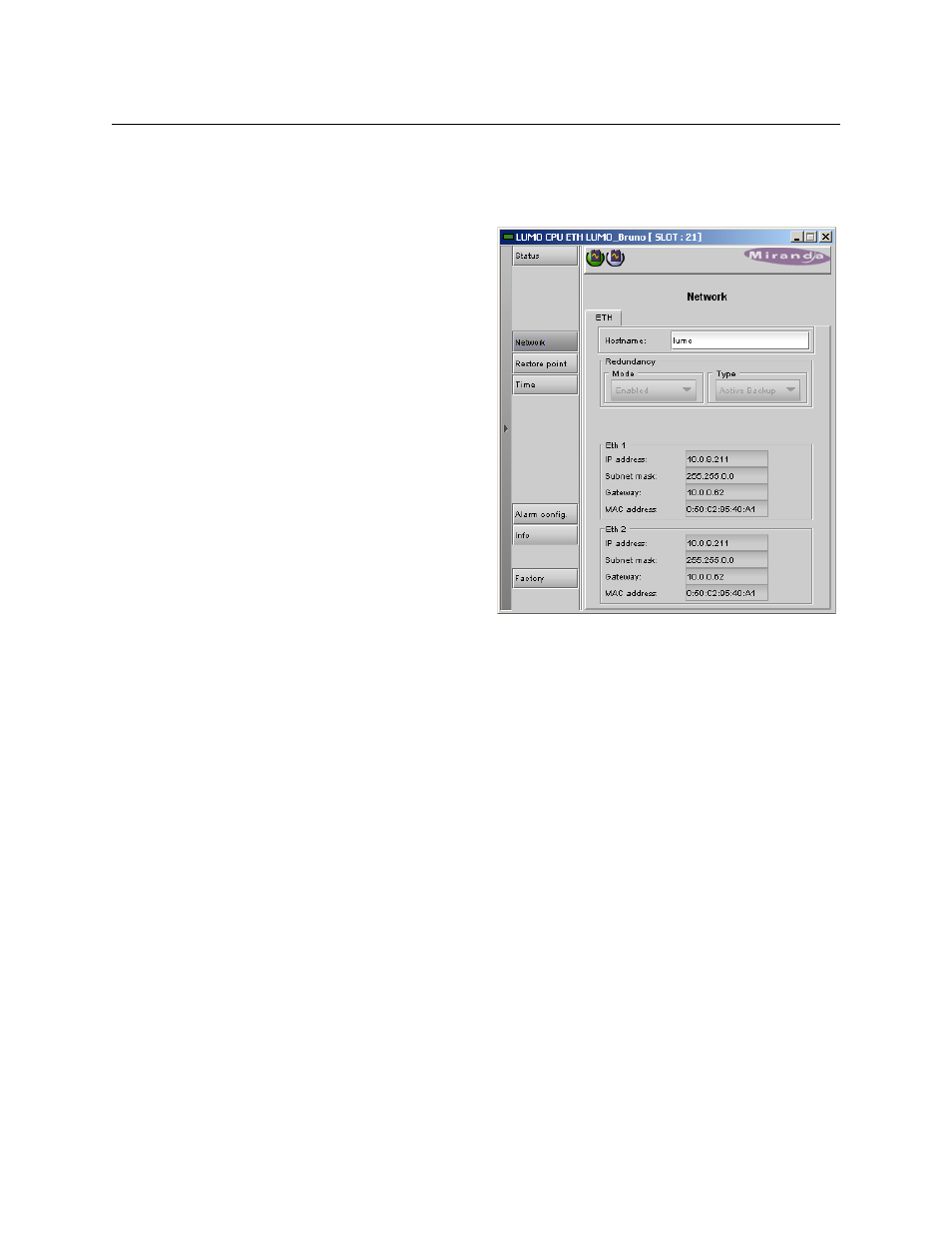
Network Status
Click the Network button and select the ETH tab
The status of the LUMO-CPU-ETH
controller’s two Ethernet ports is
displayed in this panel.
NOTE: The IP address for the LUMO-CPU-
ETH controller must be set using the on-
board web page. See
on page 18 for
detailed instructions.
The Ethernet Link Redundancy status is
reported in this panel.
In LUMO, this feature is always set to
Active Backup.
•
The two ethernet interfaces are
bonded together and configured
with the same IP address.
•
In the event that the primary inter-
face fails, network traffic is automat-
ically switched over to the backup
interface
The MAC (Media Access Control) address is reported in the data box
•
The MAC address is not user-configurable.
Data Restoration
Many of the LUMO-series cards that can be installed in the LUMO frame are complex and have a
lot of data stored on-board related to their configuration and parameter values. The LUMO-CPU-
ETH controller provides a backup of this data, which can be restored to the card when needed.
This is valuable if the card is inadvertently reconfigured, or is replaced after failure with a new
card of the same type. The saving of the current data into the controller’s memory, and restoring
the data onto the LUMO-series card, can be done manually or automatically.
For manual operation:
Click the Restore Point button and view the Cards tab.
The tab show a list of the slots available in the frame, with a check box, name, and status box for
each.
•
The LUMO frame uses slots 1 to 9.
Click the check box to activate the Data Restore feature for the card in that slot,