Recording motion picture/4k motion picture – Panasonic Lumix DMC-LX10K User Manual
Page 37
37
SQT1380 (ENG)
Recording
Recording Motion Picture/4K Motion Picture
Recording mode:
You can record full high-definition quality images that comply with the AVCHD
standard, as well as motion pictures or 4K motion pictures recorded in MP4.
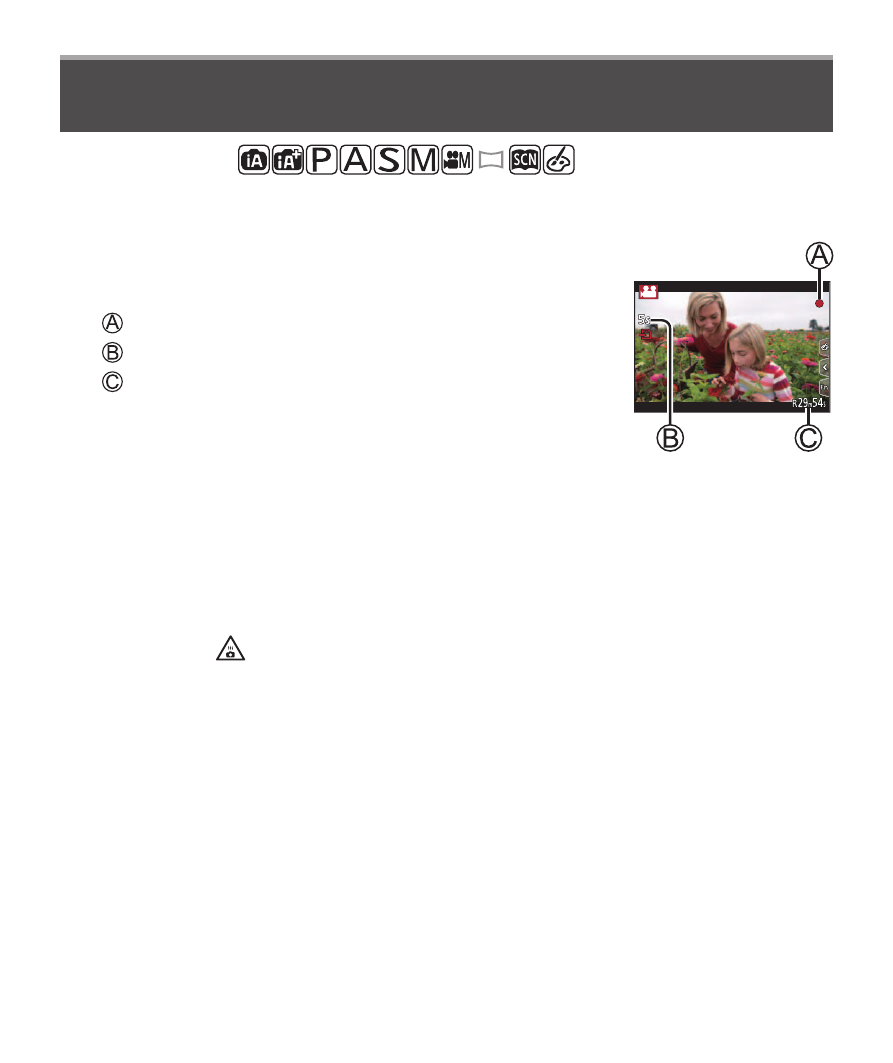
1
Press the motion picture button to start
recording
Recording (red)
Elapsed recording time
Remaining recording time
• Recording of motion picture appropriate for each
motion picture mode is possible.
• Immediately release the motion picture button after pressing it.
• If you press the shutter button down fully, you can take still pictures while
recording motion pictures.
2
Press the motion picture button again to end recording
●
If the surrounding temperature is high, or a motion picture is recorded
continuously, [
] is displayed and recording may be stopped halfway through.
Wait until the camera cools down.
●
With recording in a quiet environment, the sound of aperture, focus
and other actions may be recorded in motion pictures. This is not a
malfunction.
●
To record 4K motion pictures, use a UHS Speed Class 3 card.
●
When you record 4K motion pictures, the angle of view will be narrower than
motion pictures of other sizes.
●
To ensure highly accurate focus, 4K motion pictures are recorded at reduced
Auto Focus speeds. It may be difficult to focus on the subject with Auto Focus,
but this is not a malfunction.