Configuring option settings – Casio EM-500 Mobile E-mailer V.1.0 User Manual
Page 68
Mobile E-mailer User's Guide
-Page
68 -
Configuring Option Settings
Mobile E-mailer’s option settings let you configure mail send and receive operations to
suit your particular needs.
To configure option settings
1.
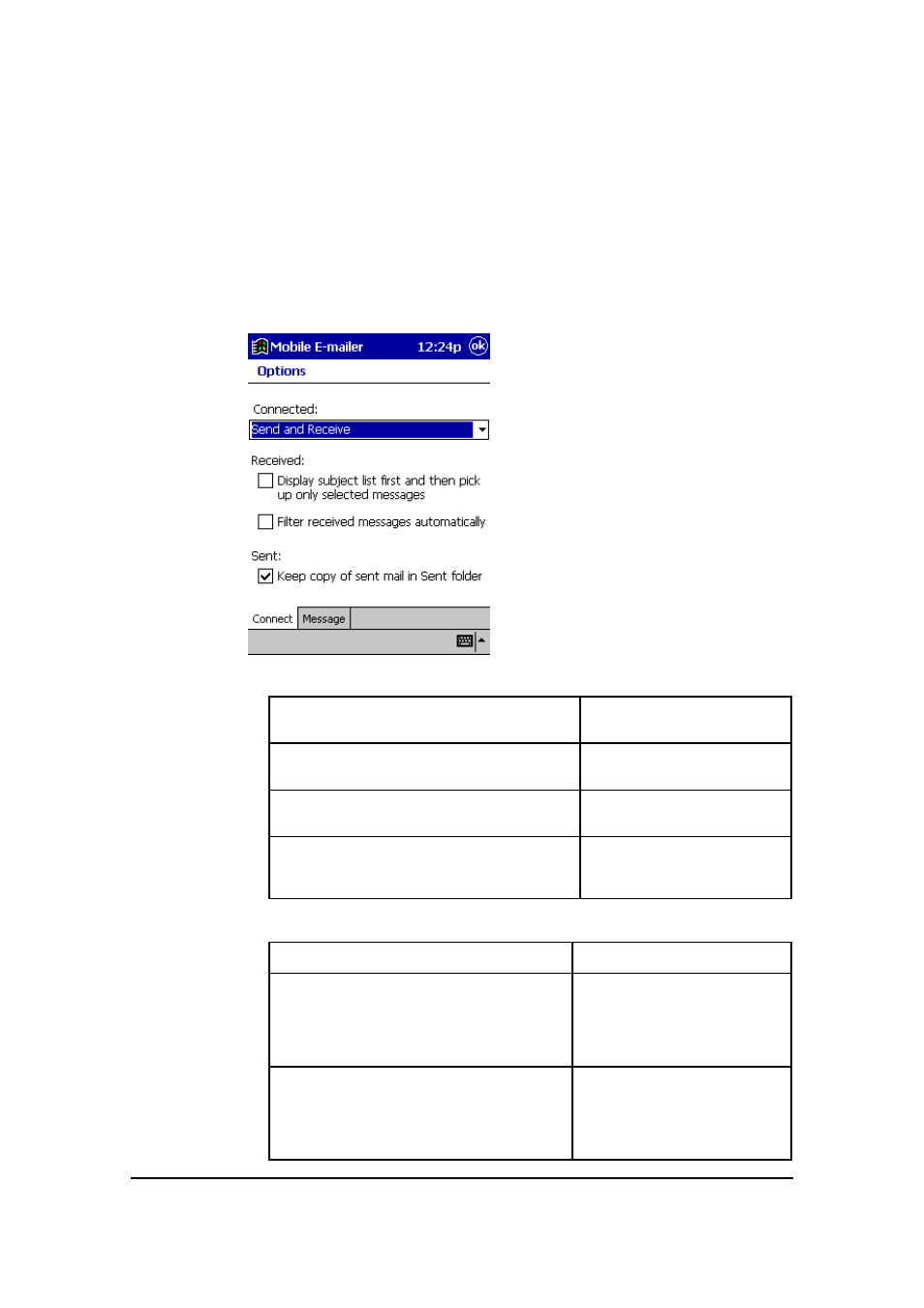
On the Message List screen, tap Tools – Options to display the
Connect tab of the Options screen.
l
Connected:
To do this whenever you connect
to your mail server:
Tap Connected box
and select:
Send messages you have queued and
then pick up any mail waiting on the server
Send and Receive
Send messages you have queued without
picking up any messages
S e n d Only
Pick up messages waiting on the server
without sending messages you have
queued
Receive Only
l
Received:
To do this when receiving mail:
Do this:
Receive all the messages in full
Uncheck the box next to
Display subject list first
and t hen pick up only
selected messages
Receive only a subject list from which you
can specify messages for full receipt
(page 27)
Check the box next to
Display subject list first
and t hen pick up only
selected messages