PLANET CS-1000 User Manual
Page 99
Multi-Homing Security Gateway User’s Manual
Uptime Displays the connection time between PPTP Server and Client.
Configure Click Modify to modify the PPTP Client settings or click Remove to remove the
item.
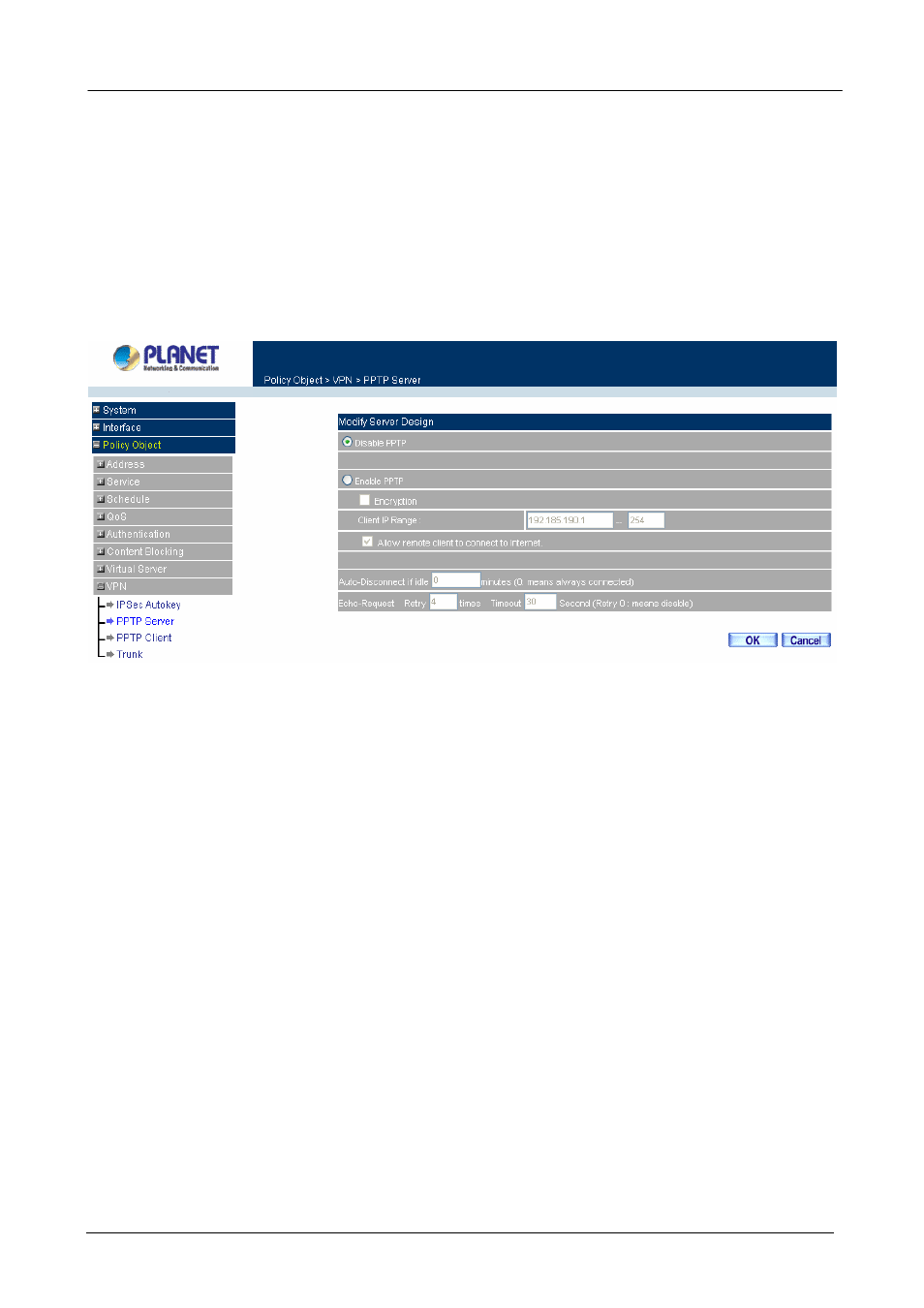
Modifying PPTP Server Design
Step 1. Select
VPN
→PPTP Server.
Step 2. Click
Modify
after the Client IP Range.
Step 3. In
the
Modify
Server Design Window, enter appropriate settings.
Disable PPTP: Check to disable PPTP Server.
Enable PPTP: Check to enable PPTP Server.
Encryption:
the default is set to disabled.
Client IP Range:
Enter the IP range allocated for PPTP Clients when they connect to
the PPTP server.
Allow remote client to connect to Internet: Check to allow remote PPTP client accessing
Internet via PPTP tunnel.
Auto-Disconnect if idle minutes: Configure this device to disconnect to the PPTP
Server when there is no activity for a predetermined period of time. To keep the line always
connected, set the number to 0.
Echo-Request Retry times Timeout Second: CS-1000 will check the VPN
tunnel status according to this configuration, when CS-1000 does not receive the response,
it will stops the VPN connection and keep detecting the VPN status in order to revive the
VPN connection. Retry 0 times means to disable the function.
Step 4. Click OK to save modifications or click Cancel to cancel modifications
Adding PPTP Server
- 93 -