Installing the printer driver on mac os x p.36, P.36, Installing the printer driver on mac os x – Sharp MX-6070N User Manual
Page 36
36
Related topics
• "Software CD-ROM" included in this
• Operating environment of the computer
• Conditions of software use P.10
Troubleshooting
• Cannot install P.41
• Trouble with Macintosh P.44
• How to setup this machine P.45
Installing the printer driver on Mac OS X
1. Startup the "Software CD-ROM"
1) Insert the "Software CD-ROM" in the CD-ROM drive
2) Double click the [CD-ROM] icon on the desktop
2. Double click the [Mac OS X] folder
Before installation, please do not forget to read the "ReadMe First". "ReadMe First"
is in the [US-English] folder ([English] folder in areas other than the U.S.) in the
[Readme] folder.
3. Double click the folder which corresponds to the OS version
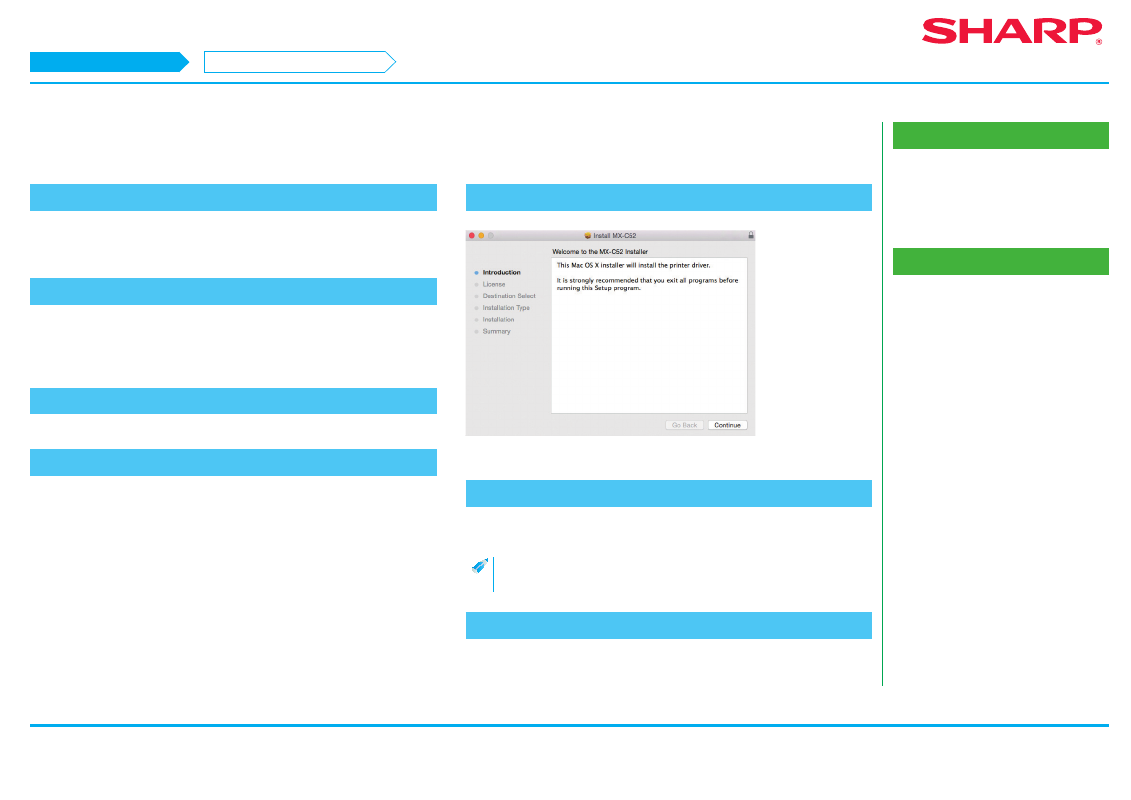
4. Double click the [MX-C52] icon
The [Welcome to MX-C52 installer] screen is displayed.
5. Click the [Continue] button
The "License agreement" screen is displayed.
6. Confirm the content and click the [Continue] button
The screen prompting agreement is displayed.
• If the language appears in the different language, change the
language in the language menu.
7. Click the [Agree] button
The "Simple installation instruction" screen is displayed.
Macintosh/Installing the printer
Installing the printer driver on Mac OS X
STEP 1-7/17