Connecting to a wi-fi network using the qr code – Sony RM1BP Remote Commander User Manual
Page 38
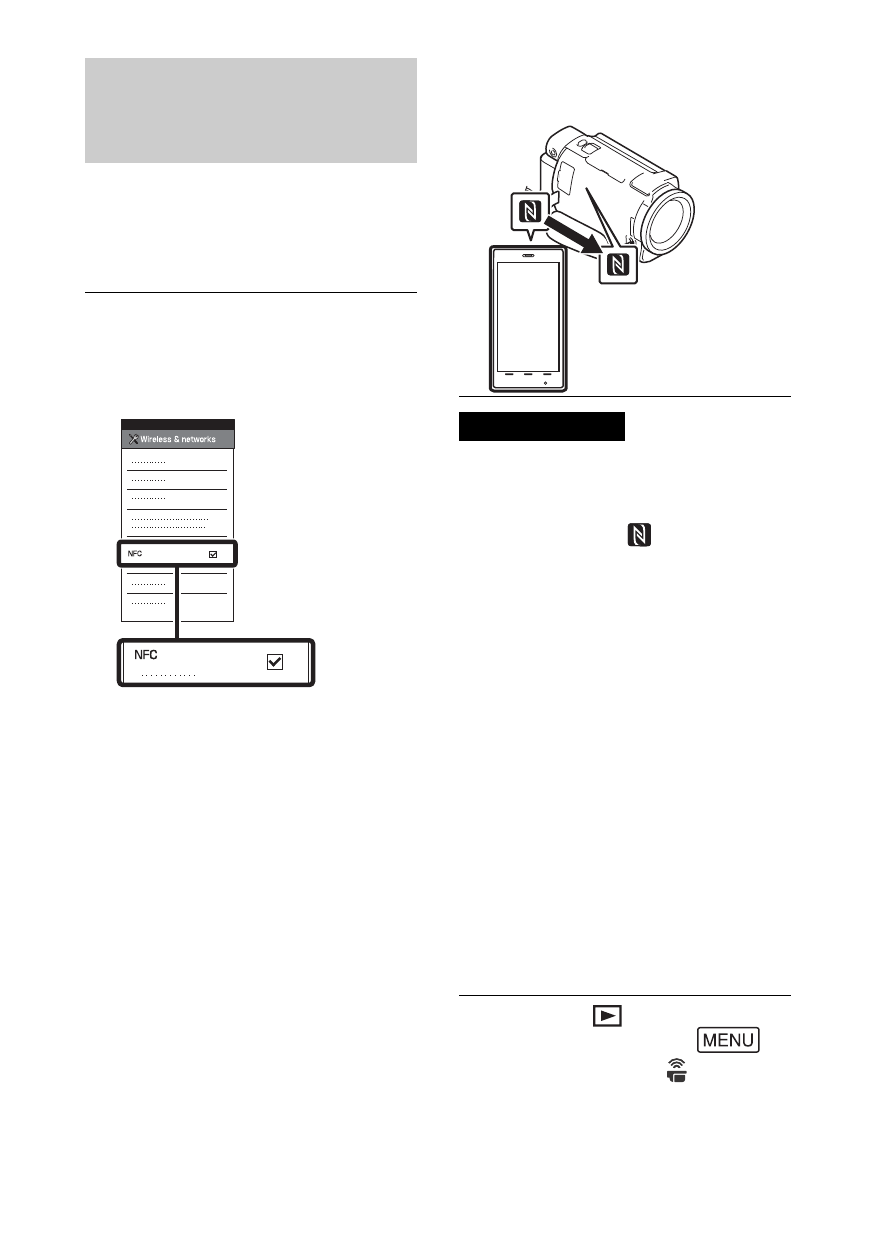
GB
38
One-touch connection
with an Android
supporting NFC
• Cancel the sleep mode or unlock
the screen on the smartphone
beforehand.
• Make sure that
is displayed
on the LCD monitor of the
camcorder and the smartphone.
• Continue touching the
camcorder to the smartphone
without moving until
PlayMemories Mobile starts (1 to
2 seconds).
• If the camcorder cannot be
connected with the smartphone
by NFC, see “Connecting to a Wi-
Fi network using the QR Code”
(page 38).
Connecting to a Wi-Fi
network using the QR
Code
Transferring MP4 movies
and photos to your
smartphone
1
On the smartphone, select
[Settings], then, select
[More...] to check that [NFC]
is enabled.
2
On the camcorder, play back
an image to be sent to the
smartphone.
•
You can transfer MP4 movies
and photos only.
•
To select MP4 movies when you
play back movies, see
“Switching to MP4” (page 28).
3
Touch the camcorder to the
smartphone.
Notes
1
Press the
(View Images)
button, then select
[Wireless]
[
Function]
[Send to Smartphone]
[Select on This Device]
image type.