Remote control buttons, Remote control, Projector operations – Epson DC-13 Document Camera User Manual
Page 15: Document camera operation, Projector operations document camera operation
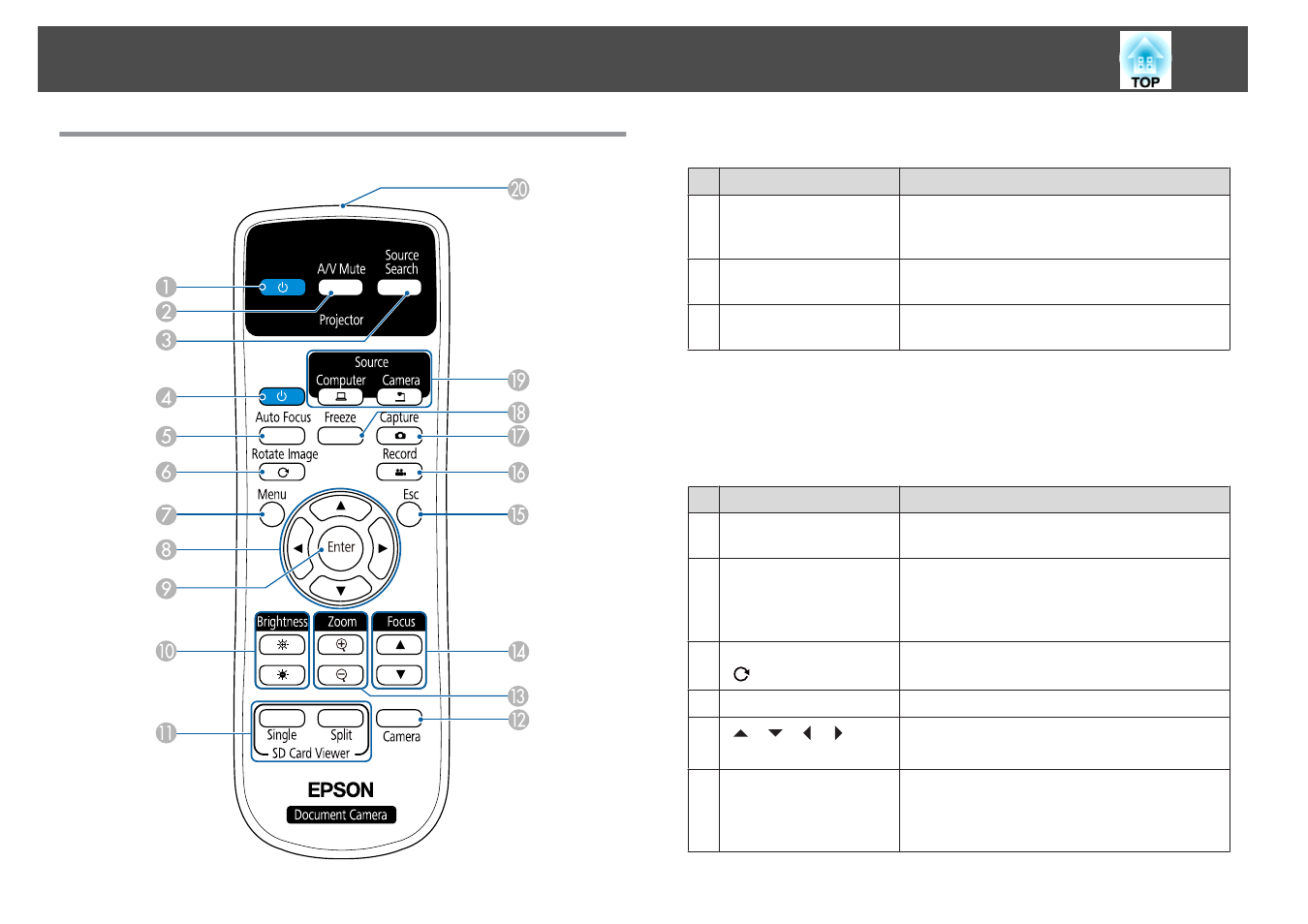
Remote Control
Projector operations
Name
Function
A
[
t
] power button
When used with an Epson projector, turns the
projector on or off.
*
You cannot operate the
document camera with this button.
B
[A/V Mute] button
Turns the video and audio of an Epson
projector on or off.
*
C
[Source Search] button
Changes the input source connected to an Epson
projector.
*
*
This is not supported by some projectors. For more details, contact your local
dealer or the nearest service center provided in this guide.
s
"Epson Projector Contact List"
Document camera operation
Name
Function
D
[
t
] power button
Turns the document camera on or off. You cannot
operate a projector with this button.
E
[Auto Focus] button
Focuses the image automatically.
The document camera cannot focus on objects that
are approximately 10 cm (4 inches) or less from the
surface of the camera lens.
F
[Rotate Image] button
[
]
Lets you turn an image upside-down.
G
[Menu] button
Opens and closes the menu.
H
[
] [
] [
] [
]
buttons
When the menu screen is displayed, pressing these
buttons selects menu items and setting values.
I
[Enter] button
•
When the menu is displayed, pressing this button
confirms the current item.
•
Displays the
SD Card
menu and images on the SD
card if pressed while projecting live images.
Remote Control Buttons
15