Epson DC-13 Document Camera User Manual
Page 19
Advertising
a
•
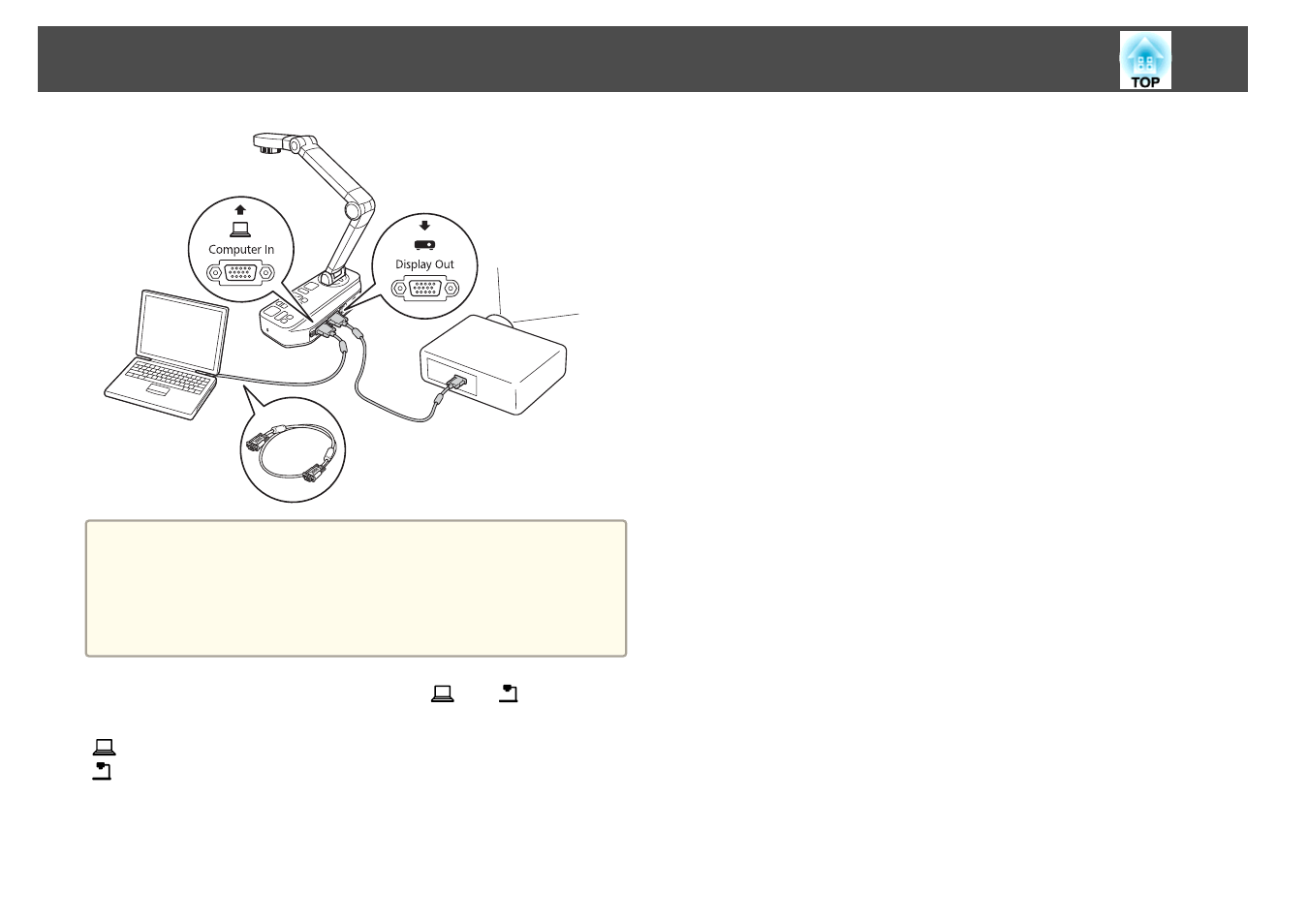
This connection method is only available when the document
camera is connected to a computer using a computer cable. If the
computer you are using does not have a VGA output port, connect
the computer directly to the projector.
•
Images on the computer connected to the document camera are only
output from the Display Out port.
You can switch the projected image between [
] or [
] using
the [Source] button on the document camera or the remote control.
[
]: Projects images from a computer.
[
]: Projects images (live or on an SD card) from the document camera.
Connecting the Document Camera Directly to a Projector
19
Advertising
This manual is related to the following products: