Projecting – Epson DC-13 Document Camera User Manual
Page 24
a
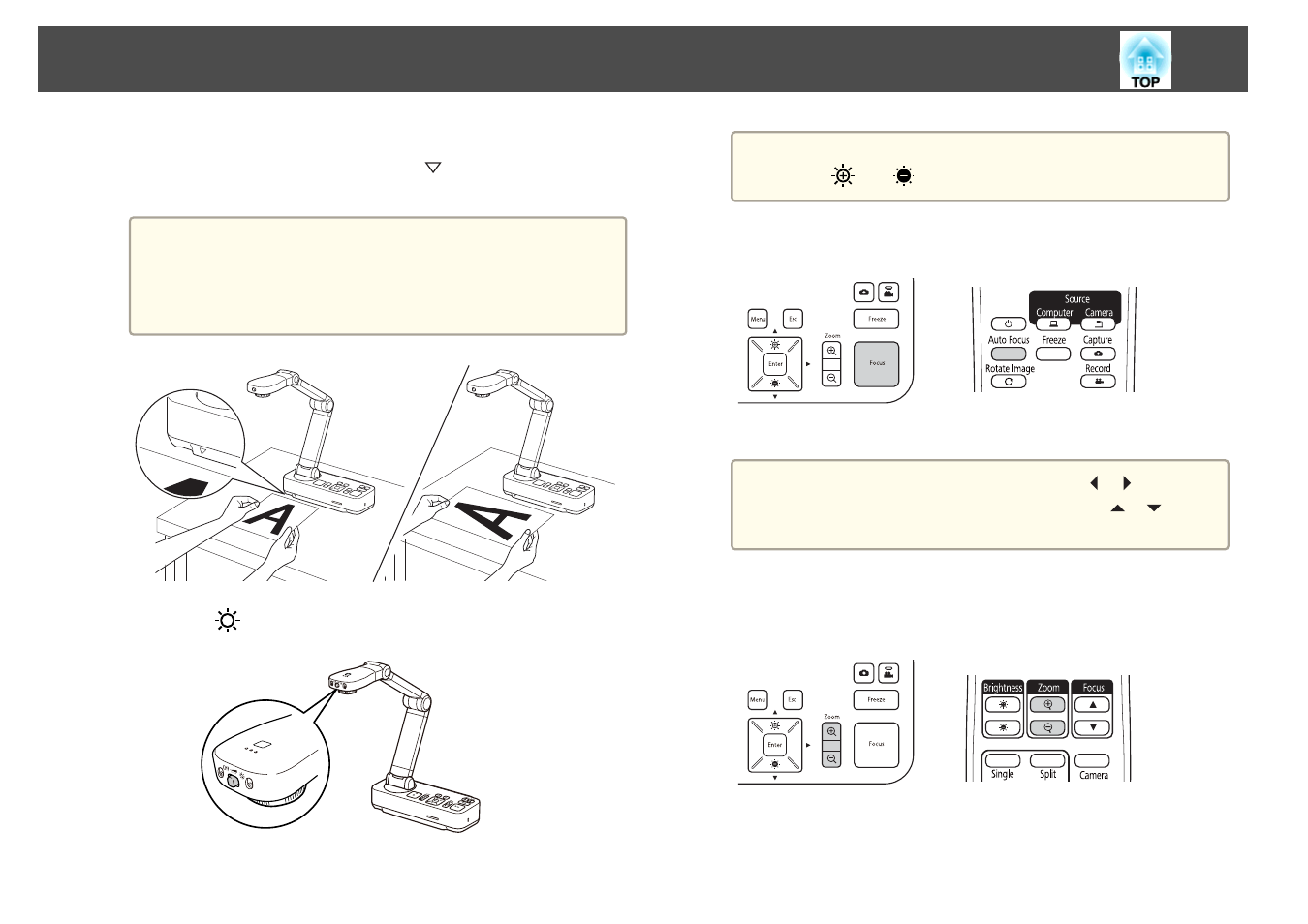
Place your document on the table under the camera head. Align
the center of your document with the
mark on the side of the
document camera.
a
•
When projecting A4-size or letter size paper, align the edge of
the paper with the guides on the side of the document
camera.
•
The maximum paper size that can be projected is A3
landscape.
b
Slide the [
] lamp switch to illuminate the document.
a
If necessary, you can adjust the brightness of the image using
the [
] or [
] on the document camera or remote control.
c
Press the [Focus] button on the document camera or the [Auto
Focus] button on the remote control.
The focus is adjusted automatically.
a
To sharpen hard-to-focus objects, use the [
]/[
] buttons on
the document camera, or the [Focus] buttons [
]/[
] on the
remote control.
d
To zoom in on part of the image, press the [Zoom] - [
z
] button on
the document camera or remote control. Press the [Zoom] - [
x
]
button to zoom out.
Projecting
24