Epson SureColor P5000 Commercial Edition 17" Wide-Format Inkjet Printer User Manual
Page 178
Advertising
178
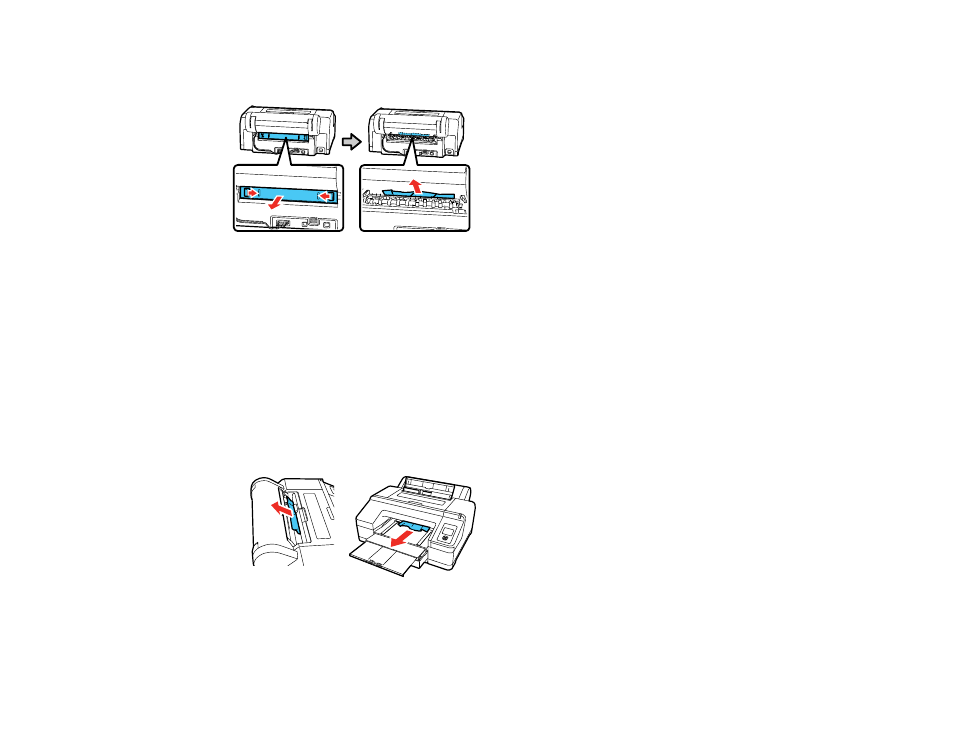
3. If paper is jammed in the rear of the printer, remove the rear unit. Push the tabs toward each other,
then pull out the unit. Remove any jammed paper.
4. Replace the rear unit. Push it into the printer firmly until you hear a click.
5. Replace the paper cassette and the output tray.
6. Turn the printer off and back on again.
Parent topic:
Related tasks
Loading Cut Sheets in the Paper Cassette
Cut Sheet Paper Jam Problems in the Front or Rear Manual Feeder
If cut sheet paper has jammed in the front or rear manual feeder, follow the steps here to clear the jam.
1. Remove the jammed paper.
Advertising