Connecting dante-compatible devices, Es. see, Connecting – Bose Professional ControlSpace ESP-880A Engineered Sound Processor User Manual
Page 19: Dante-compatible devices
English
•
19
Installation Guide
•
ControlSpace ESP-880A/880AD/1240A/1240AD
pro.Bose.com
Hardware Installation
5. Connecting ControlCenter, AmpLink & Serial Control Devices
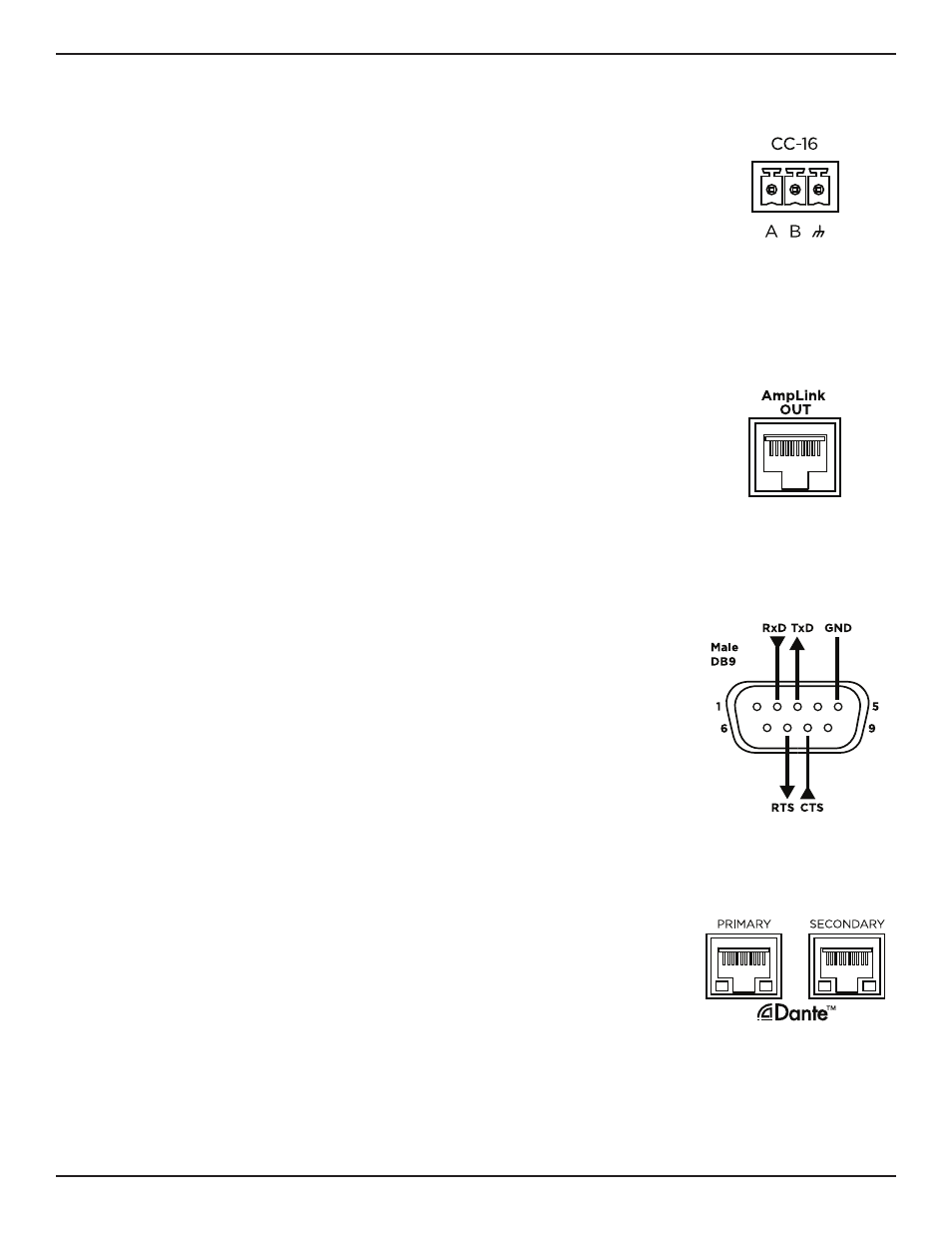
CC-16 Connector
The CC-16 connector is an RS-485 network connection for use with Bose CC-16
zone controllers. Using the included 3-pin Euroblock connector, you can network
up to 15 CC-16 zone controllers to control the ESP-880A, ESP-880AD, ESP-1240A,
or ESP-1240AD processor or any device on the Bose ControlSpace control network.
An external power supply is required.
In addition to wiring the A and B terminals, we highly recommended connecting
the ground terminal from the processor to each CC-16 zone controller. The
maximum distance from processor to any CC-16 is 2,000 feet (610 meters).
AmpLink Connector
The AmpLink connector provides a low-latency method for transporting up to
eight channels of uncompressed audio to PowerMatch amplifiers (with an AmpLink
24-channel input card installed). Use standard Ethernet cables to make these
connections.
ESP-880A, ESP-880AD, ESP-1240A, and ESP-1240AD processors can also serve
as centralized input-routing/mixing points for simplified audio distribution to one
or more PowerMatch amplifiers when installed in the same rack. Additionally, each
PowerMatch amplifier must have an AmpLink 24-channel input card installed in its
rear panel. Use an Ethernet cable to connect your processor's
AmpLink Out
port to
the
Input
port of the input card. To connect additional PowerMatch amplifiers, use
an Ethernet cable to connect the
Thru
port of each input card to the
Input
port of
the input card of the next amplifier.
RS-232 Connector (Serial Control)
The RS-232 connector provides a DB-9 male connector (type DTE) for
communication between the ESP-880A, ESP-880AD, ESP-1240A, or ESP-1240AD
processor and other serial-controlled devices including third-party control systems.
The default serial port settings are 115,200 baud, 8-bits length, 1 stop bit, no parity,
and no flow control. If required these settings can be changed using ControlSpace
Designer
software.
The document ControlSpace
Serial Control Protocol (which you can download from
ed command strings and functions available
to control and query the ESP-880A, ESP-880AD, ESP-1240A, and ESP-1240AD
processors.
6. Connecting Dante-compatible Devices
The ESP-880AD and ESP-1240AD feature
Primary
and
Secondary
Dante network
ports, which provide 32 input channels and 32 output channels of low-latency
digital audio using Dante audio networking. These ports can be configured
for switched (default), redundant, isolated, or filtered network connections for
legacy products. You can daisy-chain up to 10 devices using the switched port
configuration.