Operation panel, User set up mode – HiTi P525L Photo Printer User Manual
Page 17
17
Chapter 5. Operation panel and Printer Status
◎
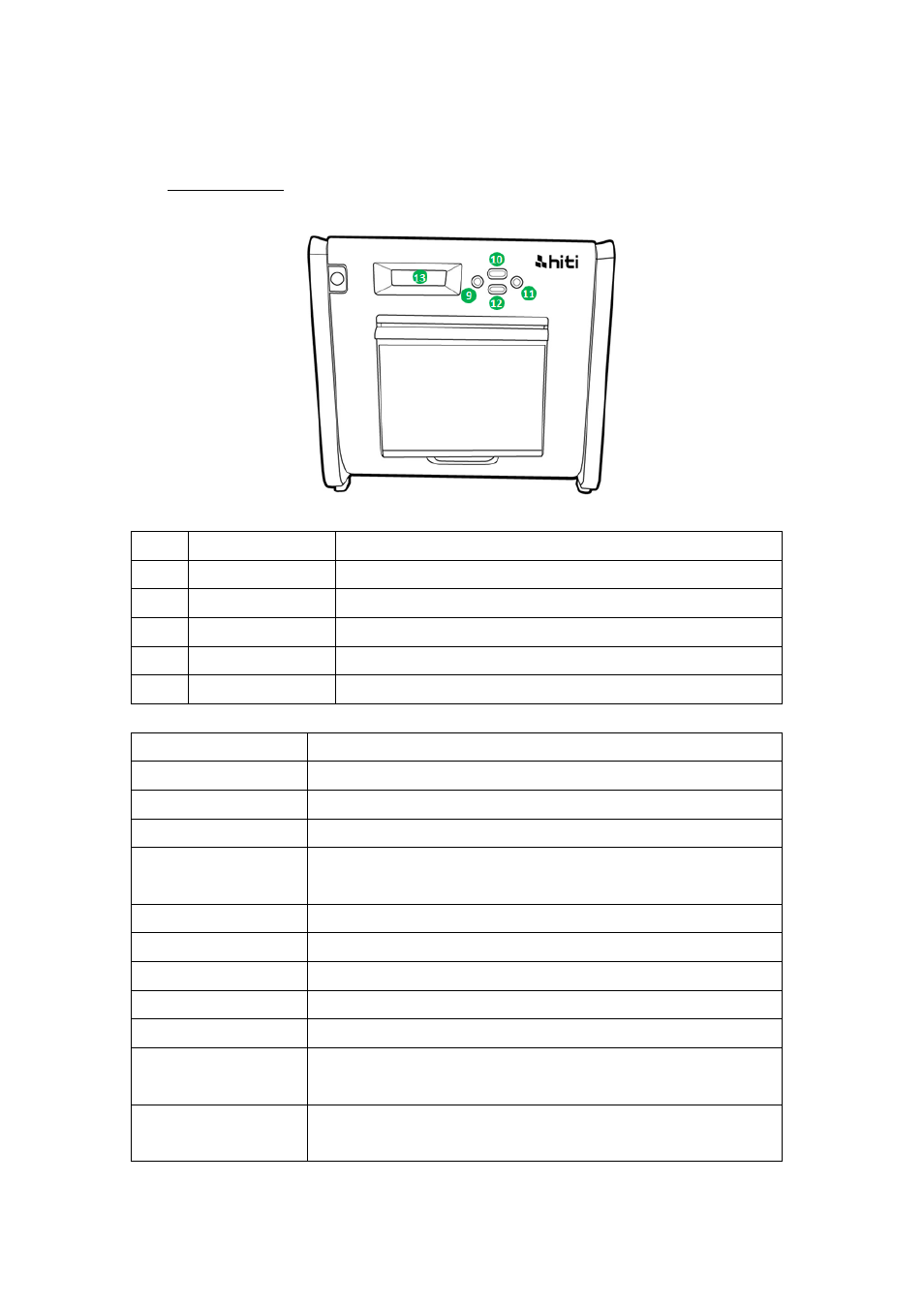
Operation Panel
No.
Name
Function
❾
Left button
Use this button to select preferred setting
❿
Manu button
Use this button to view the printer status
⓫
Right button
Use this button to select preferred setting
⓬
EXEC button
Use this button execute cutting paper
⓭
LCD Display
See as below table
LCD display
Description
Printer Ready
Printer is ready to operate.
Prints Made
Display prints made
Media left
Display media left quantity
Paper cutting
Execute paper cutting (6x4 paper x 4 sheets) when close front
door
FW version
Current firmware version
Language Selection
Select preferred language
Initializing
Printer is in initialization
Media checking
Checking Ribbon/Paper status
Data Sending
Send data from PC/laptop
System cooling
The thermal head is being cooled down. Printing is interrupted
temporarily until the thermal head is cooled down
System warm up
The thermal head is being warmed up. Printing is interrupted
temporarily until the thermal head is warmed up