Selecting the source to record – Native Instruments MASCHINE+ Standalone Production and Performance Instrument User Manual
Page 188
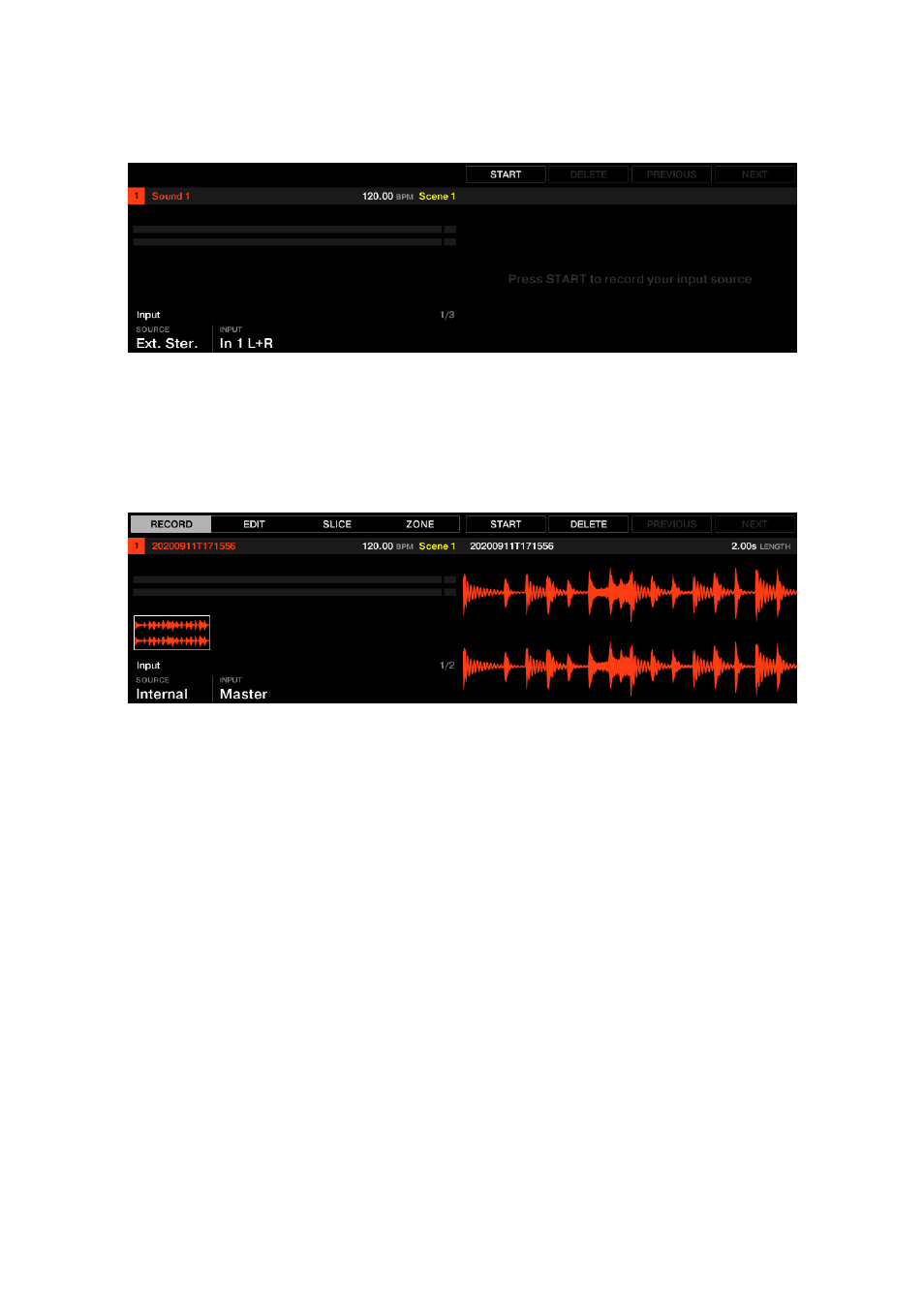
The default Sample page
After recording a sample the
RECORD
tab becomes available.
▶
In Sampling mode, press Button 1 to access the
RECORD
page.
→
The Record page appears.
The RECORD page in the Sampler
18.2.2. Selecting the Source to Record
Here you can select the type of source you want to record.
To select a Source type:
▶
Turn Knob 1 (
SOURCE
).
The following options are available:
• To record stereo external audio signals connected to your audio interface, select
Ext. Ster.
.
• To record mono external audio signals connected to your audio interface, select
Ext. Mono
.
• To record audio signals coming from MASCHINE+ itself, select
Internal
.
To select an Input type:
▶
Turn Knob 2 (
INPUT
).
The following options are available:
• If
SOURCE
is set to
Ext. Ster.
, you can select either of the external stereo inputs In 1–4.
• If
SOURCE
is set to
Ext. Mono
, you can select either of the eight external mono
inputs: the left (“
L
”) or right (“
R
”) channel of each input pair In 1–4.
SAMPLING AND SAMPLE MAPPING
181