Ending the connection, Connecting the camera to external devices, 278 en – OM SYSTEM OM-1 Mirrorless Camera User Manual
Page 278: Tap o in the camera monitor, Disabling wi‑fi/bluetooth
278
EN
Connecting the Camera to External Devices
8
Ending the Connection
End the Wi-Fi connection. The use of Wi-Fi may be prohibited in some countries or
regions, in which case Wi-Fi should be disabled.
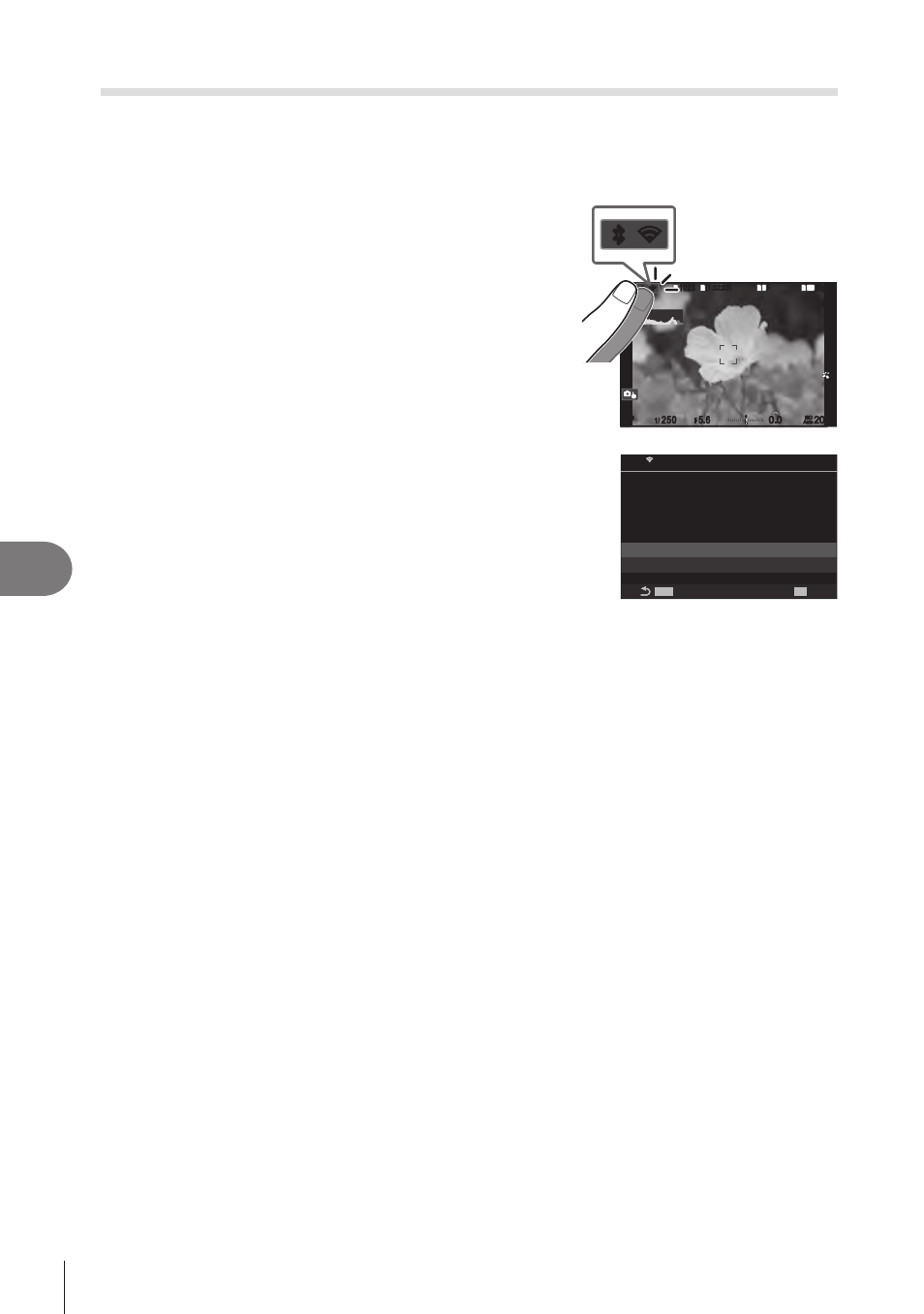
Ending the Current Connection
1
Tap
O
in the camera monitor.
1
1023
1023
P
1/
250
P
1/
F
250
5.6
5.6
1
1
[1:02:03]
[1:02:03]
FF
60p
60p L-8
L-8
S-AF
S-AF
33
200
200
L
1
4K
ISO
Auto
ISO
Auto
F
00
+
-
0.0
0.0
100 %
100 %
r
r
O
O
r
r
O
O
•
You will be prompted to confirm whether you wish to
disconnect.
• The network SSID is shown in the display.
MENU
MENU
OK
SSID:SSID_001
PC
PC Connection
Disconnect
Maintain
Wi-Fi is active
2
Highlight [Disconnect] using
FG
and press the
Q
button.
• The camera will terminate the connection and exit to the shooting display.
•
A confirmation dialog will be displayed if data remain to be uploaded. To terminate the
connection, highlight [Yes] and press the
Q
button.
3
To reconnect, tap
O
or select [Wi-Fi Connection] > [PC Connection] and
press the
Q
button.
• The camera will automatically reconnect to previously-selected networks.
• To connect to a new network, highlight [Maintain] in Step 2 and press the
Q
button.
•
If you turn the camera off while upload is in progress, you will be prompted to choose
whether to power the camera down and terminate the Wi-Fi connection immediately or to
power the camera down only after upload is complete.
Disabling Wi‑Fi/Bluetooth
®
Set [Airplane Mode] (P. 260) to [On]. Wireless communication will be disabled.