Sessions page – Waves eMotion LV1 64-Channel Mixer with Axis One Custom Computer User Manual
Page 168
Advertising
163
Waves eMotion LV1 User Guide |
Chapte
r
5:
Show
Window
Window
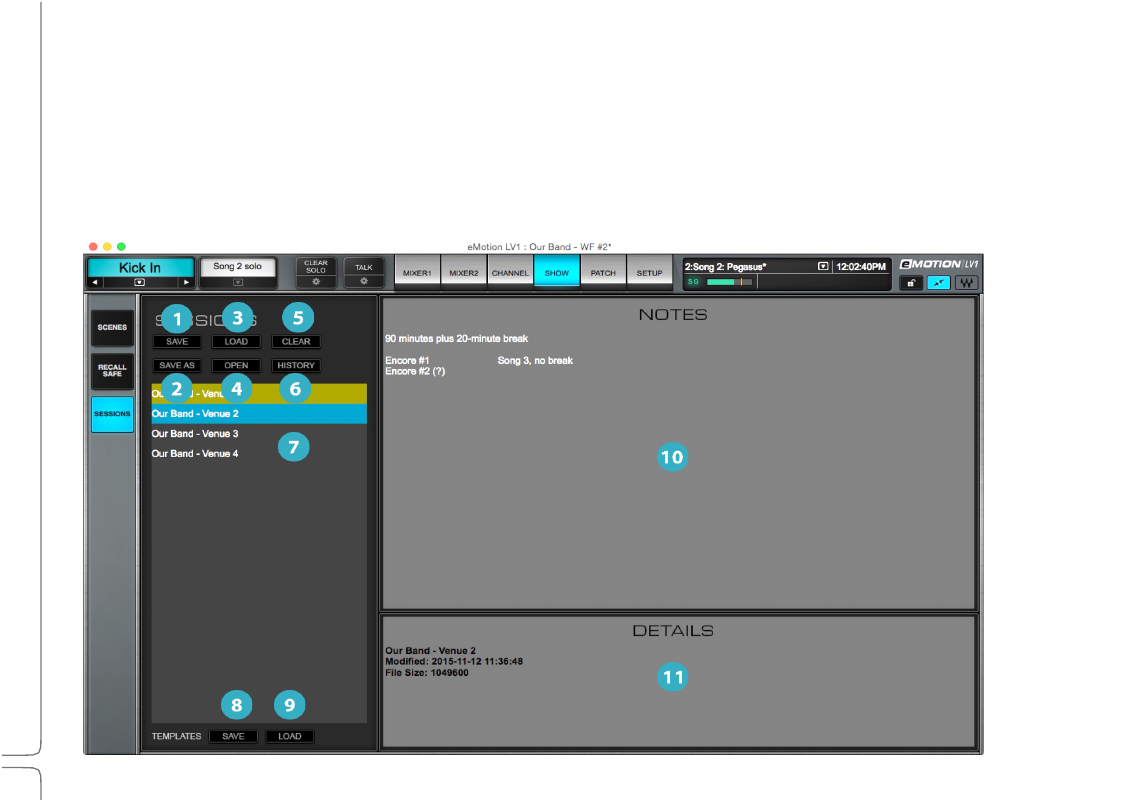
Sessions Page
The
Sessions
page
is
where
you
save,
load,
and
name
the
session
files
that
contain
all
mixer
settings:
•
Inventory
•
Plugin presets
•
Internal mixer patches
•
External patching
•
System preferences
•
Faders, panners, and aux sends
•
Channel presets and rack configuration
All of these settings load with a session.
Advertising