Lenovo ThinkStation P920 Tower Workstation User Manual
Page 142
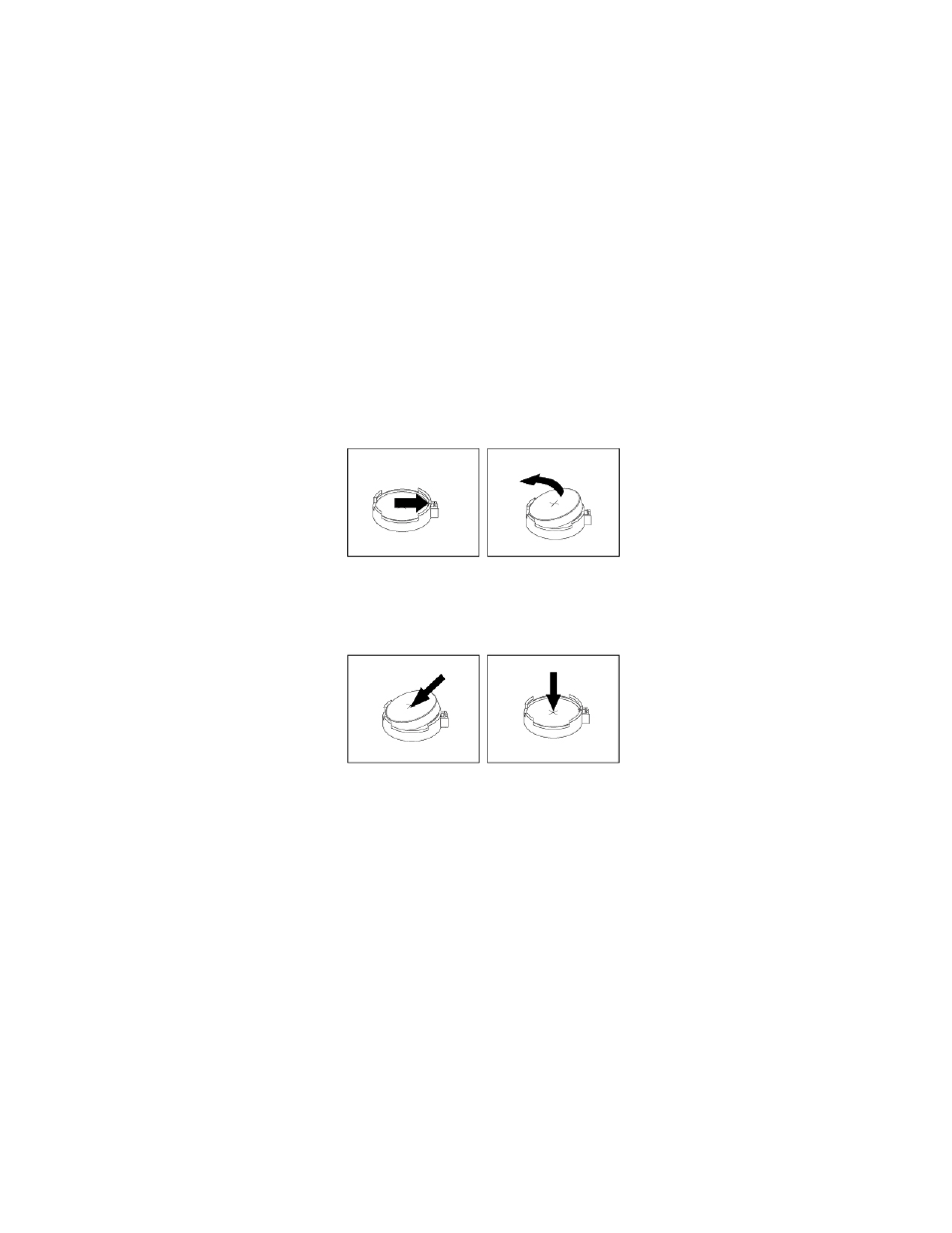
To remove and install the coin-cell battery, do the following:
1. Prepare your computer. See “Preparing your computer and removing the computer cover” on page 59.
2. To access the coin-cell battery, remove the following parts:
• “Direct cooling air baffle” on page 63 (if necessary)
• “Power supply assembly” on page 103
• “Front fan assembly” on page 87
• “M.2 solid-state drive holder” on page 90
• “PCIe card” on page 107 (if necessary)
• “Super capacitor module” on page 122 (if necessary)
• “Full-length PCIe card” on page 115 (if necessary)
• “Multi-function bracket in the upper position” on page 125
3. Locate the coin-cell battery. See “Parts on the system board” on page 8.
4. Remove the old coin-cell battery as shown.
Figure 123. Removing the coin-cell battery
5. Install the new coin-cell battery as shown.
Figure 124. Installing the coin-cell battery
6. Reinstall the following parts if you have removed them:
• “Multi-function bracket in the upper position” on page 125
• “Front fan assembly” on page 87
• “Power supply assembly” on page 103
• “M.2 solid-state drive holder” on page 90
• “Super capacitor module” on page 122
• “Full-length PCIe card” on page 115
• “Direct cooling air baffle” on page 63
7. Reinstall the computer cover and reconnect the cables. See “Completing the parts replacement” on
130
P920 User Guide