Lenco XEMIO-955 User Manual
Page 19
Advertising
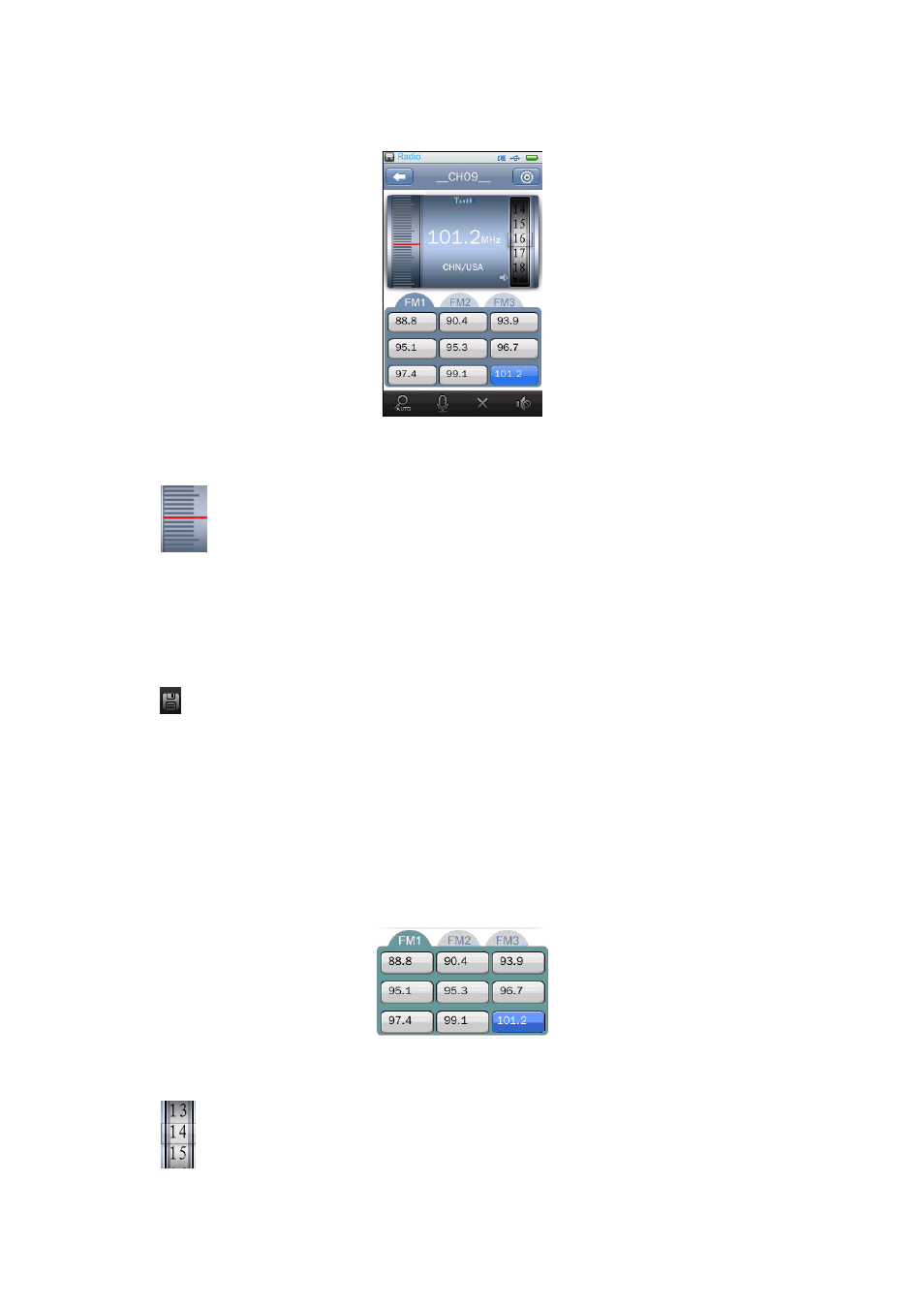
FM Radio Interface
1.
Manual Search Station
•
Tap
icon and slide up / down slowly to manual Search for the radio frequency, you will
see the frequency number is stepping up / down by 0.1(0.05)MHz. Tune the frequency number
to your desired radio station frequency.
2.
Save Channel
•
Tap
icon to save the current tuned channel in channel list, if it channel is broadcasting and
not saved.
3.
Channel List
•
In Channel List, there have three lists; up to 9 channels can be saved in each list.
•
Once the current tuned channel is saved, you will see the channel frequency is displayed in a
block.
Channel List Screen
4.
Adjust Volume
•
Tap
icon and drag up and down to adjust the volume levels as you want.
Advertising