4 installing memory, Installing memory – Asustor AS7009RD User Manual
Page 13
Advertising
ASUSTOR NAS Quick Installation Guide
3
3
.
.
3
3
.
.
4
4
I
I
n
n
s
s
t
t
a
a
l
l
l
l
i
i
n
n
g
g
M
M
e
e
m
m
o
o
r
r
y
y
•
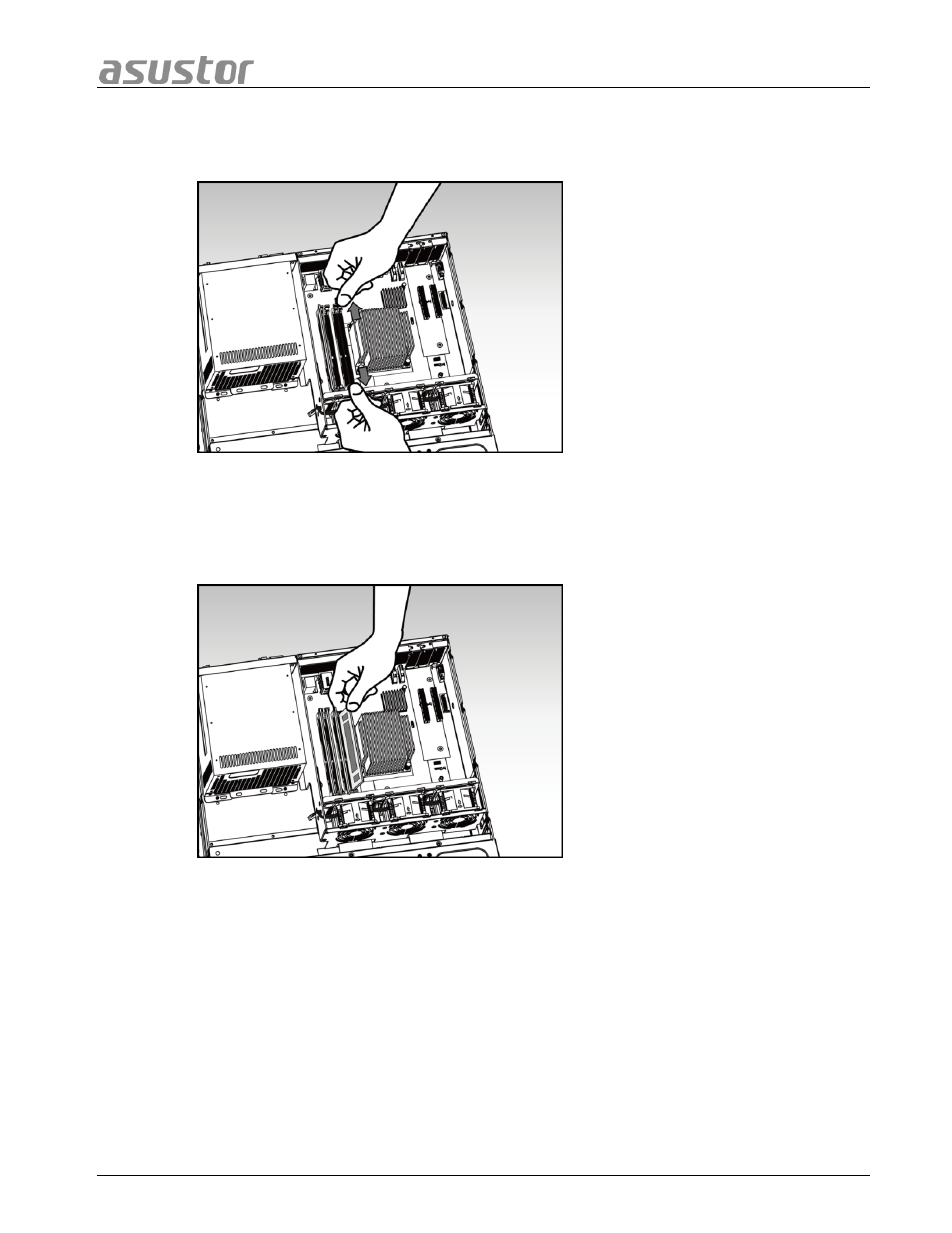
Release the ejector clips by gently pulling them out to the sides of the memory slot.
•
When inserting the memory module into the empty slot, please make sure to align
the notches on the module with the notches in the slot.
•
Slide in the memory module (as shown in the illustration) making sure that the
memory module’s connectors are fully inserted into the slot.
•
Using two fingers, carefully push down on the memory module until the ejector clips
lock it into place.
Page 13 of 25
Advertising