Hardware installation guide, 1 hard disk installation, Hard disk installation – Asustor AS7009RD User Manual
Page 7
Advertising
ASUSTOR NAS Quick Installation Guide
3.
H
H
a
a
r
r
d
d
w
w
a
a
r
r
e
e
I
I
n
n
s
s
t
t
a
a
l
l
l
l
a
a
t
t
i
i
o
o
n
n
G
G
u
u
i
i
d
d
e
e
All data stored on the hard disk(s) will be erased and CANNOT be recovered.
Please back up all important data before initializing the system.
3.1 Hard Disk Installation
•
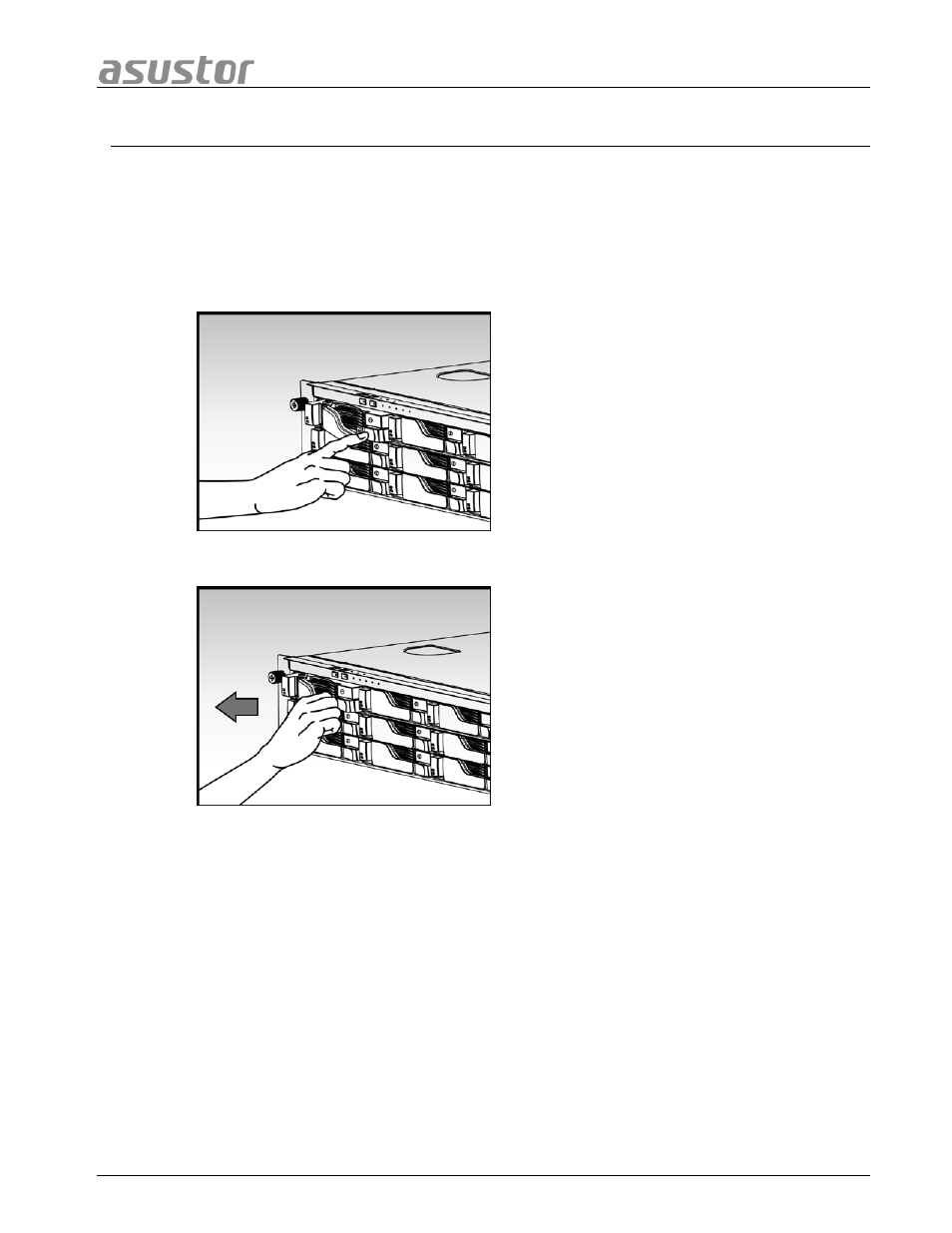
Press the button on the lower portion of the hard disk tray to release the latch.
•
Using the latch, gently pull the disk tray out of the disk bay.
Page 7 of 25
Advertising